
How to edit a till?
Follow these instructions to edit a Till in the salon software:
1. Navigate to the Till Section:
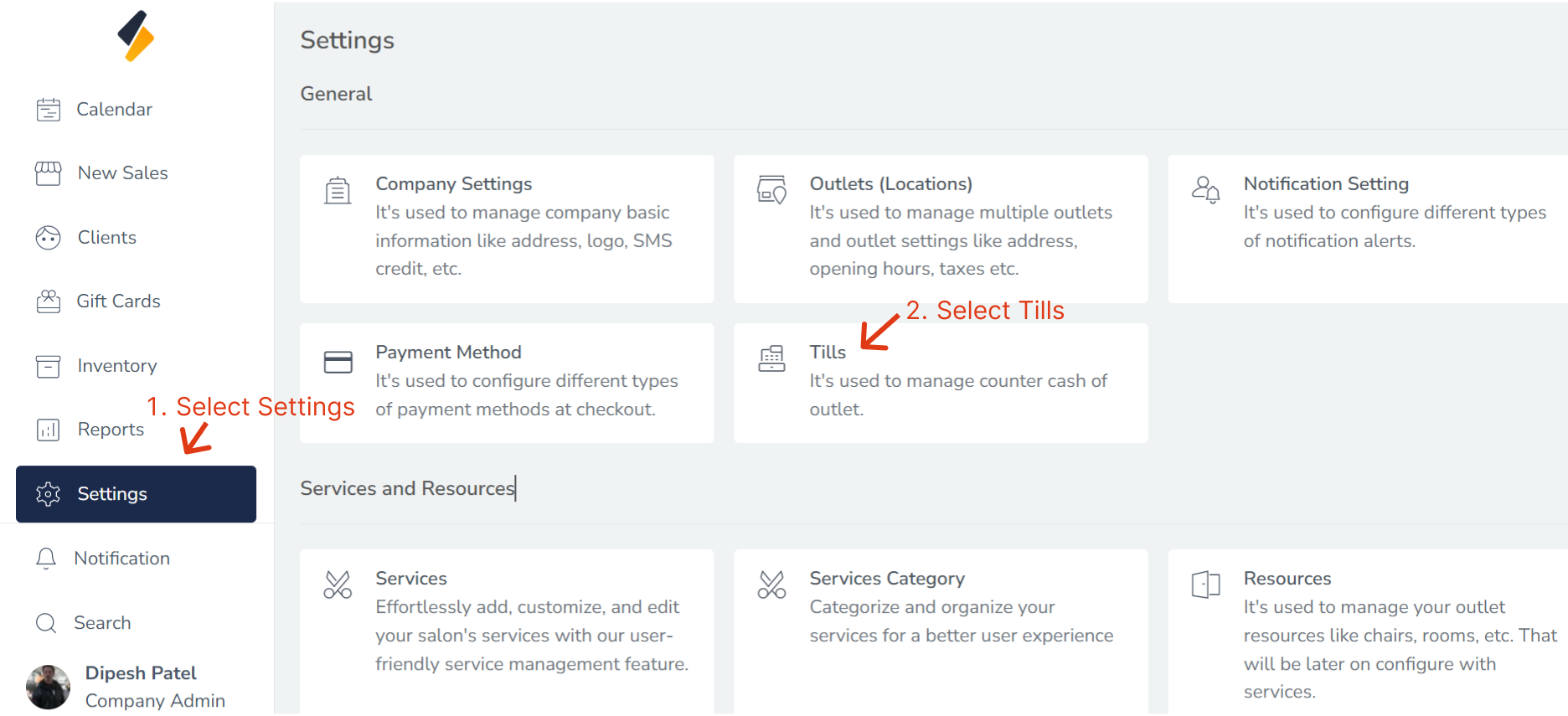
- Once you have logged in, Select the Settings option from the sidebar.
- Click on "Tills" option from General.
2. Select the till to Edit:
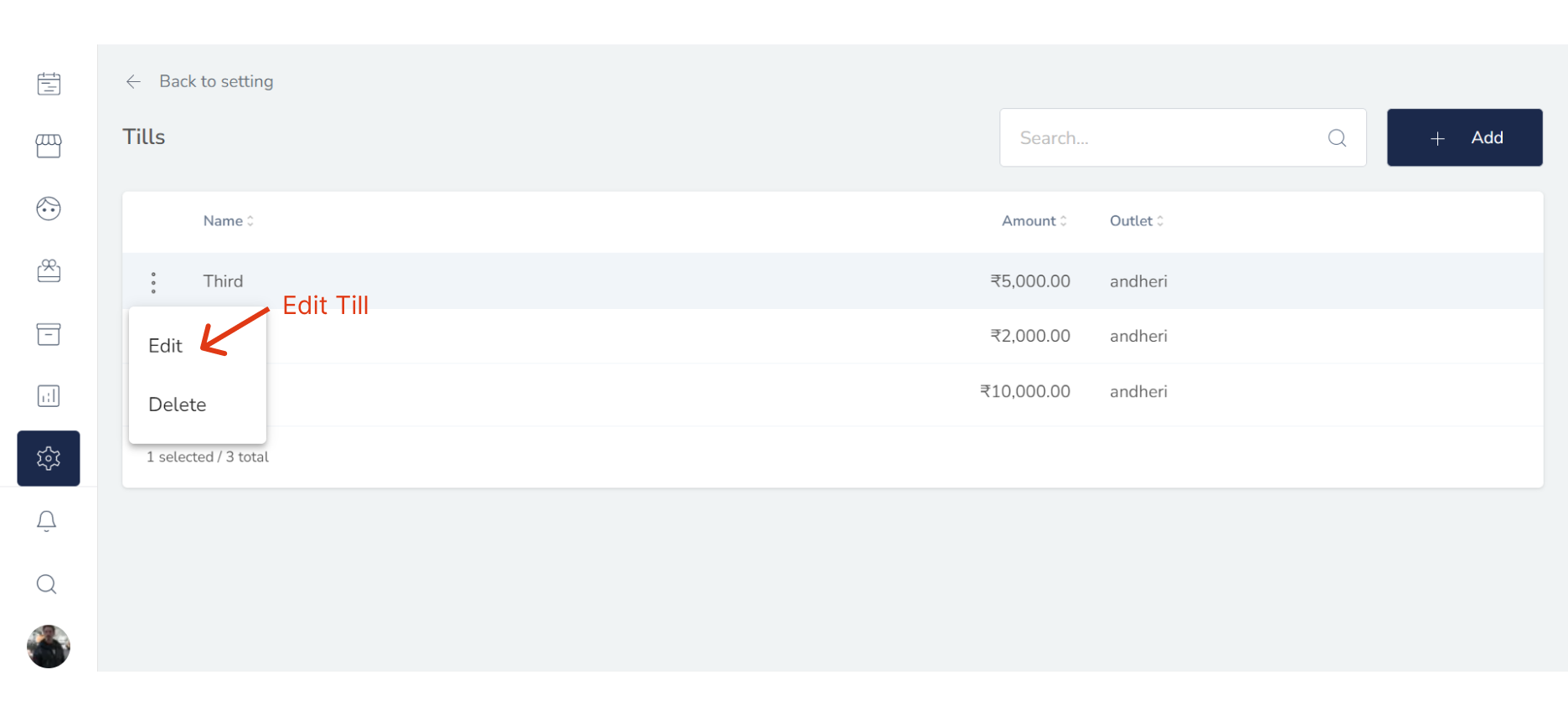
Locate the Till that you want to edit in the Till list. Click (:) button & select Edit.
3. Edit the Till Information:
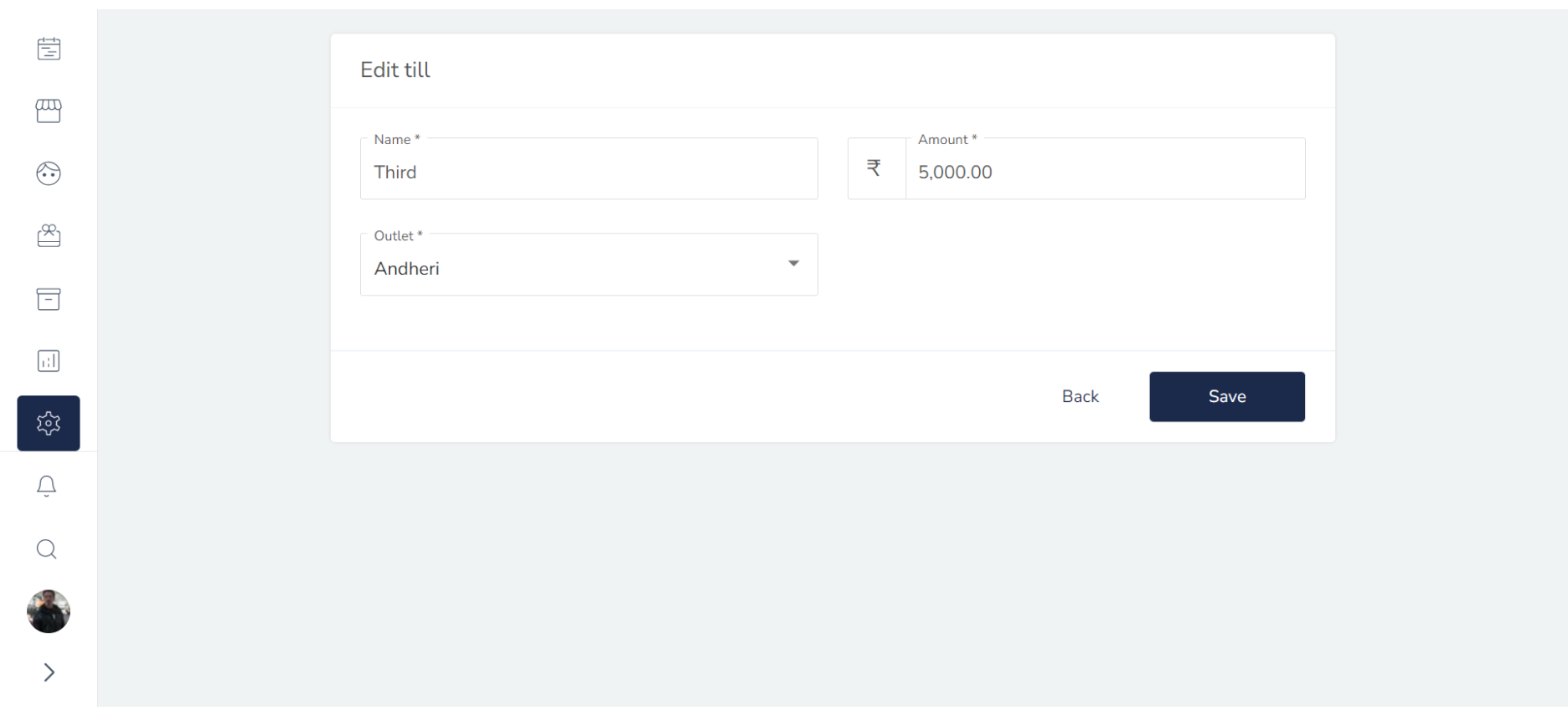
Once you have selected the Till to edit, you should be able to see their existing information. Edit the Till information as needed.
4. Save the Till Information:
Once you have made all the necessary changes, click on the "Save" button. This will save the updated Till information to the salon software.
Congratulations! You have successfully edited a Till in the salon software.