
How to delete a till?
Follow these instructions to delete a Till in the salon software:
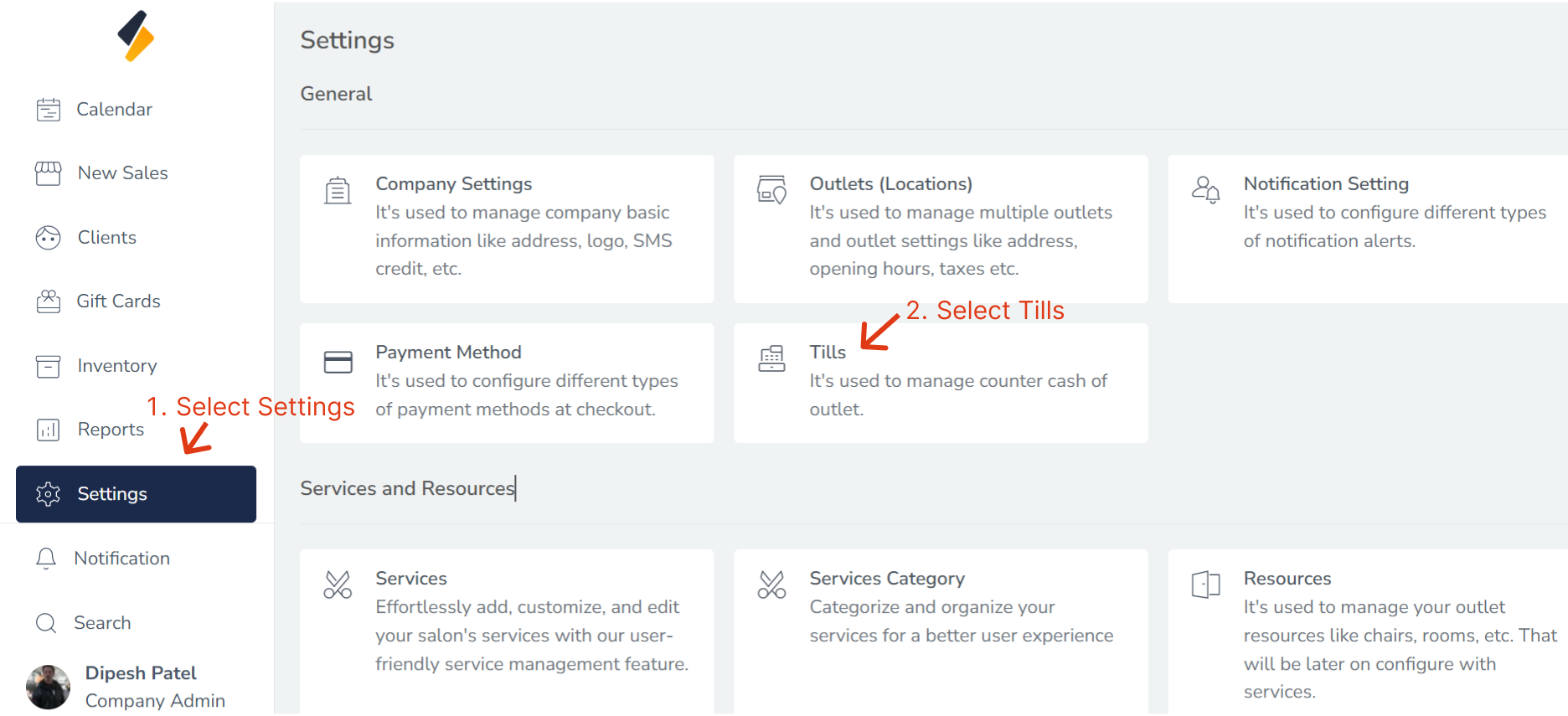
1. Navigate to the Till Section:
- Once you have logged in, Select the Settings option from the sidebar.
- Click on "Tills" option from General.
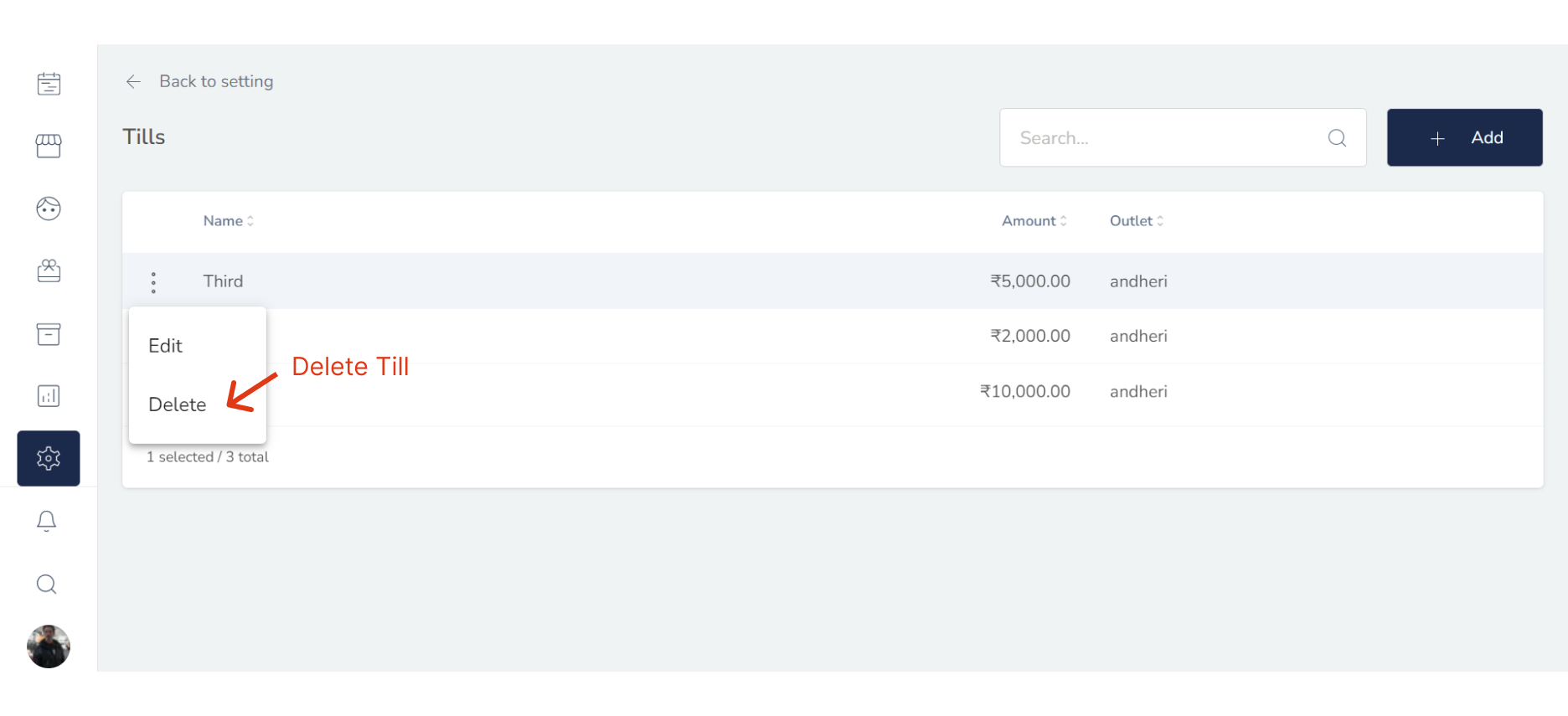
2. Select the Till to Delete:
Locate the Till that you want to delete in the Till list. Click (:) button & select Delete.
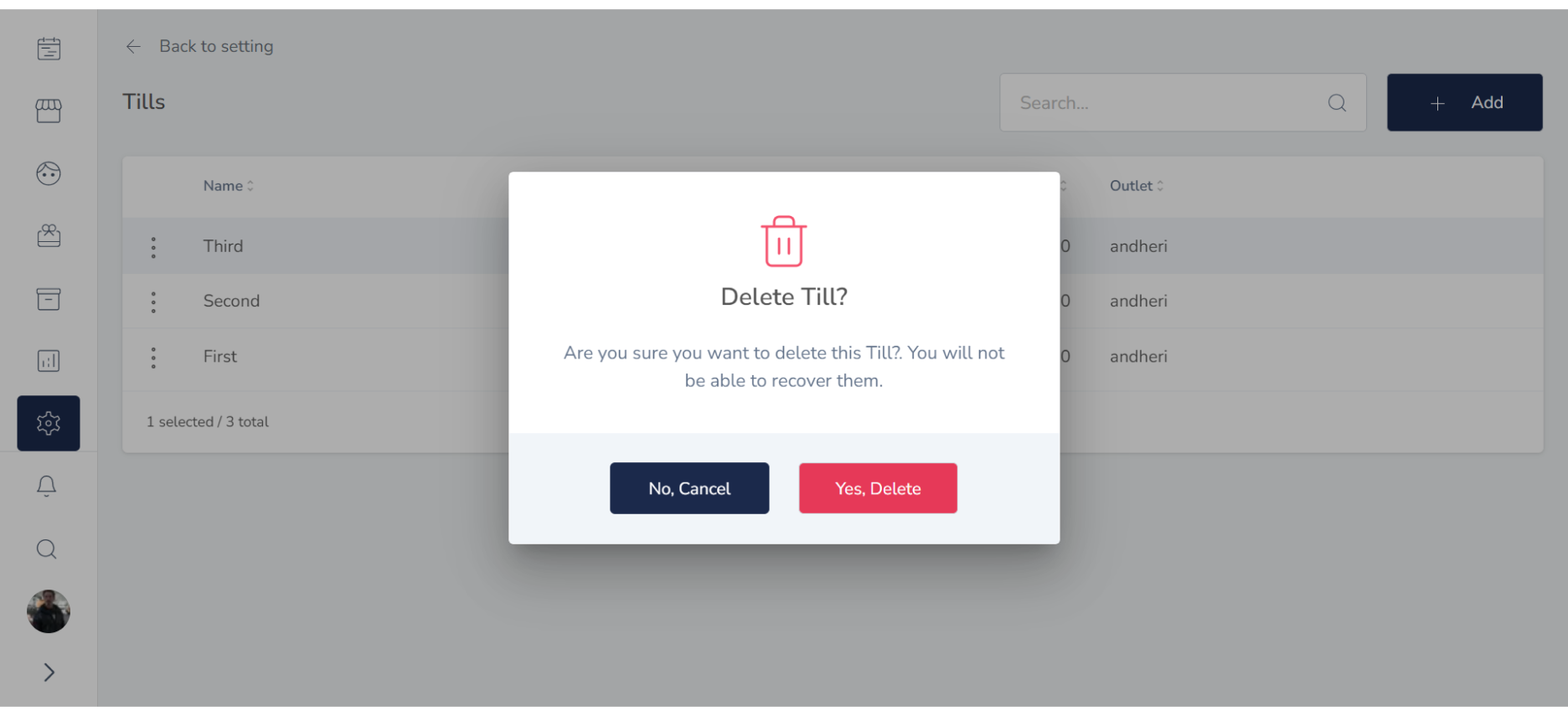
3. Delete the Till Information:
To delete the Till, click on the "Yes,Delete" button. This should open a confirmation prompt asking if you are sure you want to delete the Till. Confirm that you want to delete the Till.
4. Confirm the Till Deletion:
After deleting the Till, confirm that their information has been removed from the salon software. Check that they no longer appear in the Till list or other relevant sections of the software.
Congratulations! You have successfully deleted a Till from the salon software.