How to add a new till?
Here's a step-by-step guide to adding a new Till.
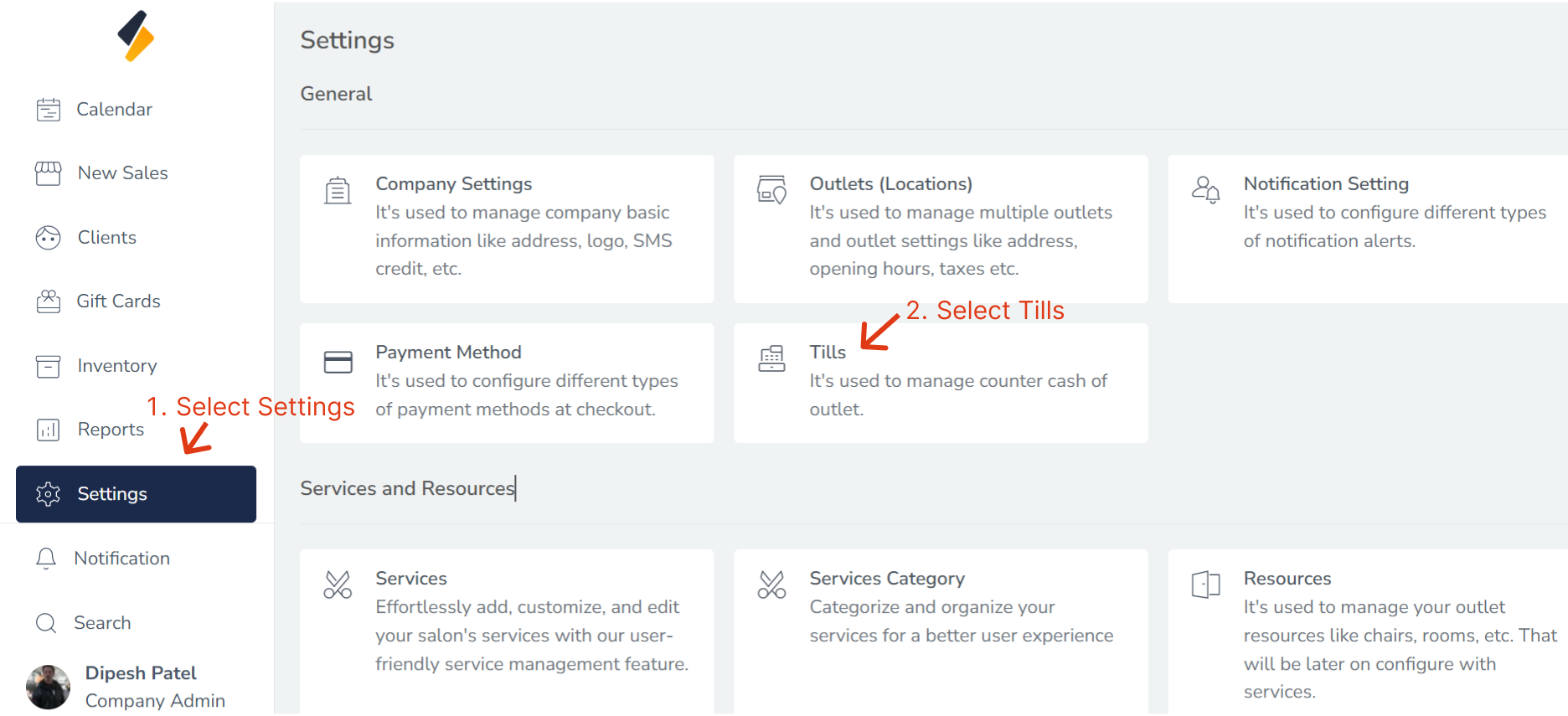
1. Navigate to the Till Section:
- Once you have logged in, Select the Settings option from the sidebar.
- Click on "Tills" option from General.
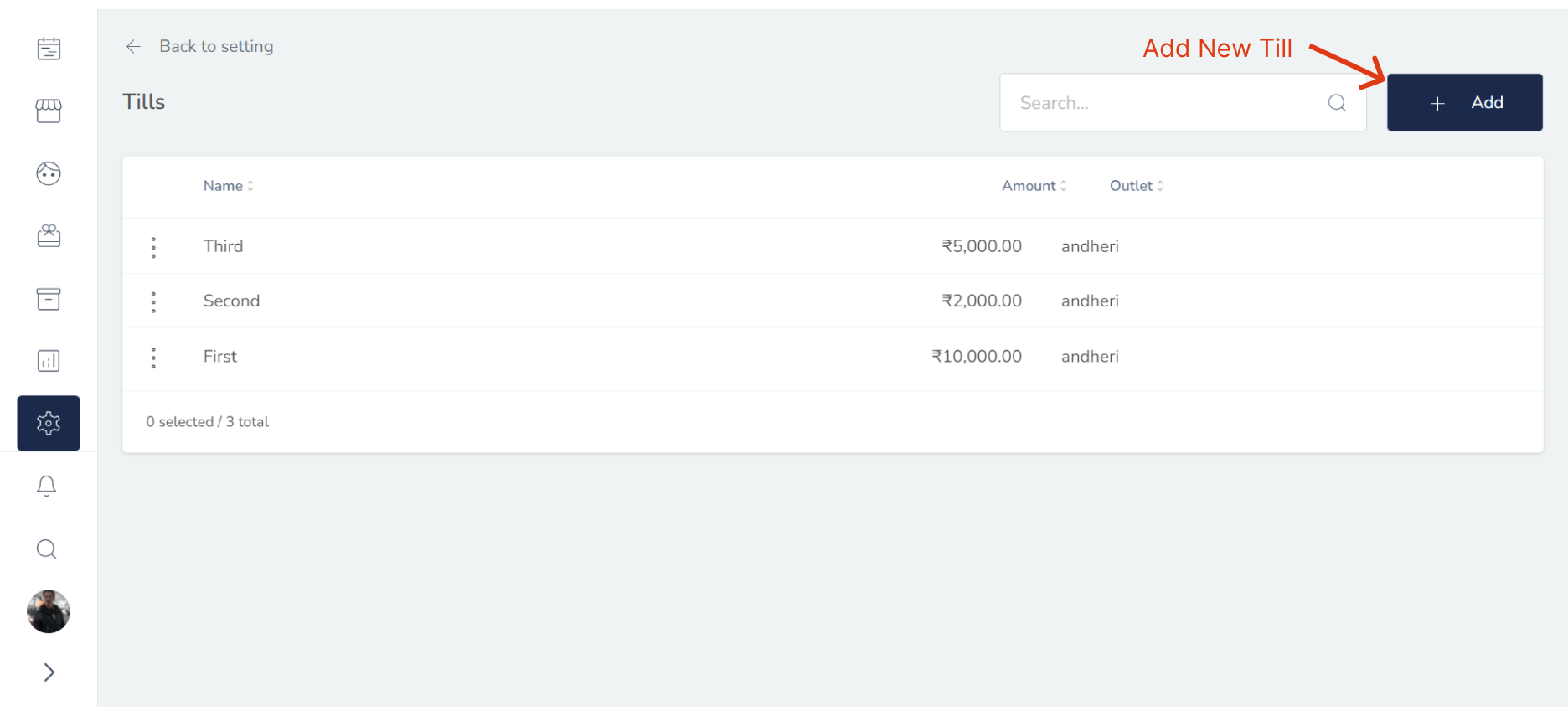
2. Add New Till:
Click the "+ Add" button to begin adding a new Till to your system.
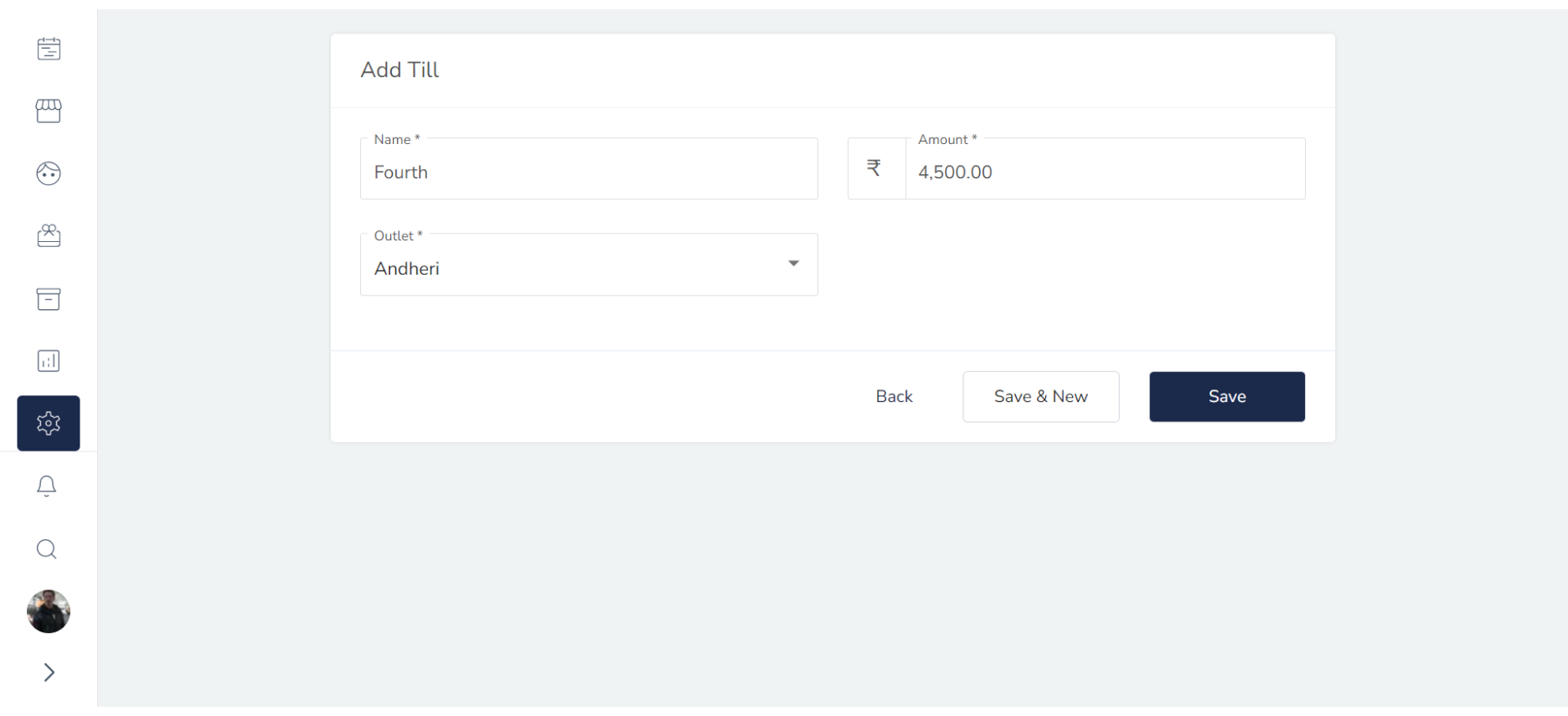
3. Enter the Till's Information:
Enter the Till's information into the appropriate fields, including:
- Name : Tha name of Till.
- Amount : The amount of money add to Till.
- Outlet: Select the outlet where the Till used.