
How to add a new tax?
Here's a step-by-step guide to adding a new tax to your salon software.
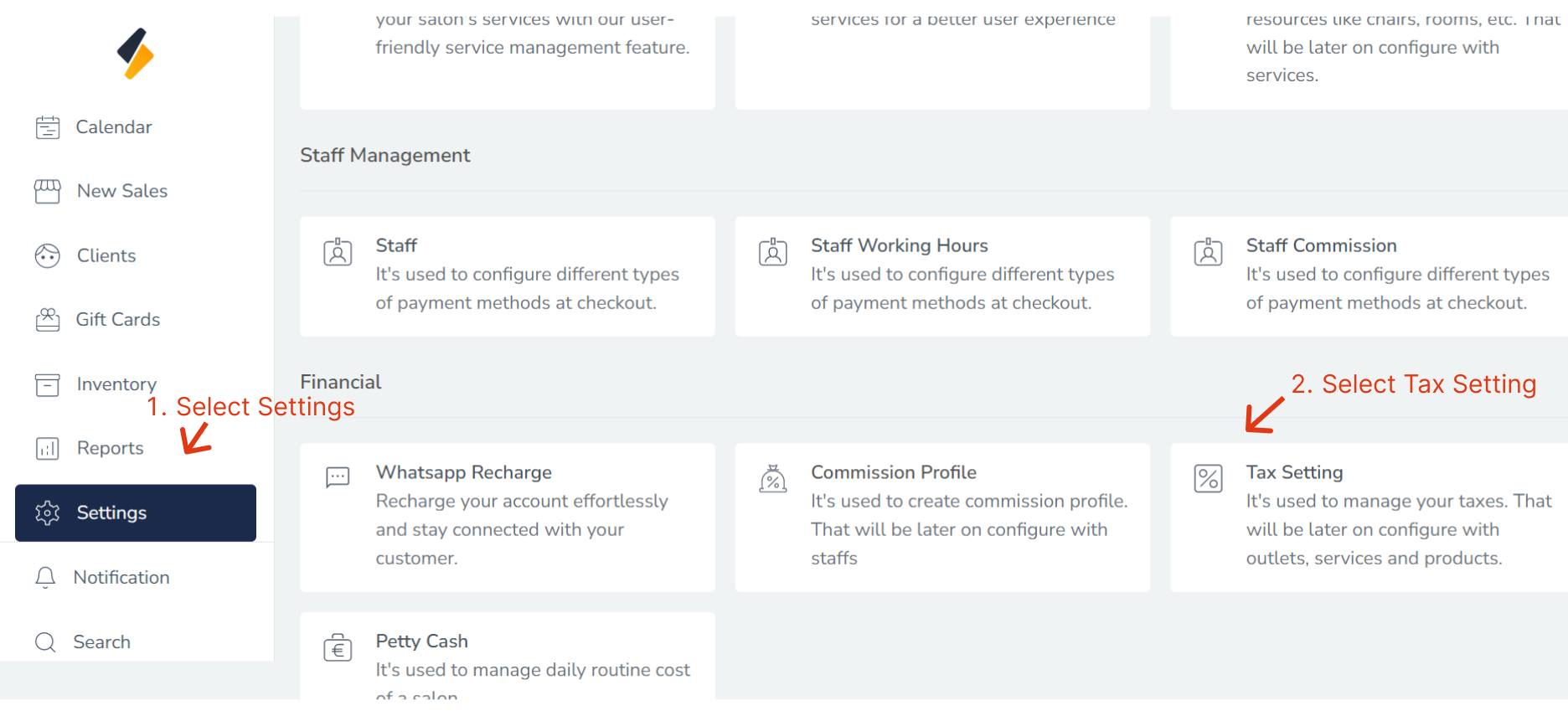
1. Navigate to the Tax Settings Section:
- Once you have logged in, Select the Settings option from the sidebar.
- Click on Tax Settings option from financial.
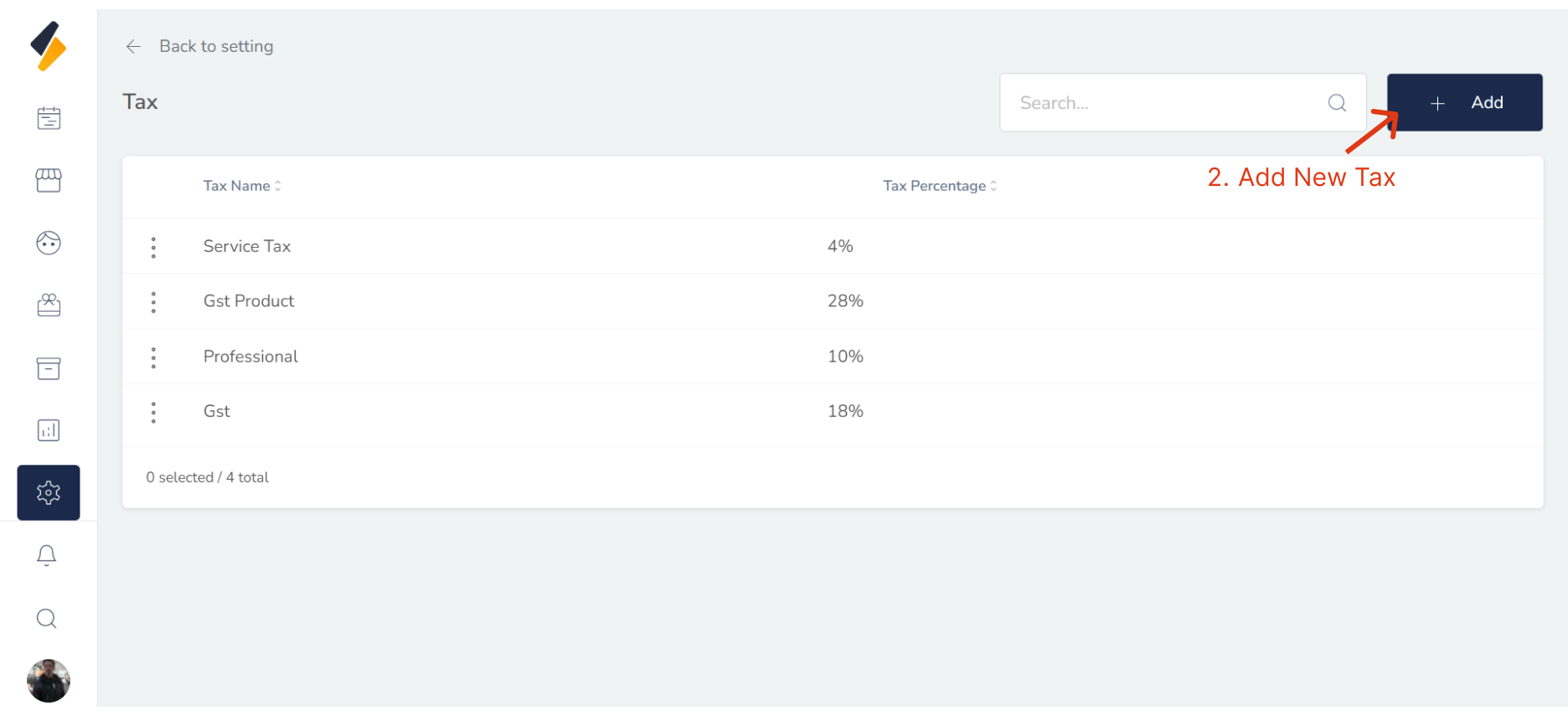
2. Add a New tax:
Click the "+ Add" button to begin adding a new Tax Settings to your system.
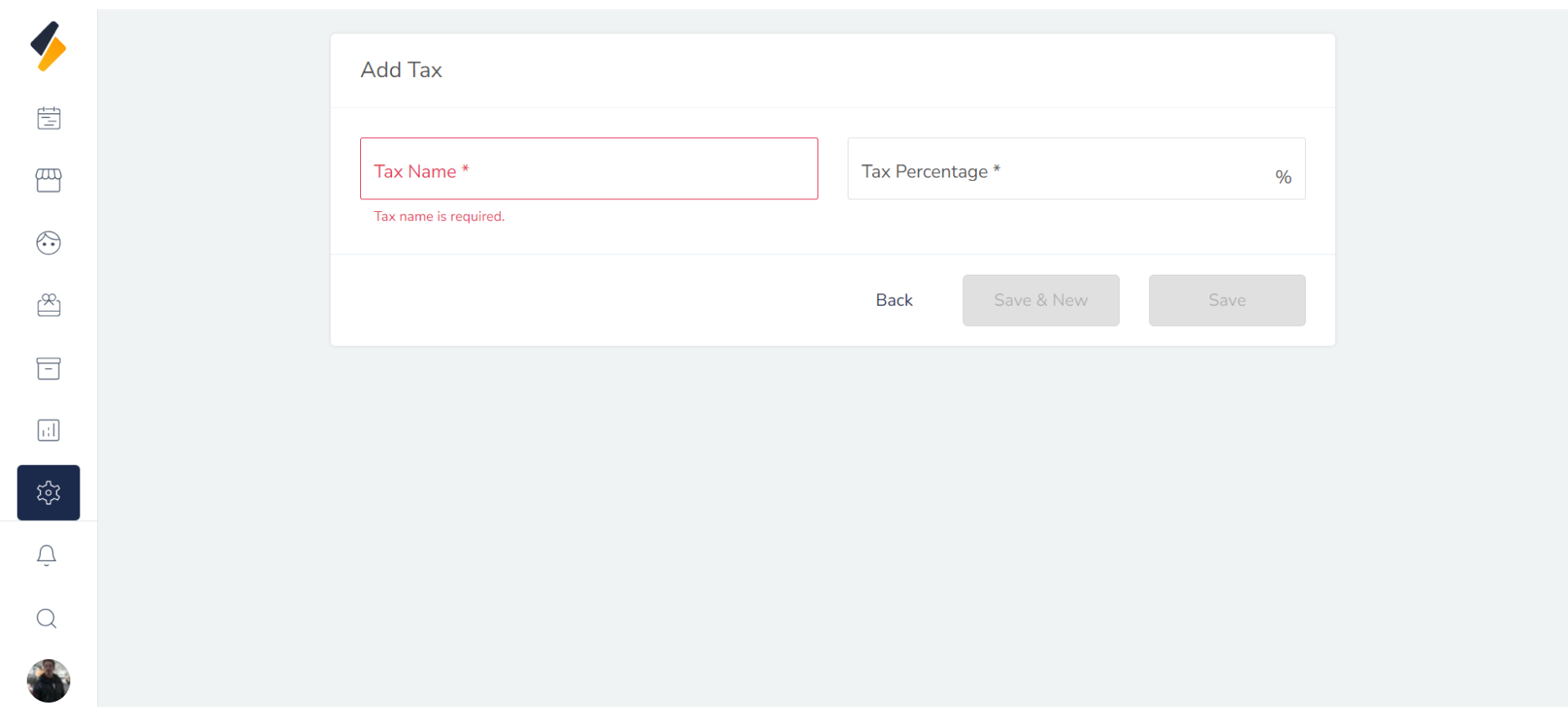
3. Enter the Tax Settings Information:
Enter the Tax Settings information into the appropriate fields, including:
             1. Name : Name of Tax Settings
             2. Percentage : Percentage of tax
 Make sure to double-check that all information is accurate and up-to-date.
5. Click on the "Save" button
Finally, click on the "Save" button to save the new tax along with all its details.
By following these steps, you can easily add a new tax to your list and manage it efficiently.