
How to edit stock order?
Follow these instructions to edit a stock order in the salon software:
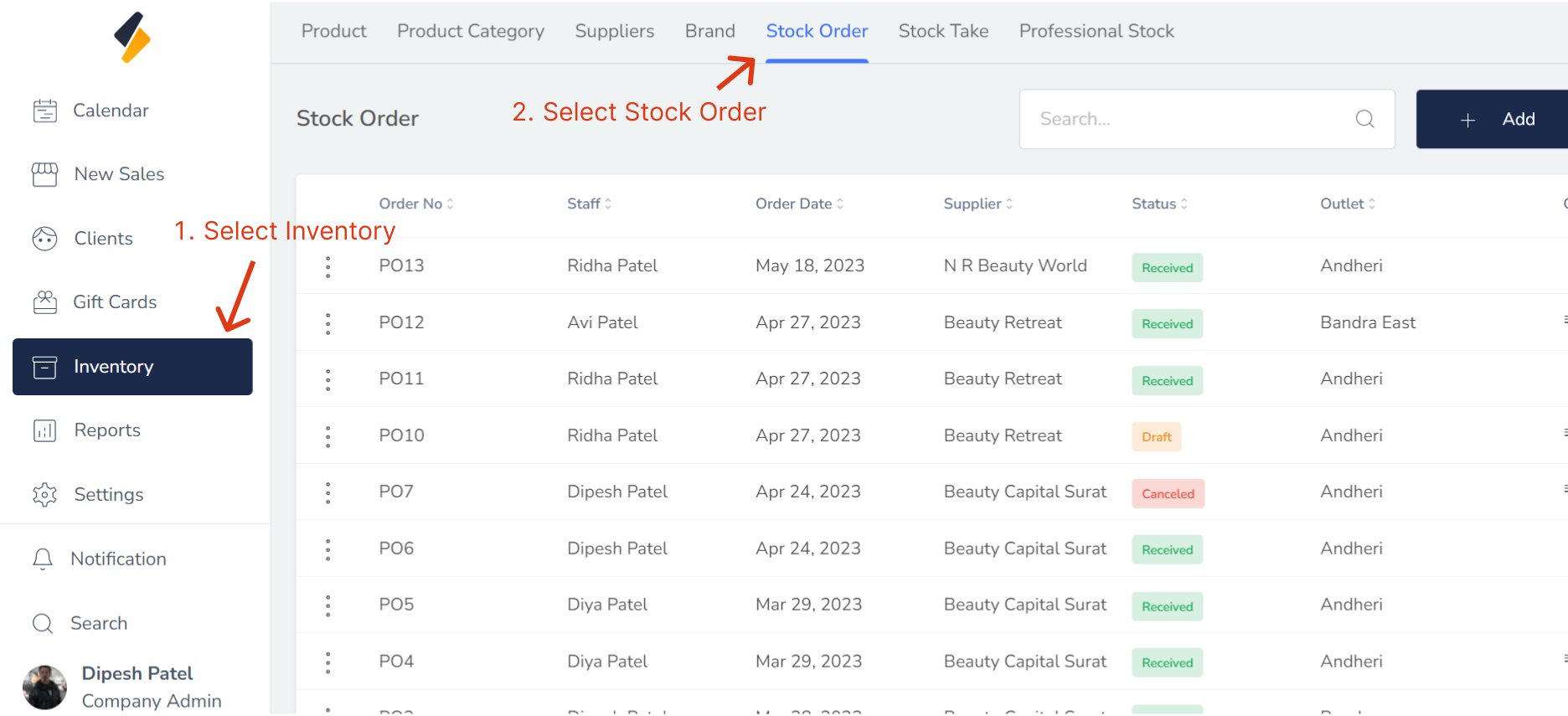
1. Navigate to the Stock Order Option:
- Once you have logged in, Select the inventory option from the sidebar to open the stock order page.
- Click on the Stock Order tab to view the list of available stock order.
2. Select the Stock order to Edit:
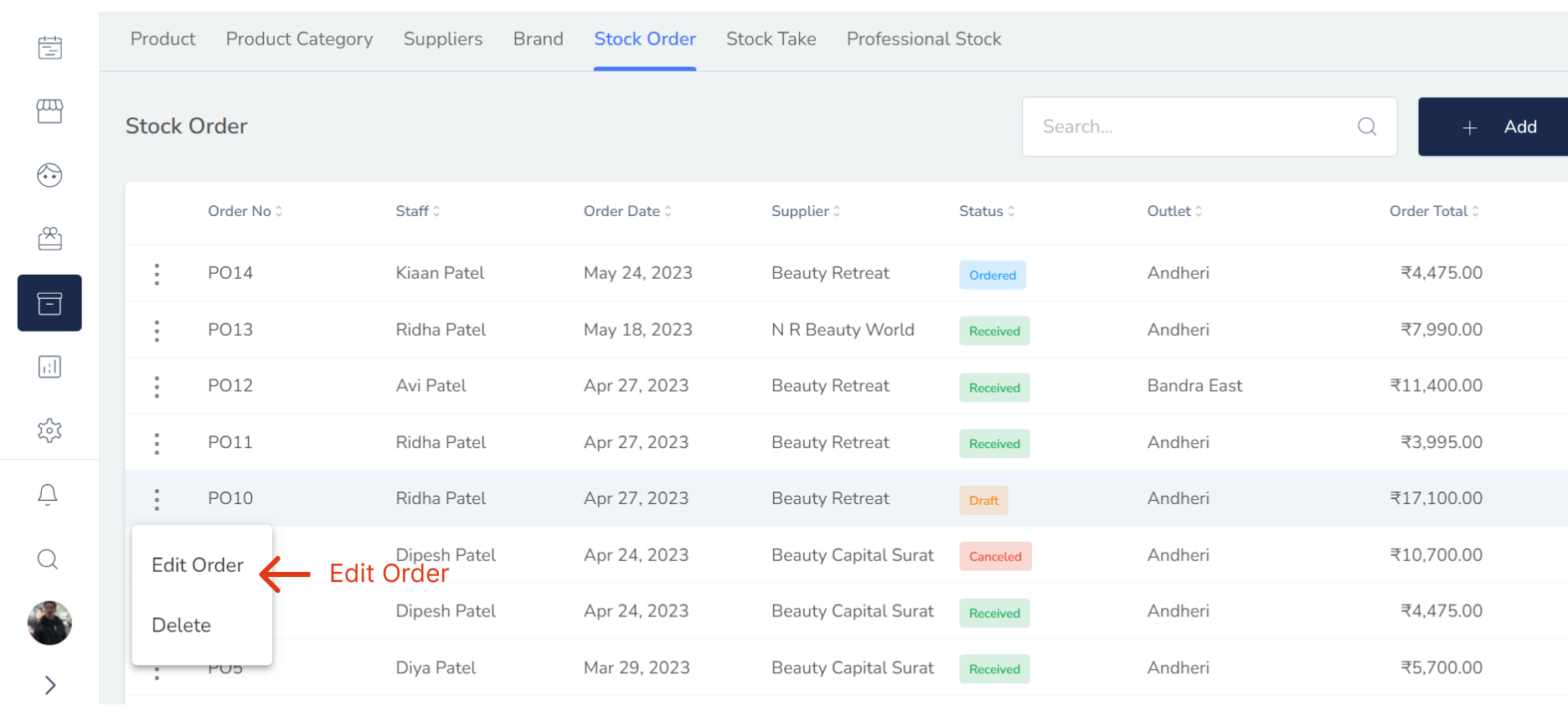
- If the status is "Draft," then we can edit the order. This means that the order has not yet been placed and can still be modified.
- Locate the stock order that you want to edit in the stock order list. Click on their name or select "Edit Order" option.
3. Edit the Stock Order Information:
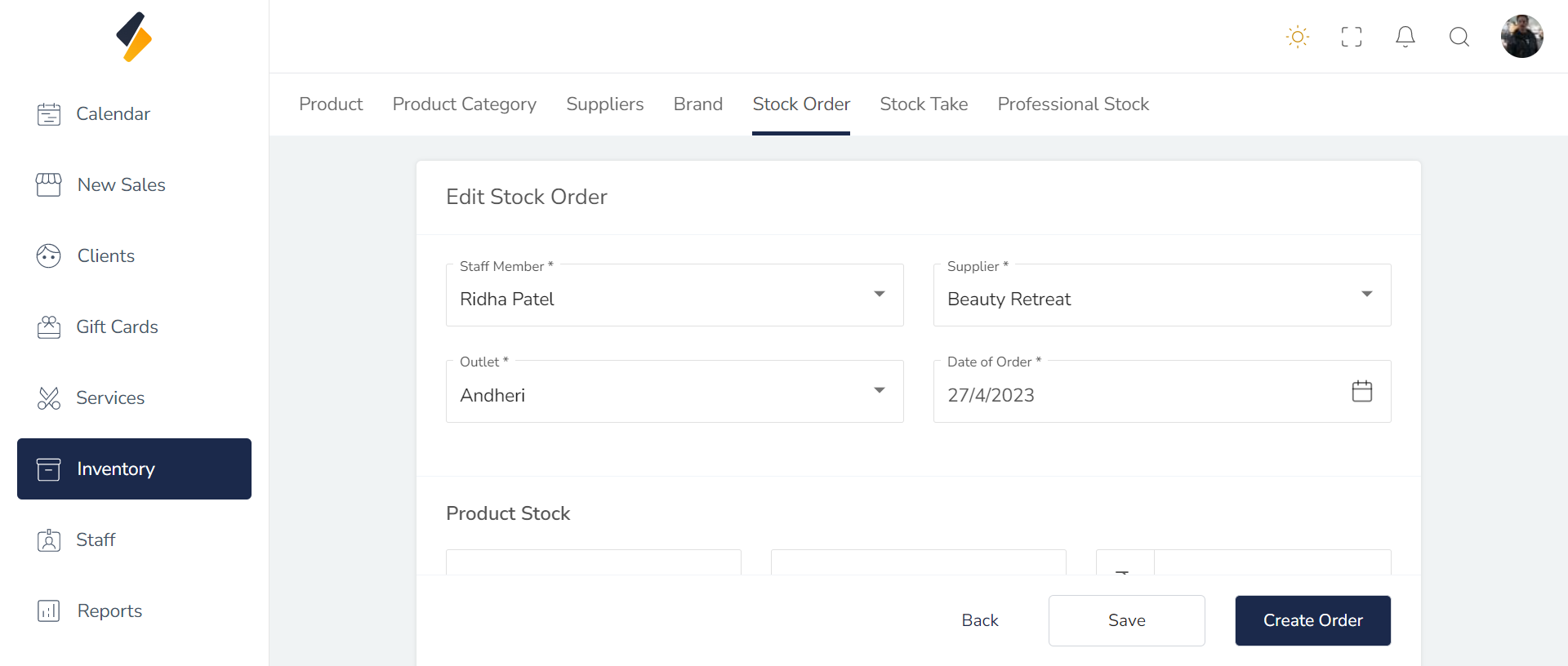
Once you have selected the Stock Order to edit, you should be able to see their existing information. Edit the information as needed.
4. Save the Stock Order Information:
- Once you have made all the necessary changes, click on the "Save" button. This will save the updated Product information.
- If you want to ordered then click on "Create Order" Option.