How to Set Working hours of staff?
Follow these instructions to manage business hours in the salon software:
1. Navigate to the Staff working hours Option:
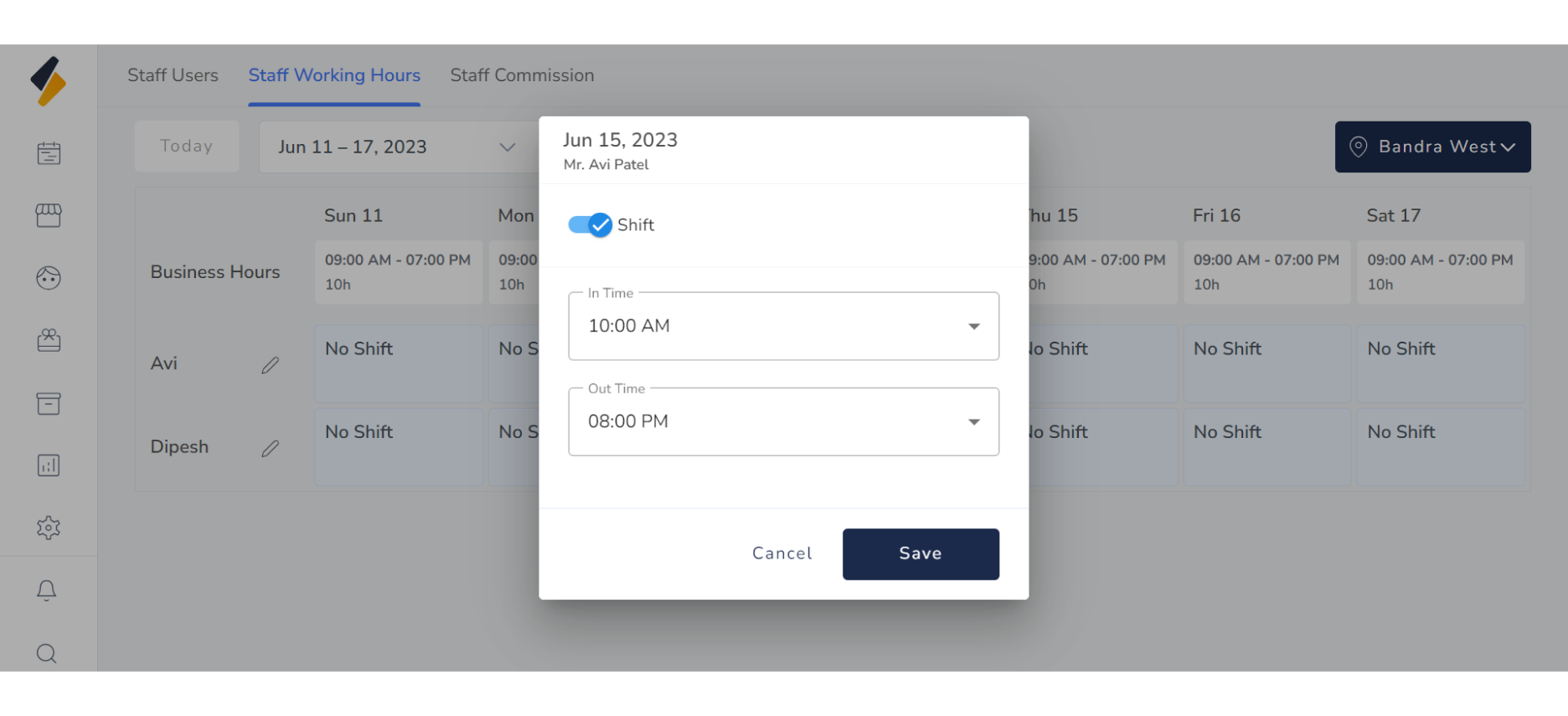
- Once you have logged in, Select the Settings option from the sidebar.
- Click on Staff working hours option from Staff management.
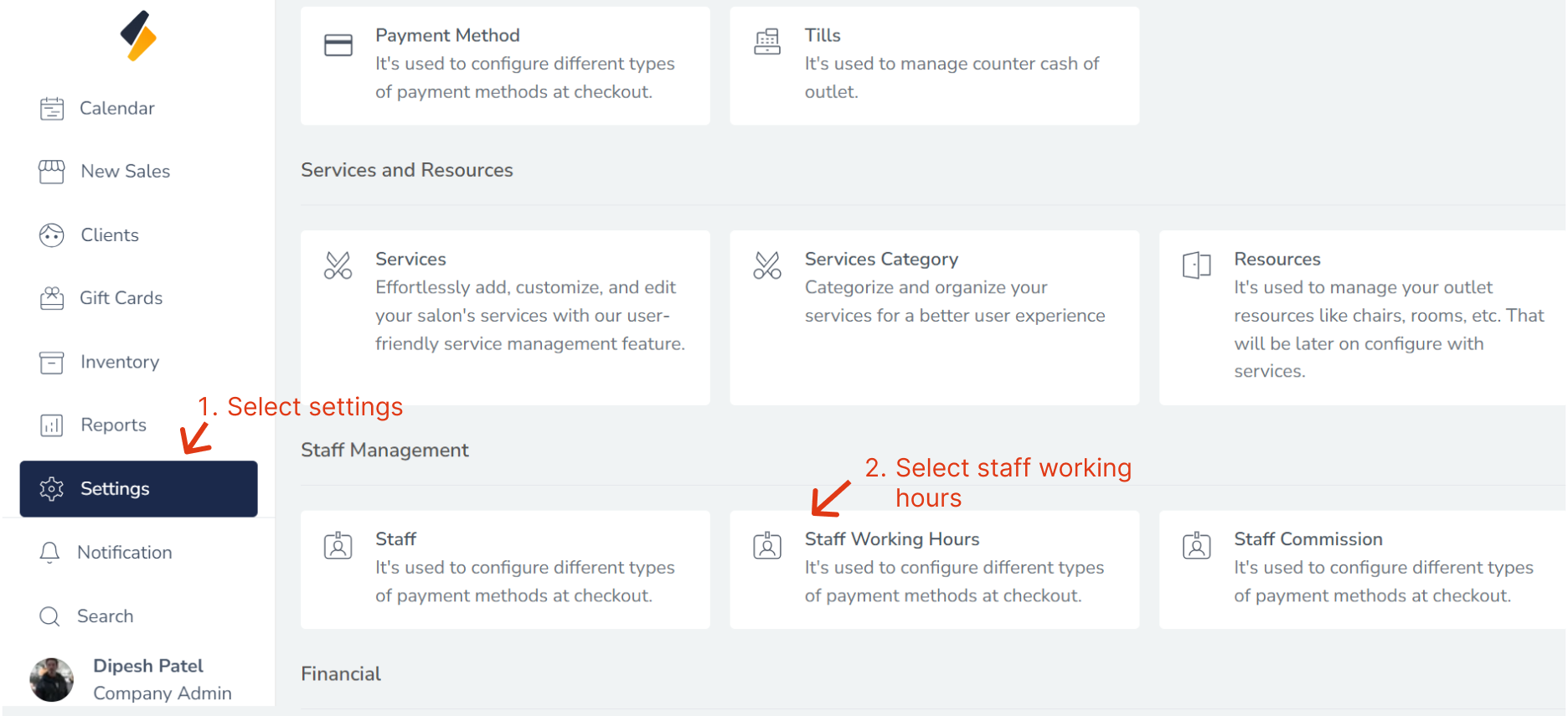
2. Or Click on Staff Working Hours Tab.
All Staff list with shift are shown in tabular form.
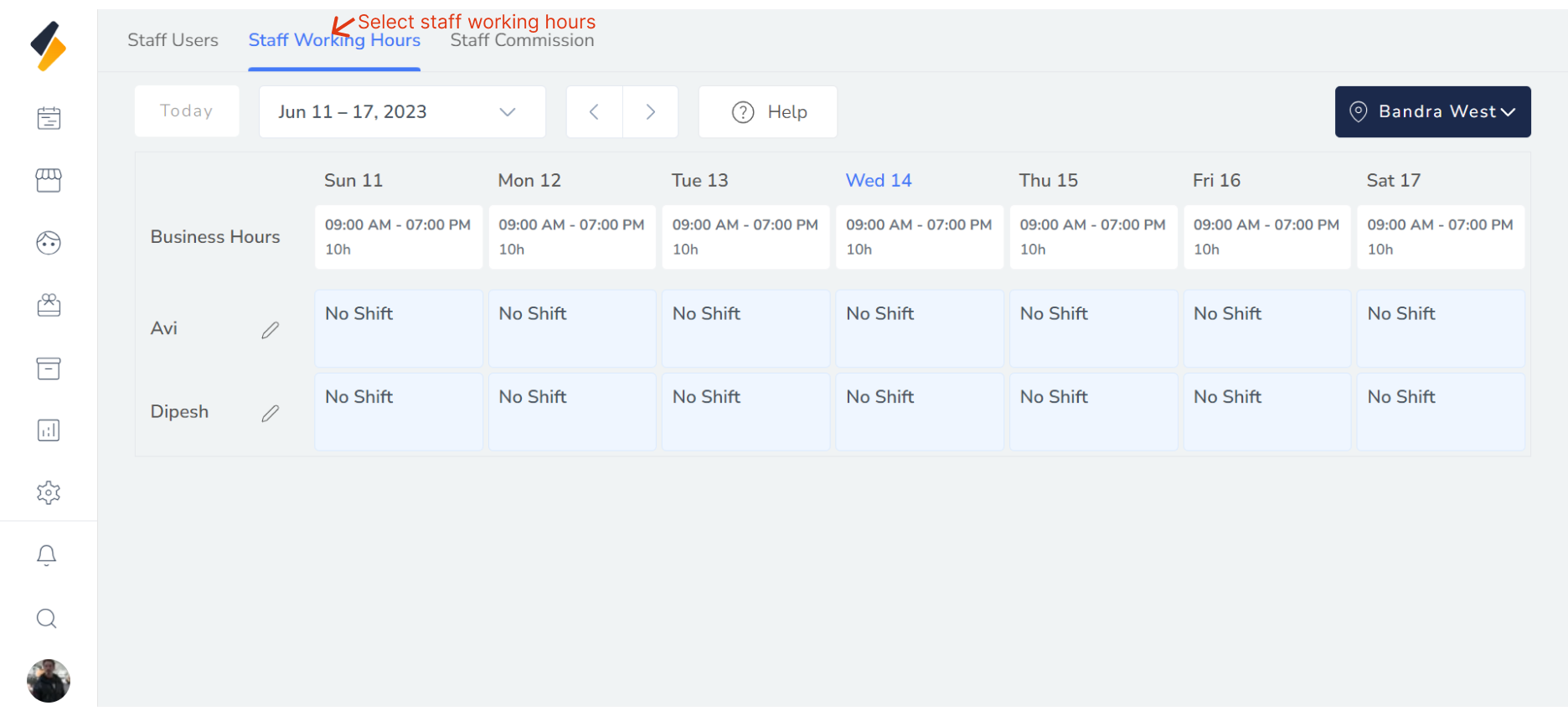
- To change a staff member's business hours, click on the "Edit" button of specific staff.
- In the modal that opens, specify the date range for the business hours you want to set.
- For each day of the week, set the start and end times for the staff member's availability.
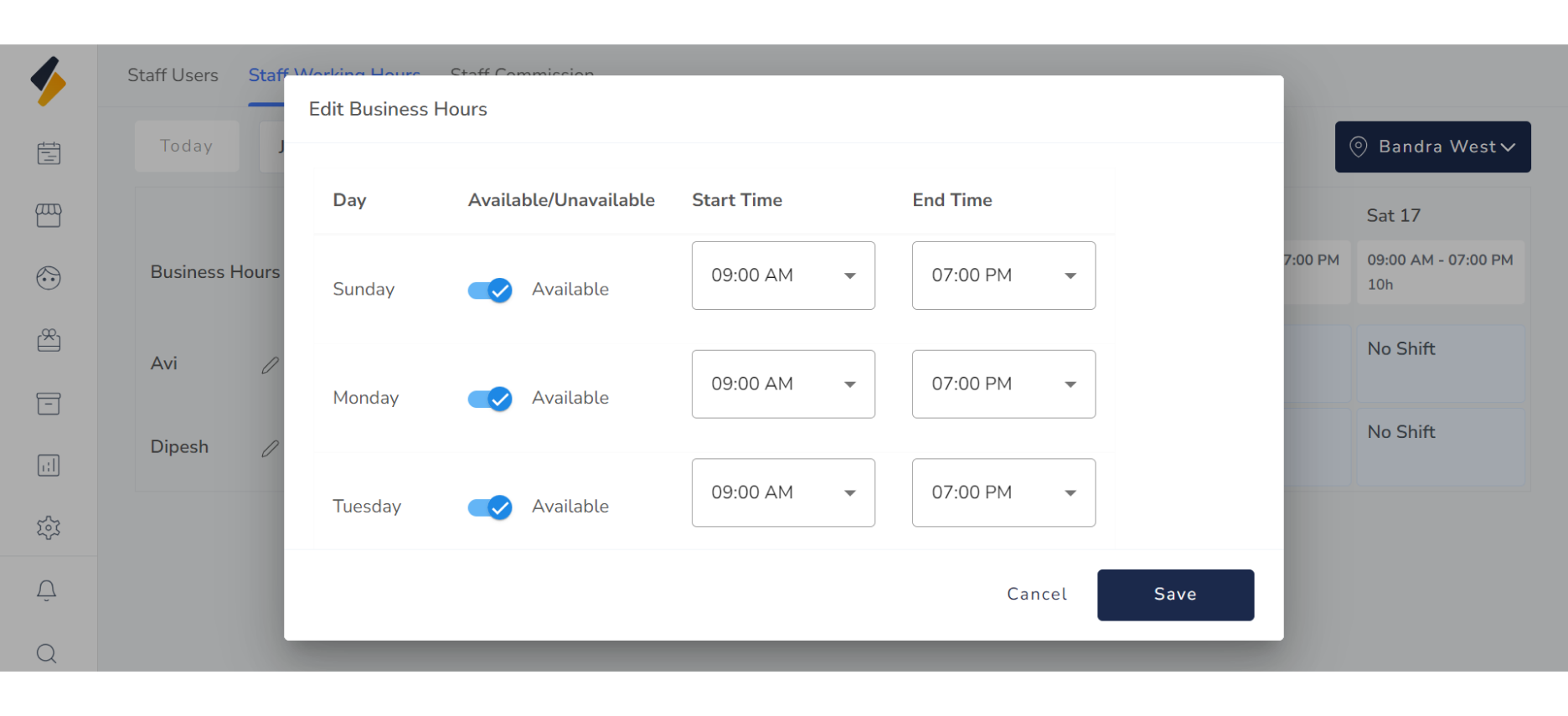
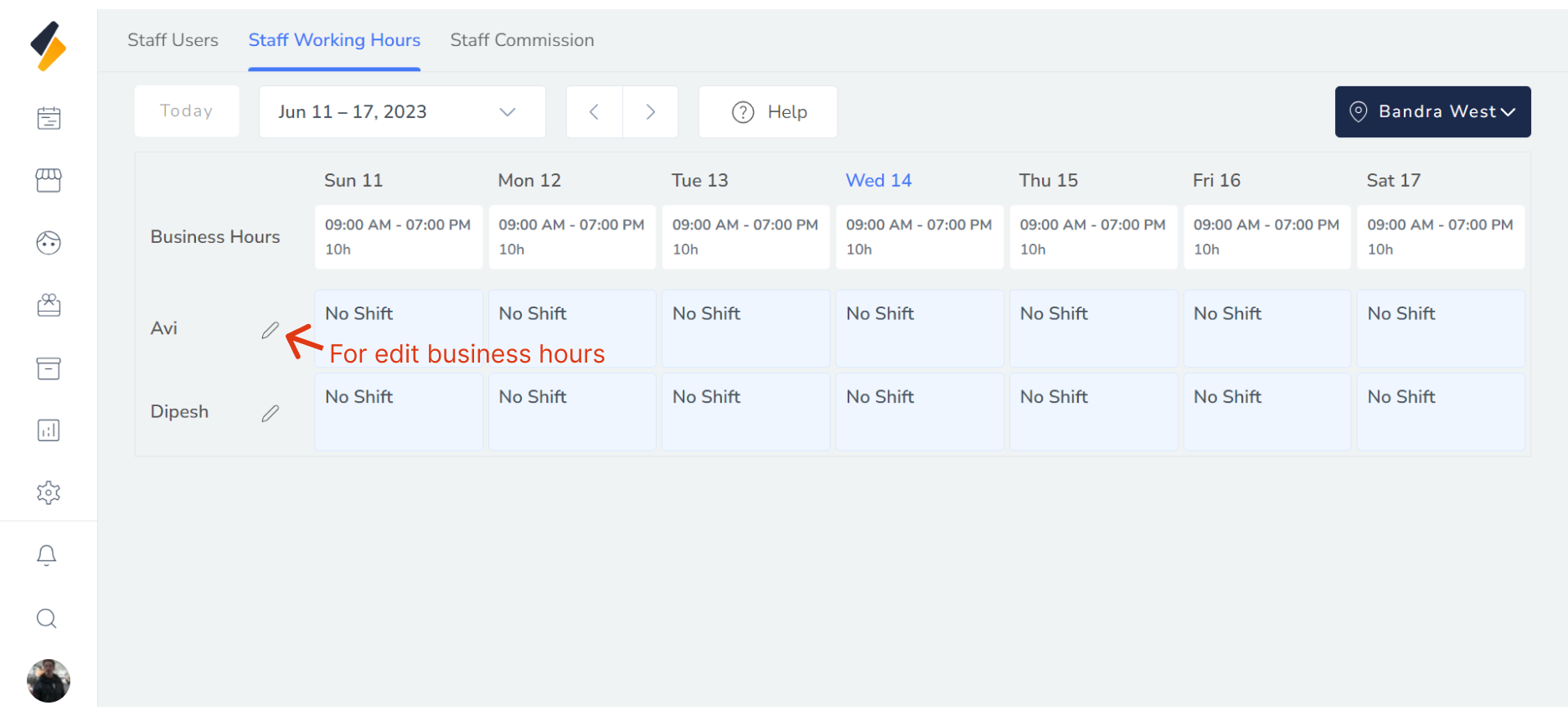
- If you need to change the shift time for a specific date, click on the "No Shift" button.
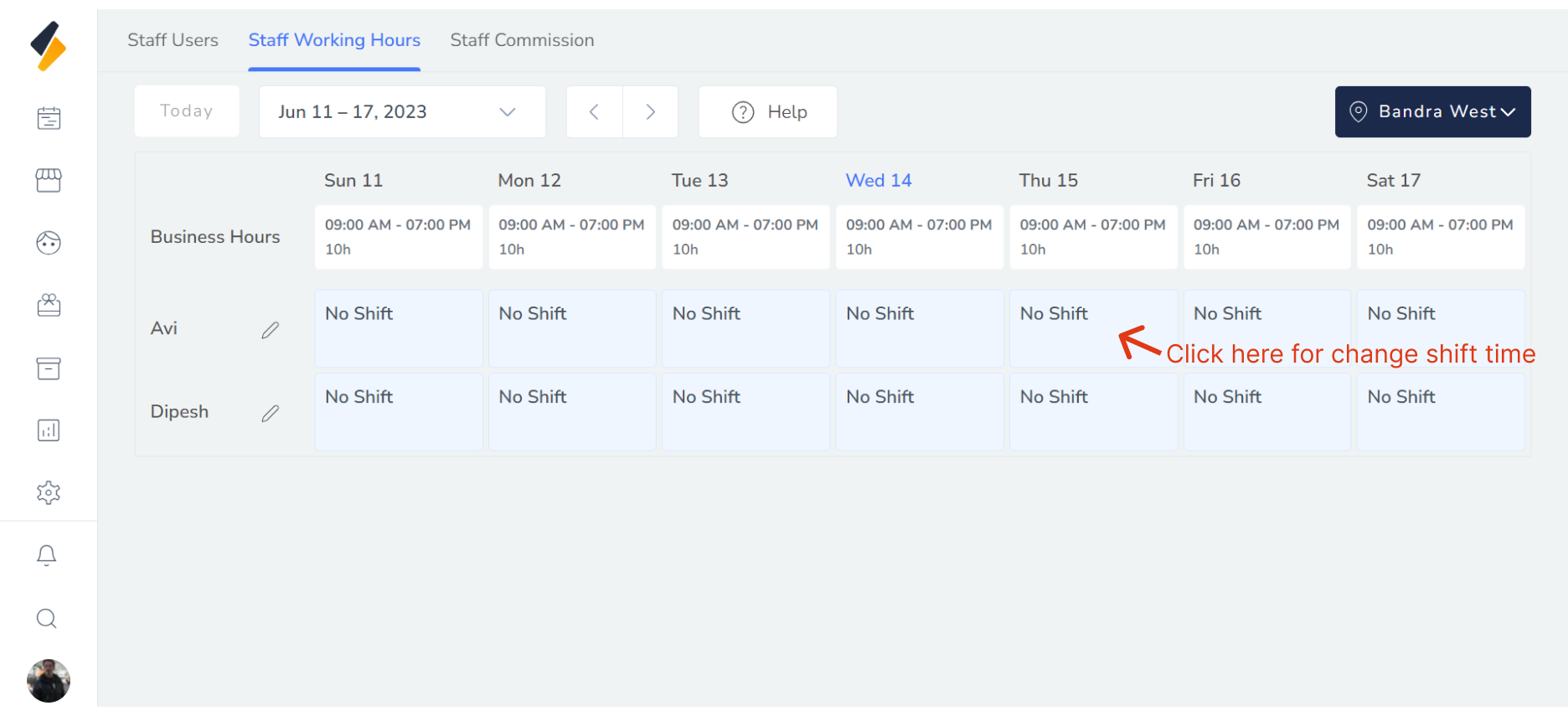
- Select the "In Time" and "Out Time",Once you have made all the necessary changes, click on "Save" to apply the new business hours for the staff member.