How to Set staff commission?
Follow these instructions to set staff commission:
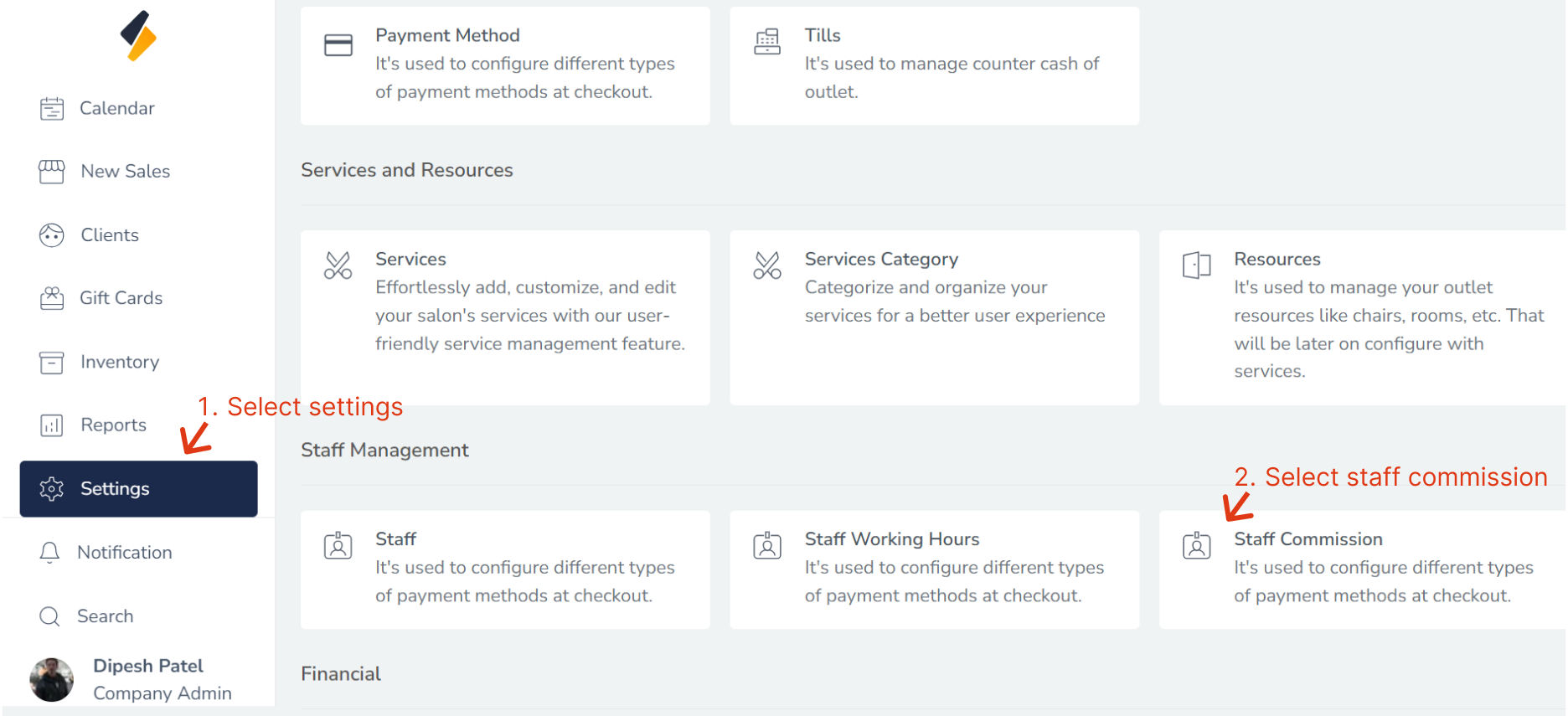
1. Navigate to the Staff Commission Option:
- Once you have logged in, Select the Settings option from the sidebar.
- Click on Staff Commission option from Staff management.
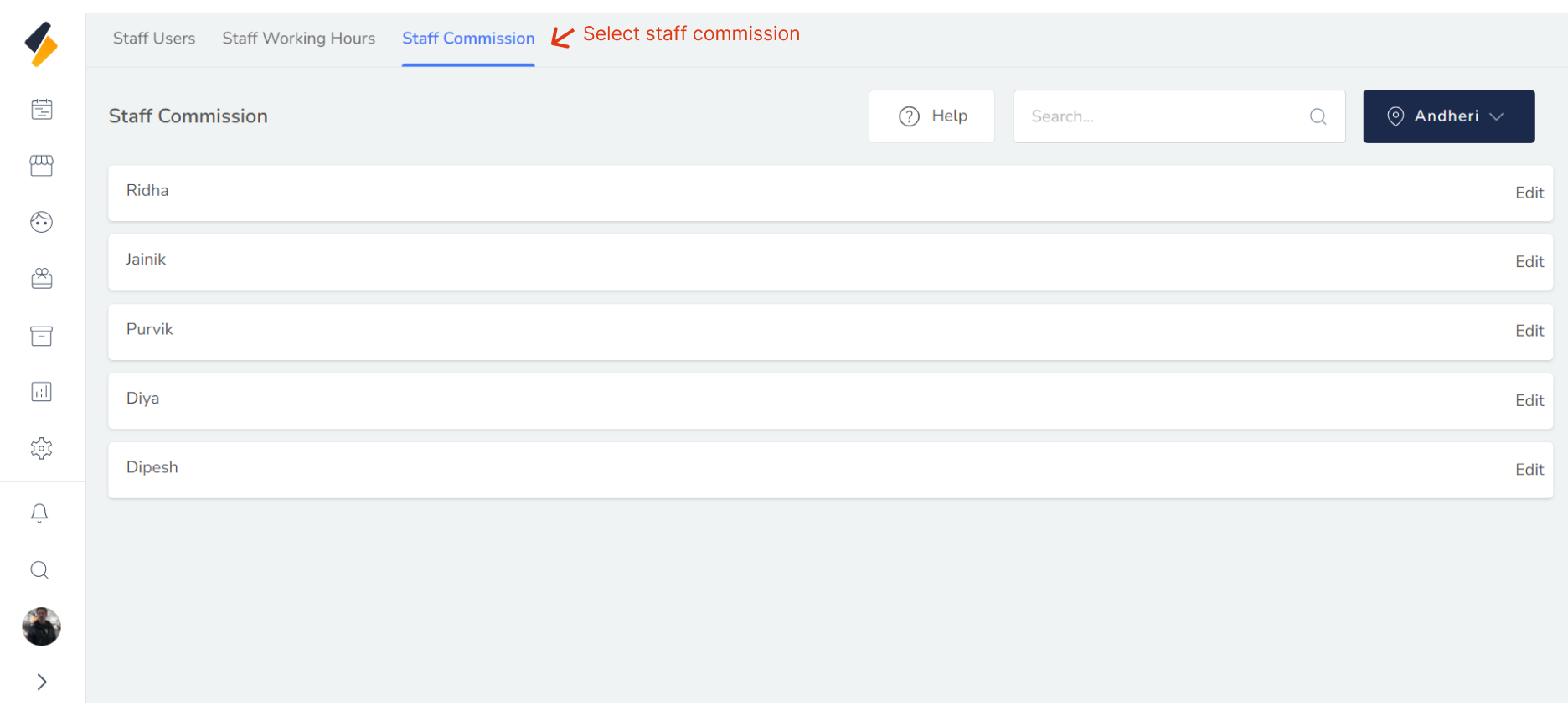
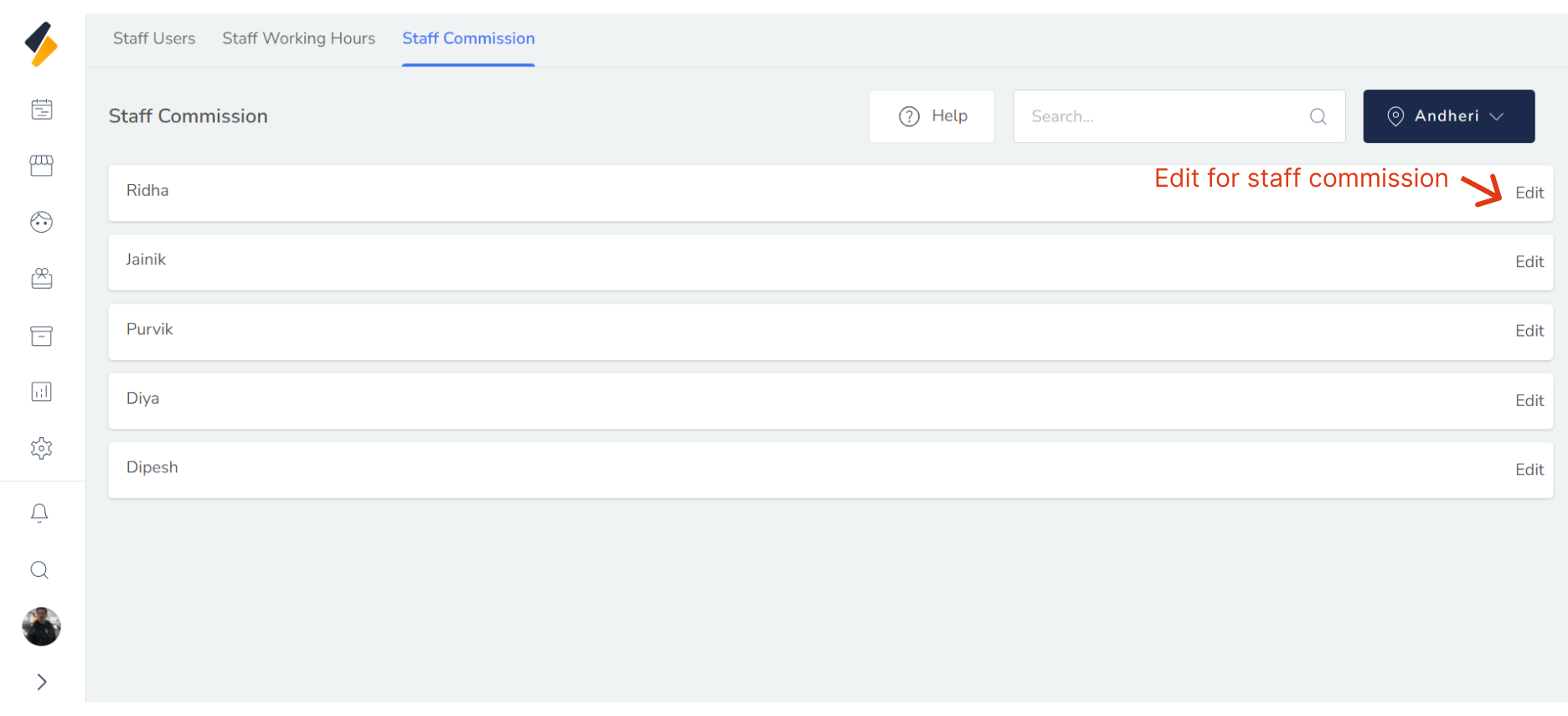
2. Or Click on Staff Commission Tab.
All Staff list with commission are shown in list.
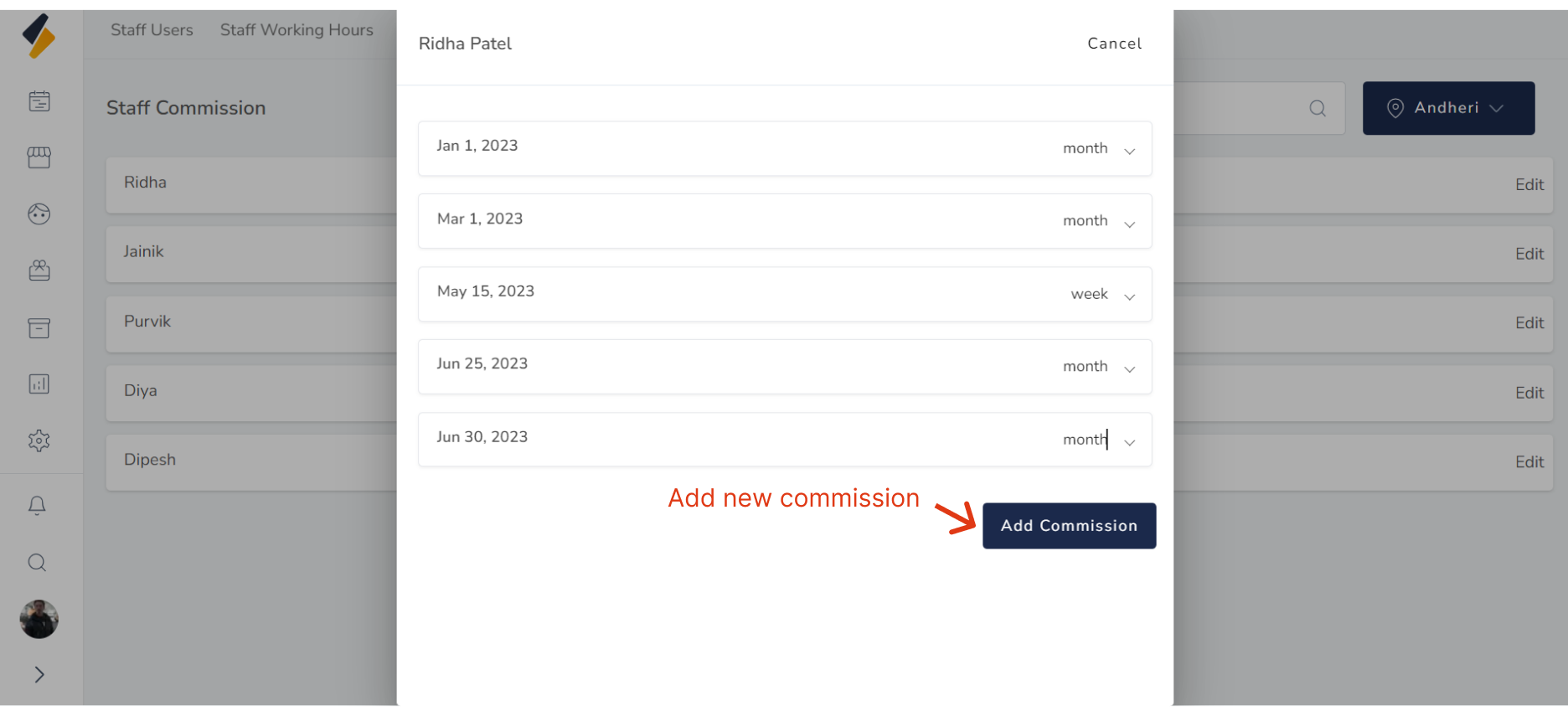
3. Add a new commission.
Click on the "Add Commission" button to add a new commission.
 Fill in the necessary commission details:
Enter all the required details such as commission interval,effective date,commission profile.
Fill in the necessary commission details:
Enter all the required details such as commission interval,effective date,commission profile.
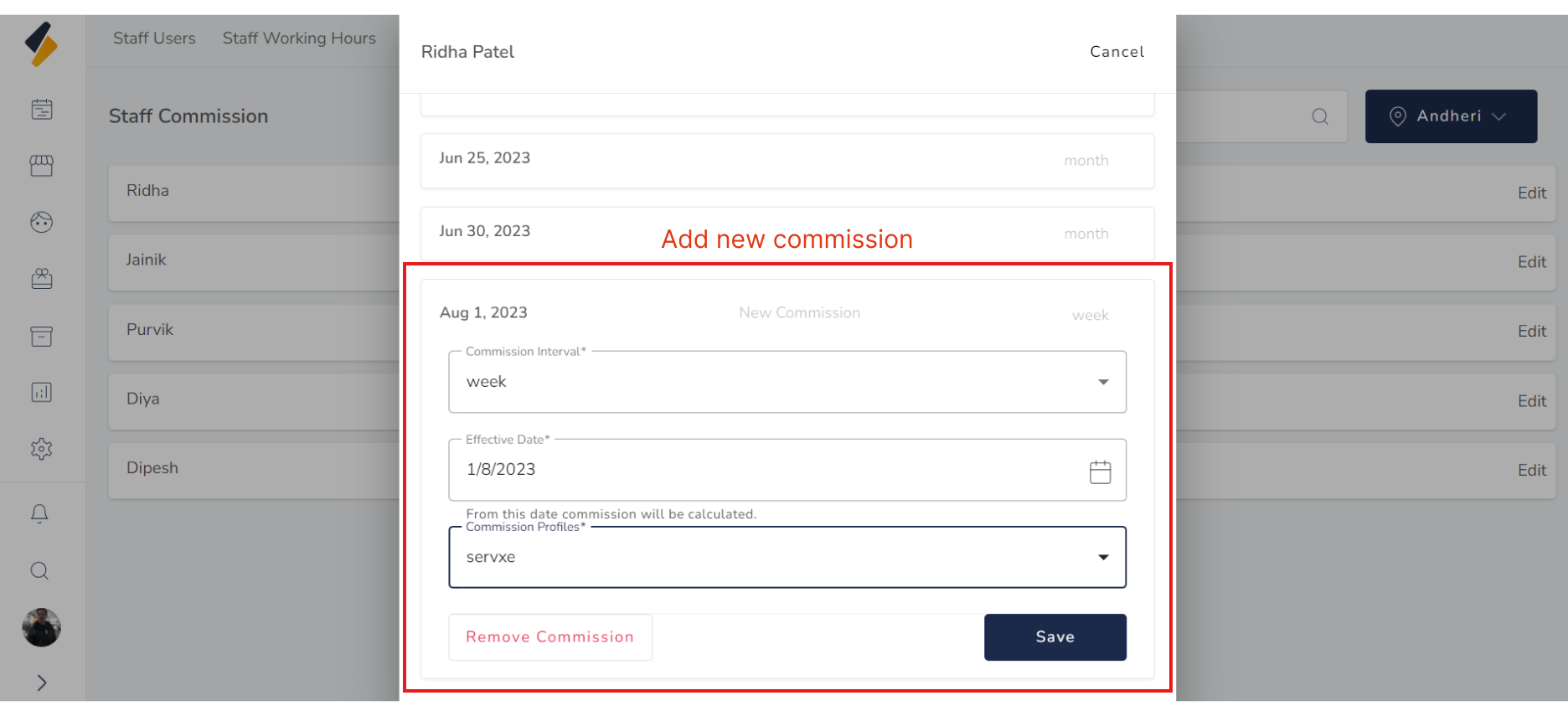 Finally, click on the "Save" button to save the new commission along with all its details.
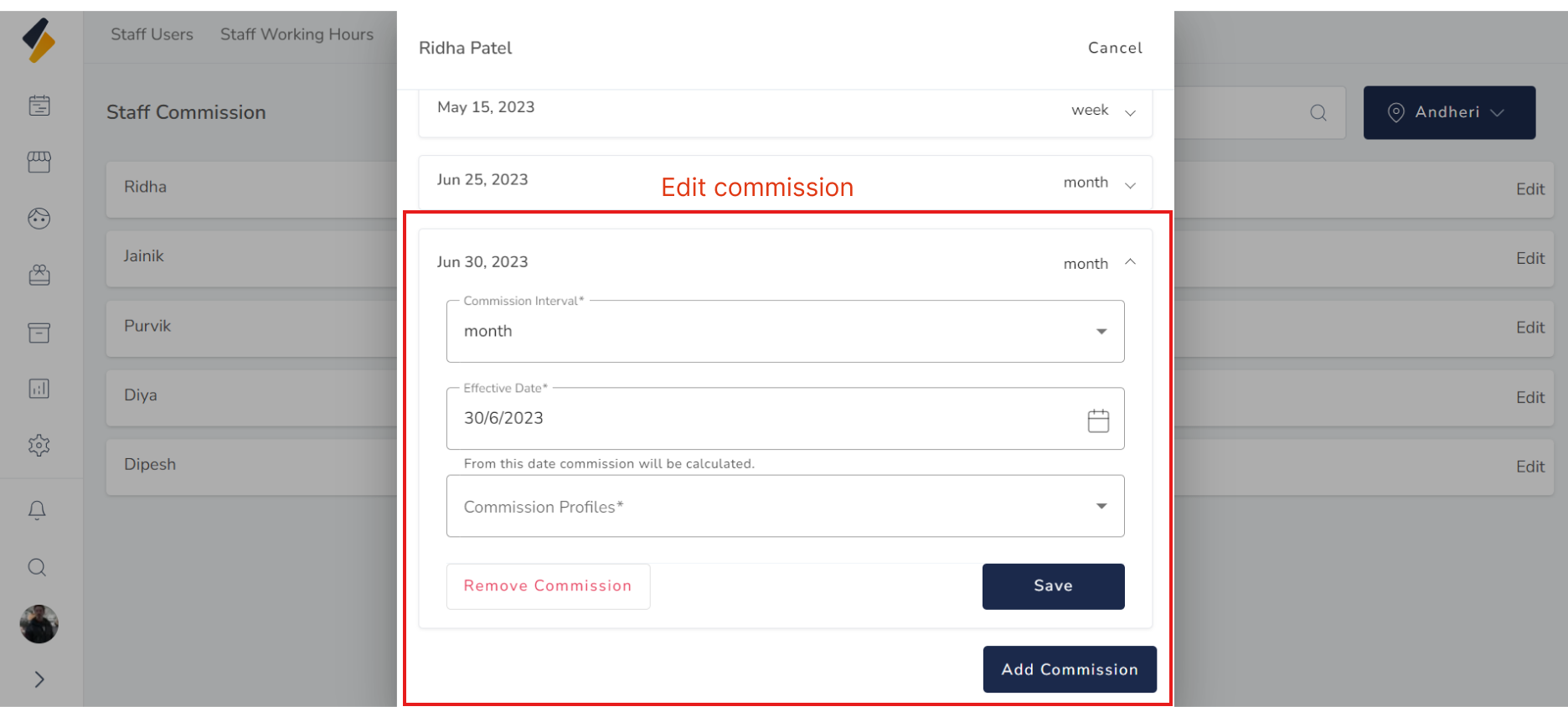
4. Edit Staff Commission detail.
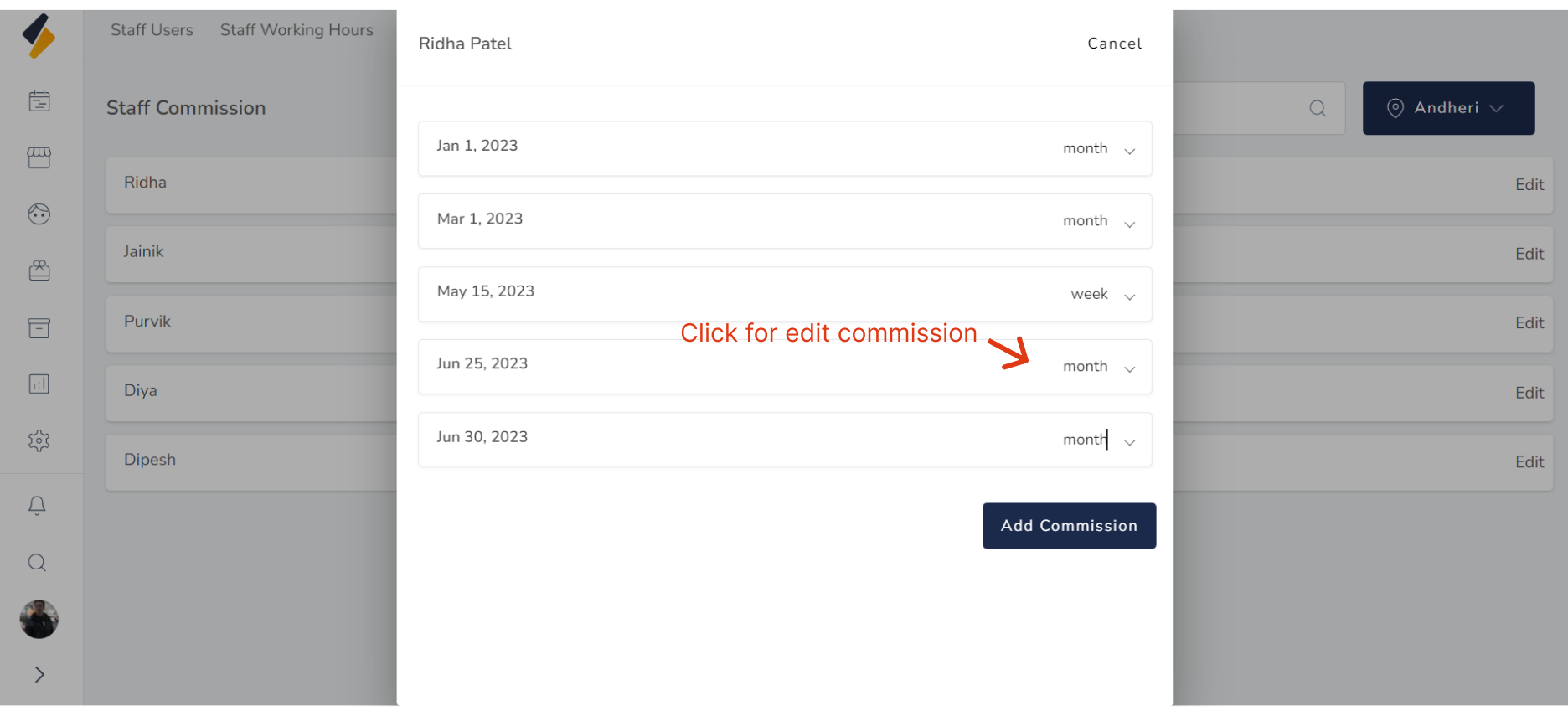
To edit specific staff commission details, click on "Edit."
This will open a list containing all commission details organized
by date.
 Select the date for which you want to change the commission details.
 After making the desired changes to the commission details,
click on the "Save" button to update them.
After making the desired changes to the commission details,
click on the "Save" button to update them.