
How to edit a staff?
Follow these instructions to edit a staff in the salon software:
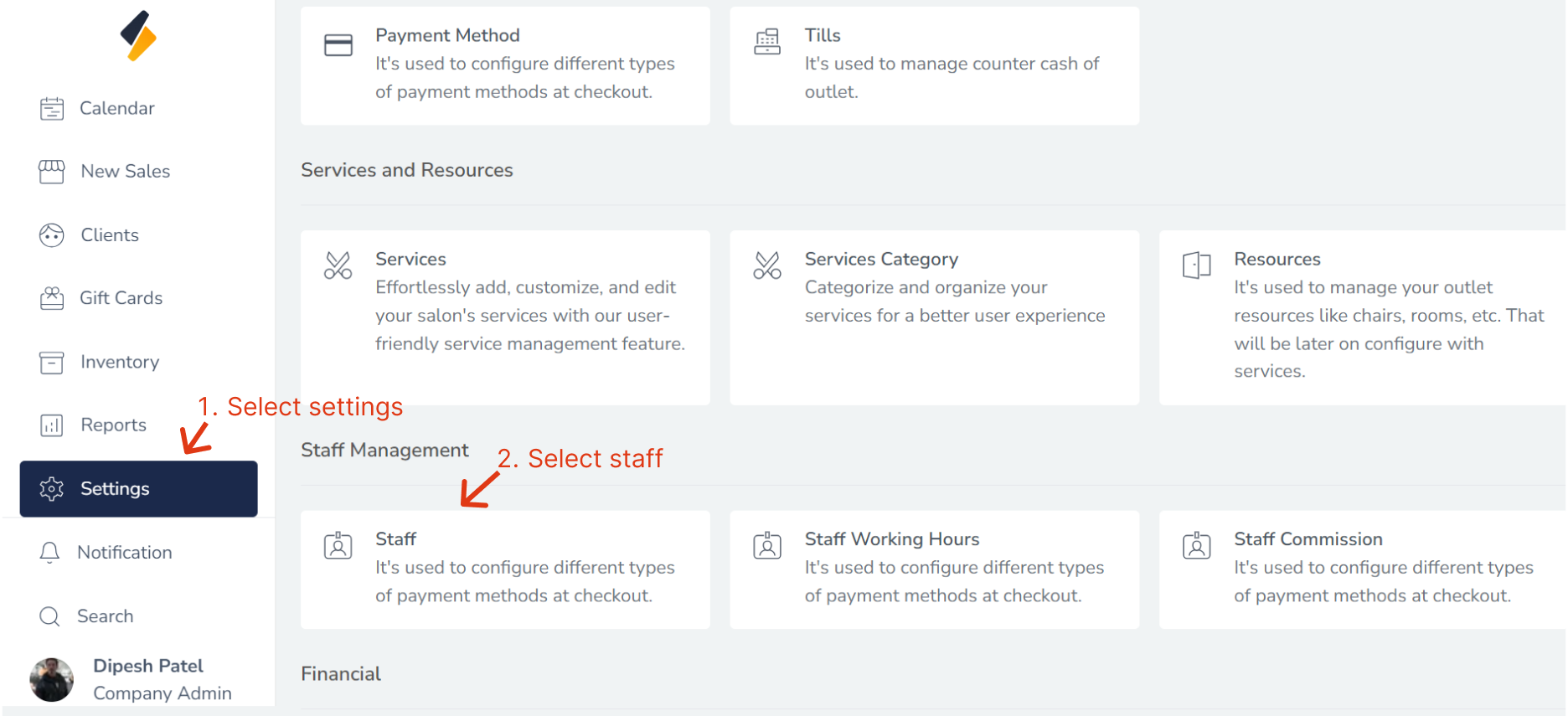
1. Navigate to the Staff Option:
- Once you have logged in, Select the Settings option from the sidebar.
- Click on Staff option from Staff management.
2. Select the Staff to Edit:
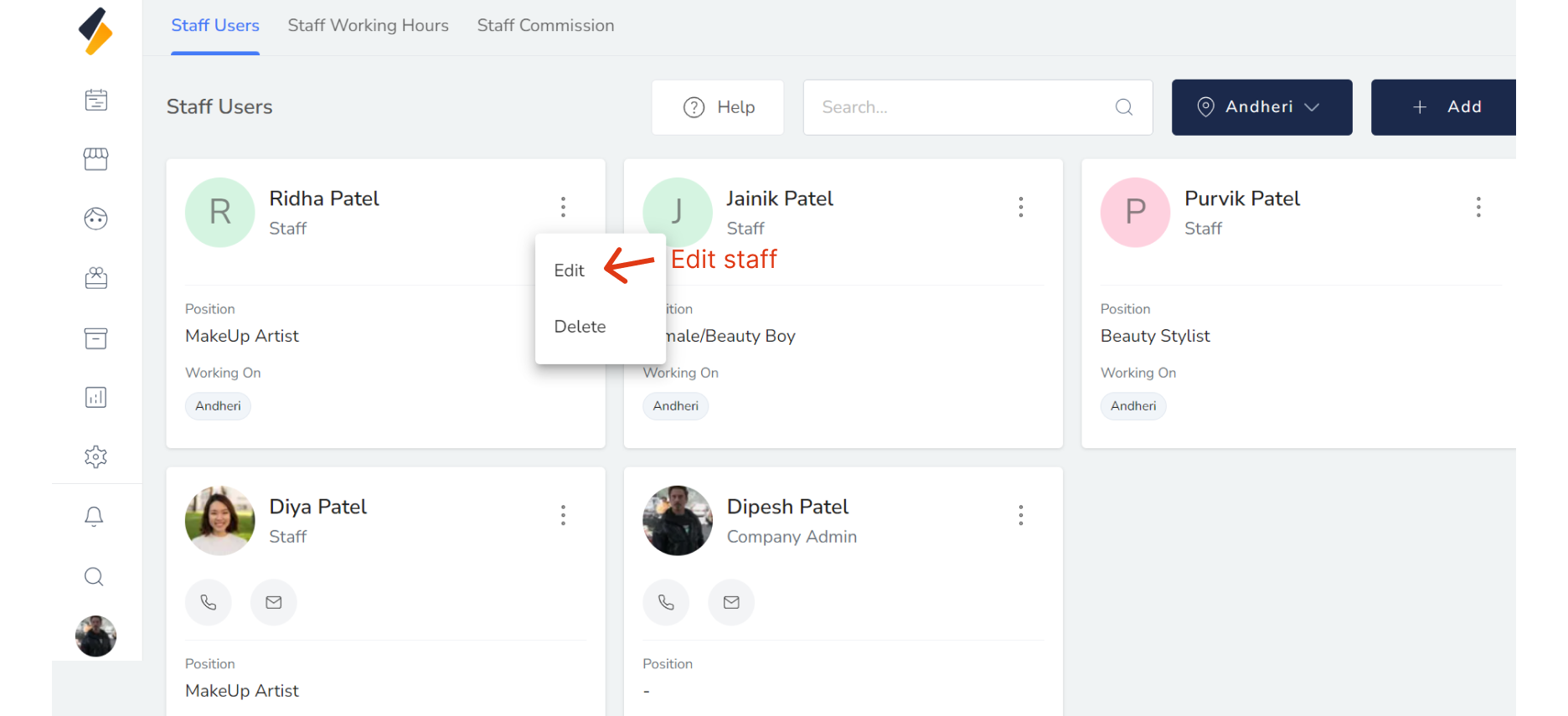
Locate the staff that you want to edit in the staff list.
Click on their name or select "Edit" option.
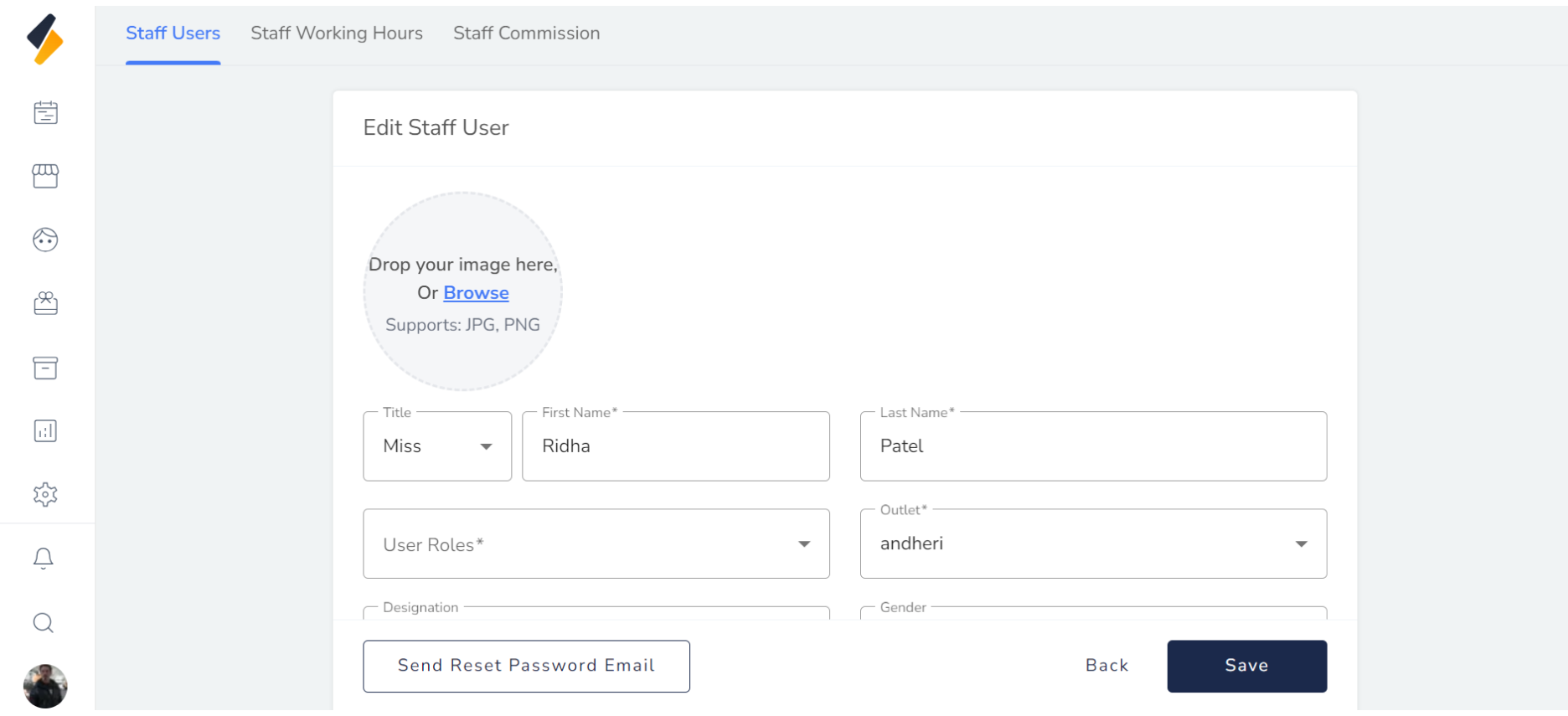
3. Edit the Staff Information:
Once you have selected the staff to edit, you should be able to see their existing information. Edit the staff information as needed.
4. Save the Staff Information:
Once you have made all the necessary changes, click on the "Save" button. This will save the updated staff information to the salon software.
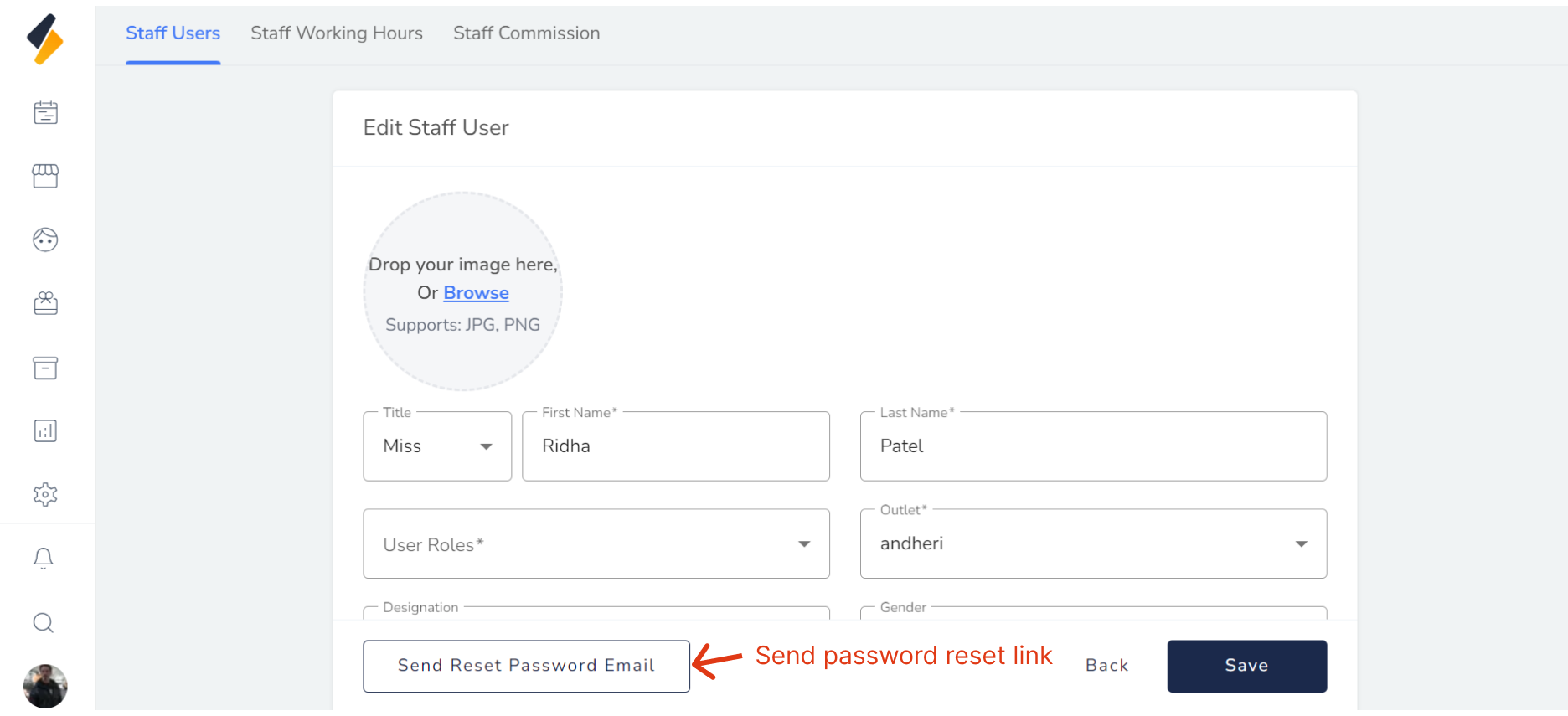
5. Send Reset Password Mail:
When we click on this button, an email will be sent to staff with instructions on how to reset their password.this button only first time display when staff edited after created.
Congratulations! You have successfully edited a staff in the salon software.