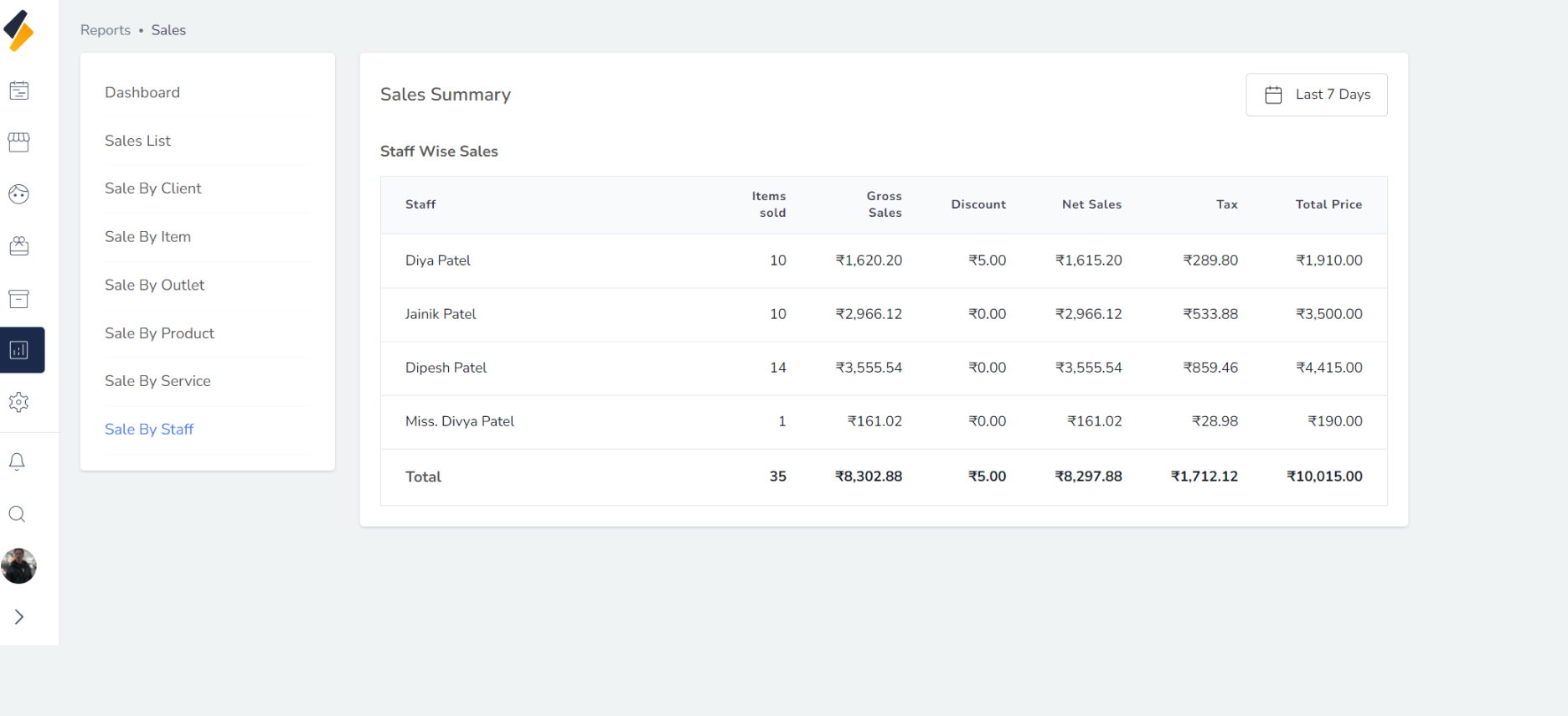
View a sales appointment reports
Follow these instructions to view a sales appointment reports:
1. Navigate to the Reports Option:
- Once you have logged in, Select the Reports option from the sidebar.
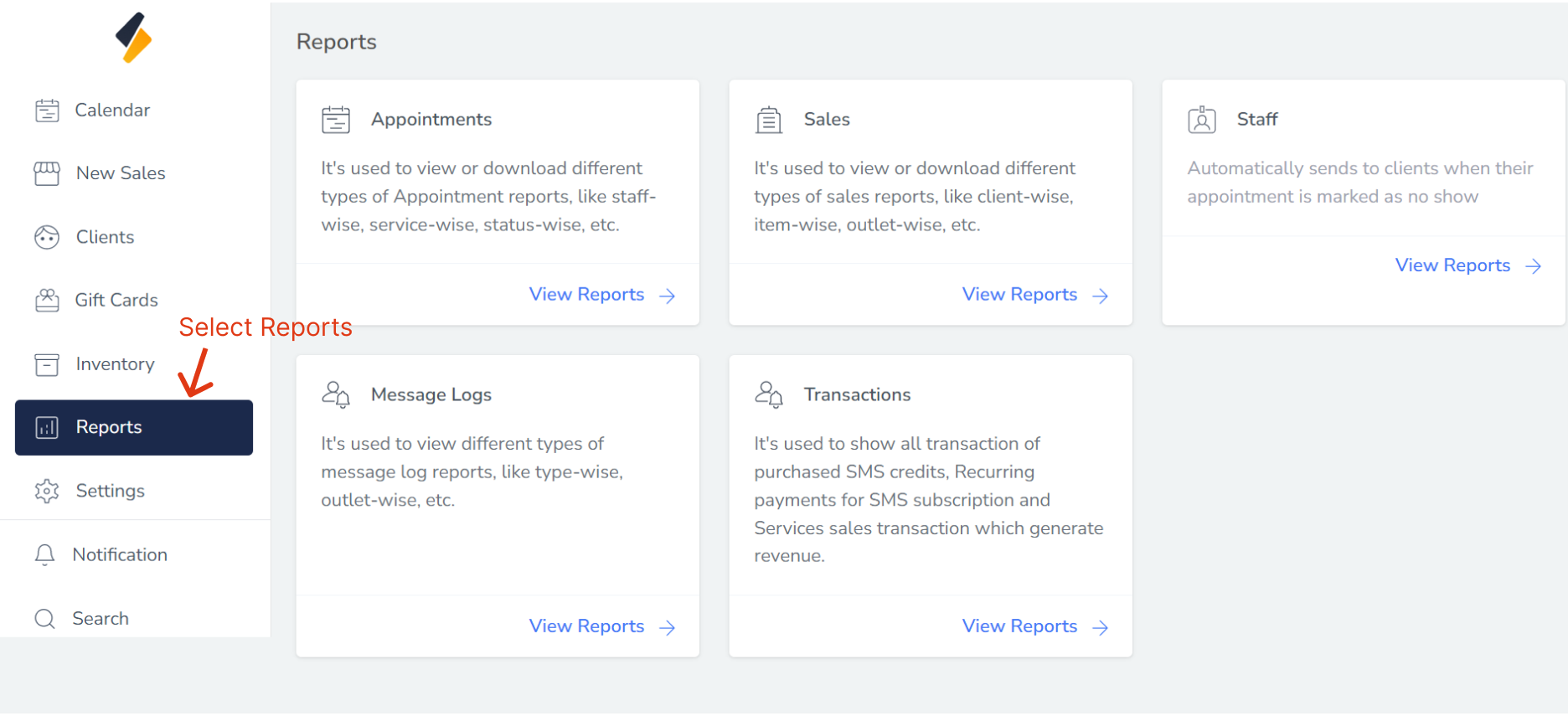
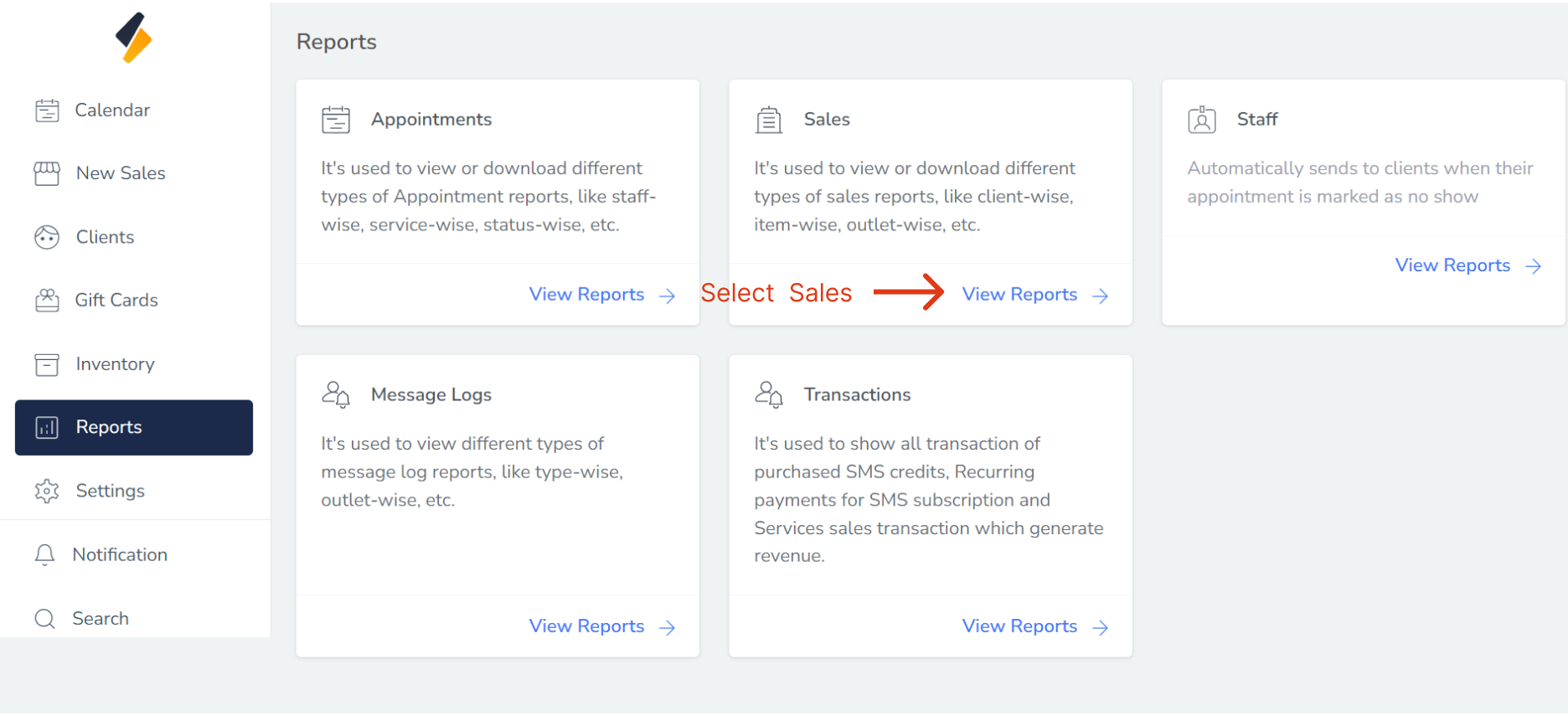
2. View all report list
- All report list are show in card form.
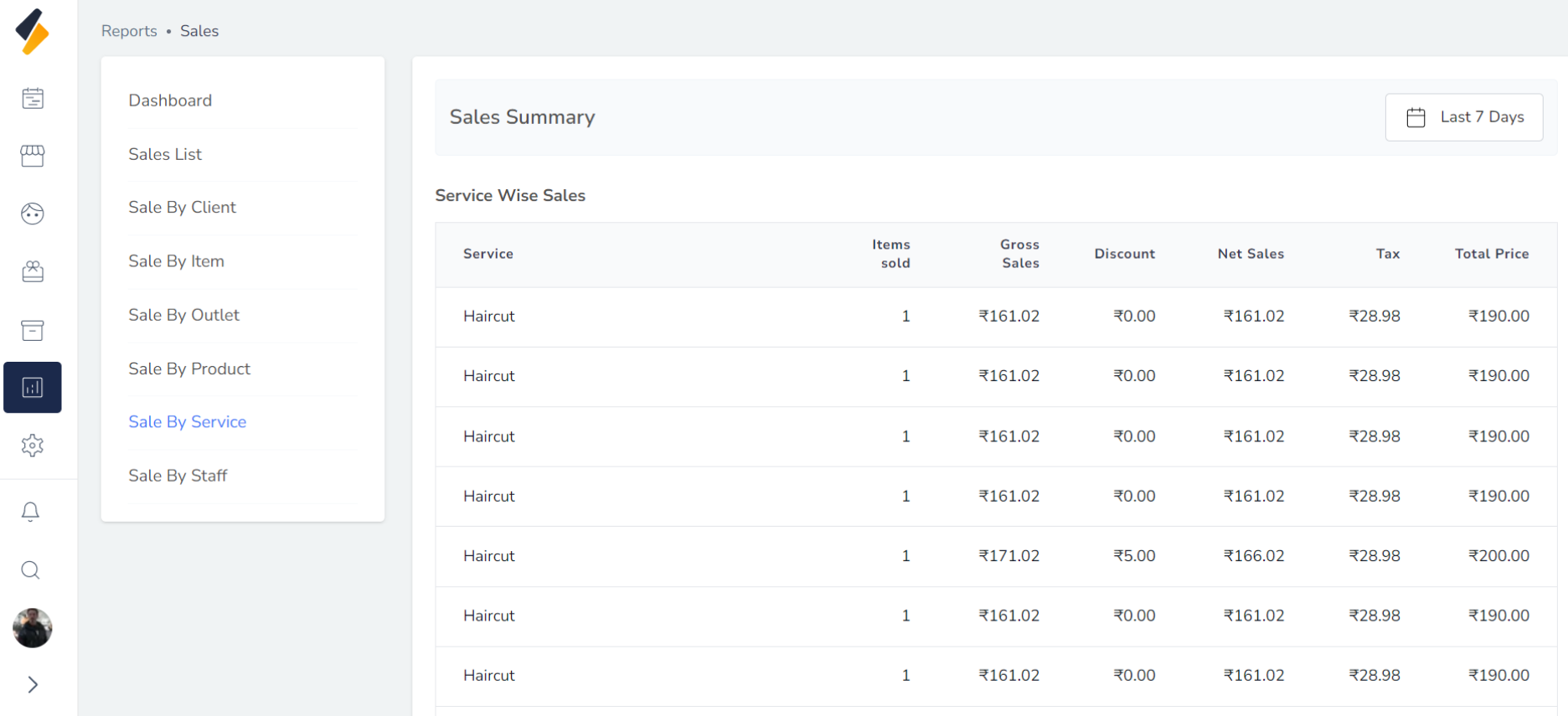
- Select Sales to view a sales related reports.
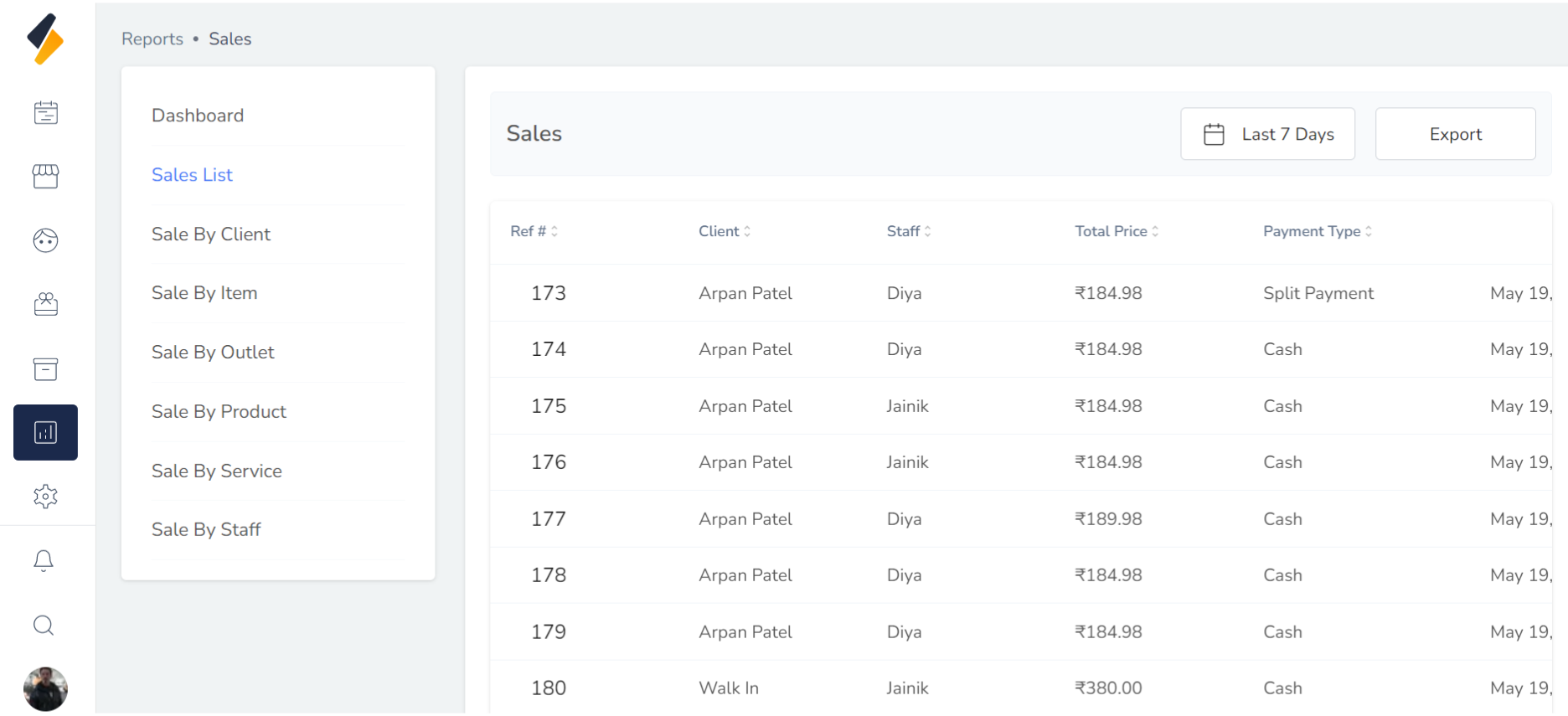
Your multiple reports are generated:
1. Sales List Reports:
2. Sale by client:
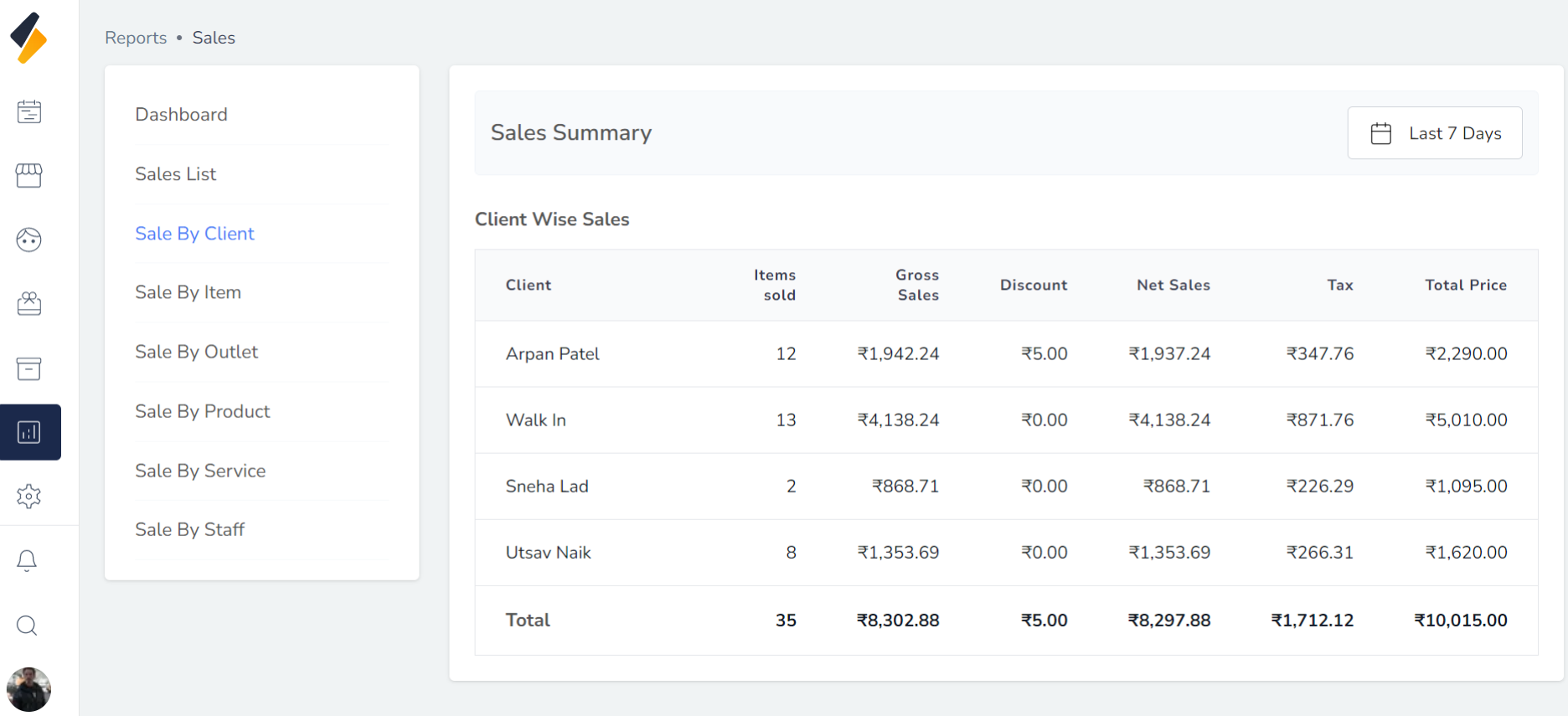
3. Sale by item:
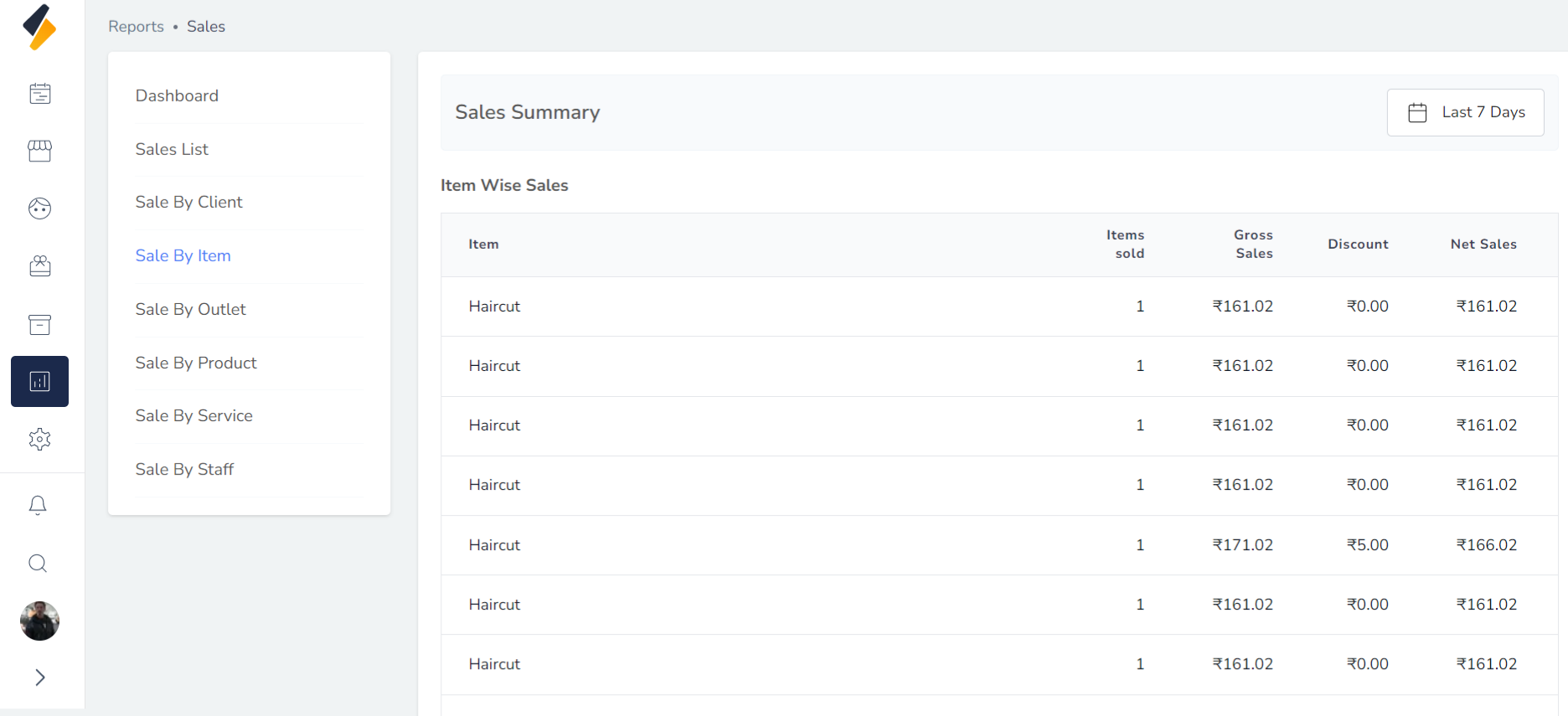
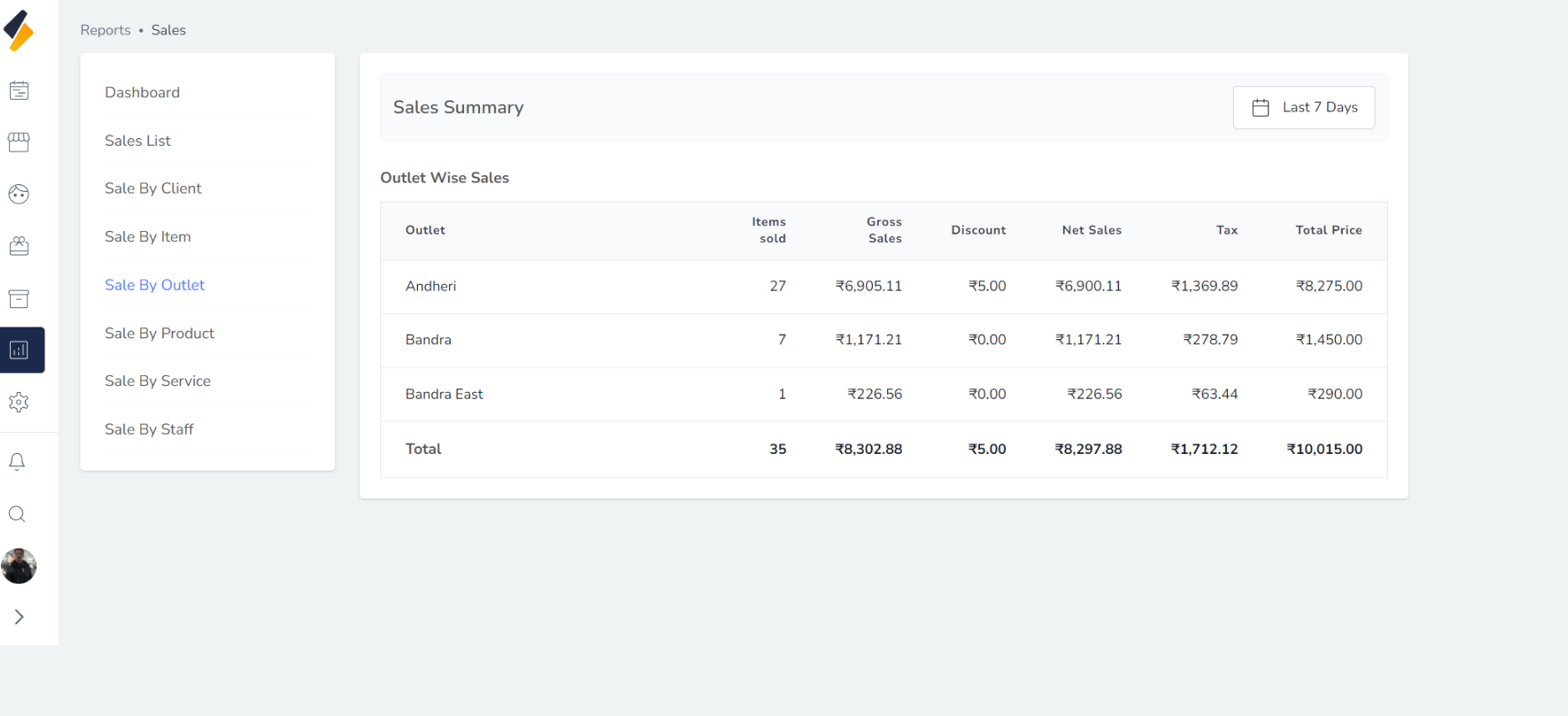
4. Sale by outlet:
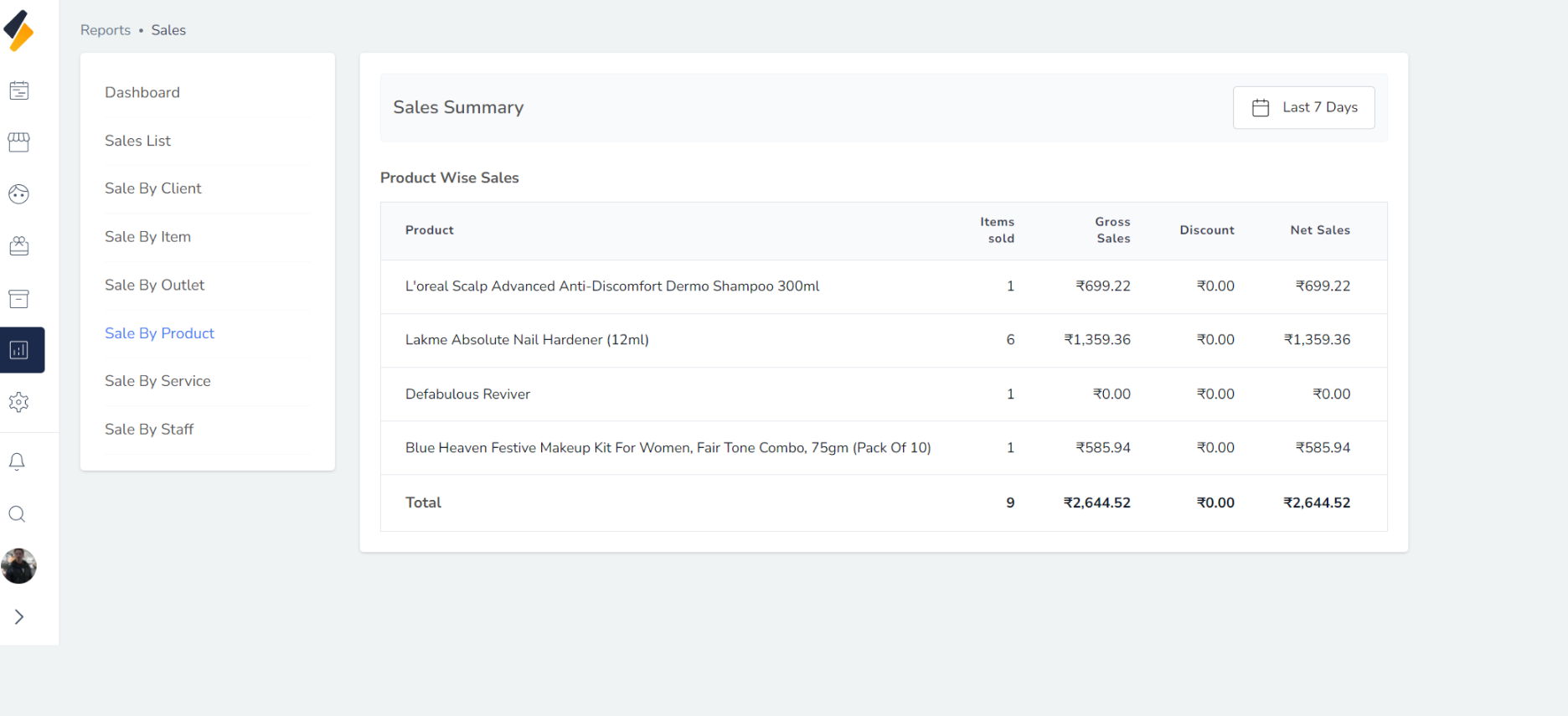
5. Sale by product:
6. Sale by service:
7. Sale by staff: