View an appointment reports
Follow these instructions to view a reports:
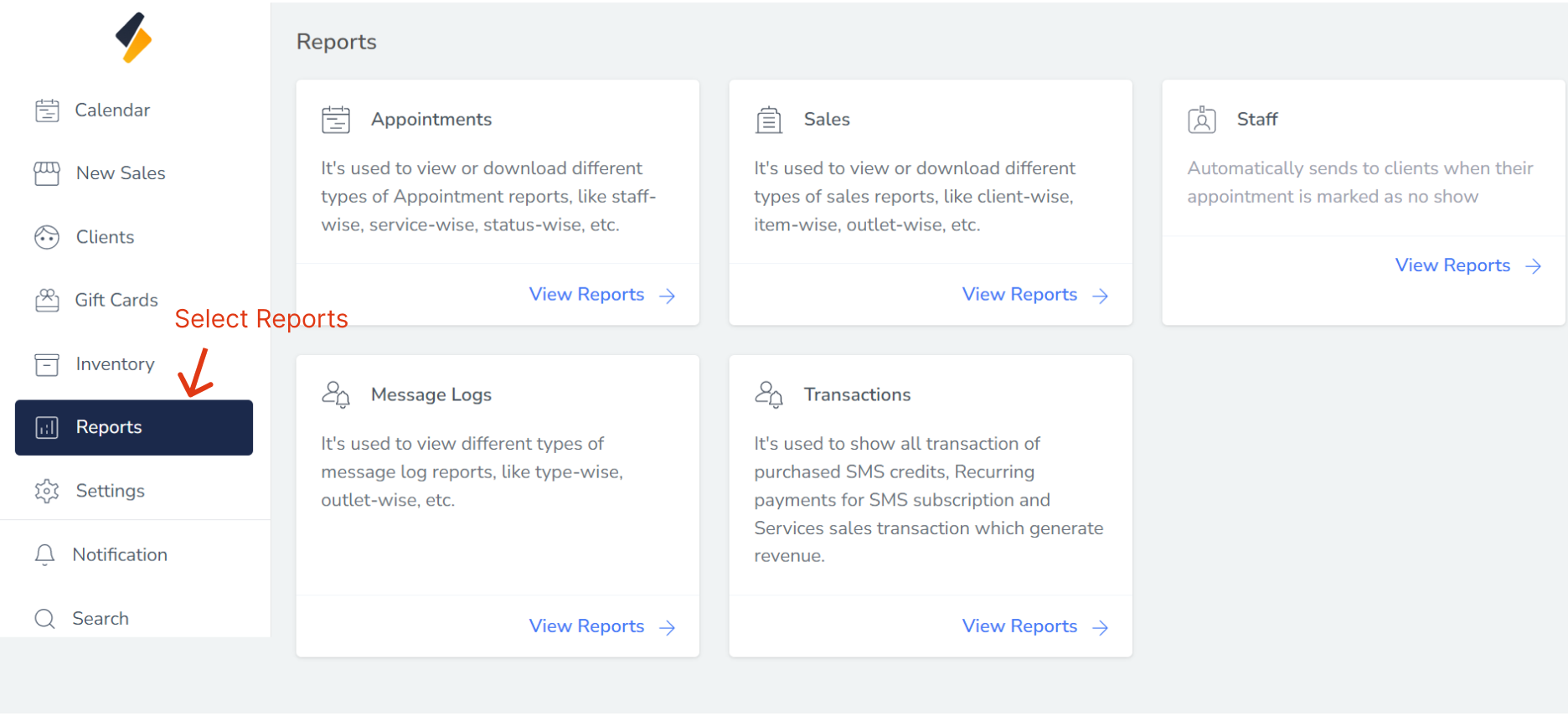
1. Navigate to the reports Option:
- Once you have logged in, Select the Reports option from the sidebar.
2. View all report list
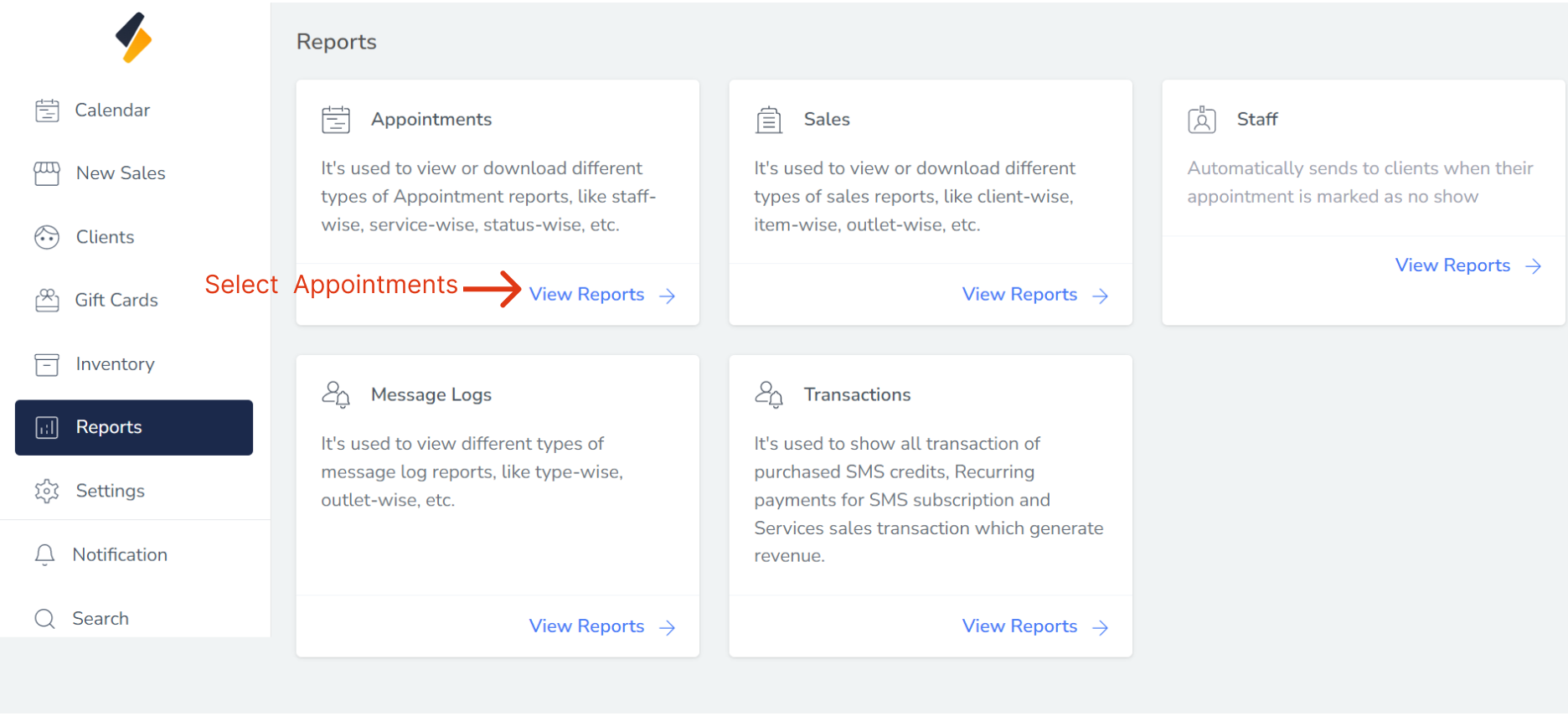
- All report list are show in card form.
- Select Appointment to view an appointment related reports.
Your Multiple Reports are generated:
1. Appointment Reports:
With the Appointment Reports, you can easily monitor the performance of your outlets and assess the booking patterns of your clients. This information allows you to make informed decisions regarding resource allocation, staff scheduling, and service optimization.
Efficiently Filter Your Reports.
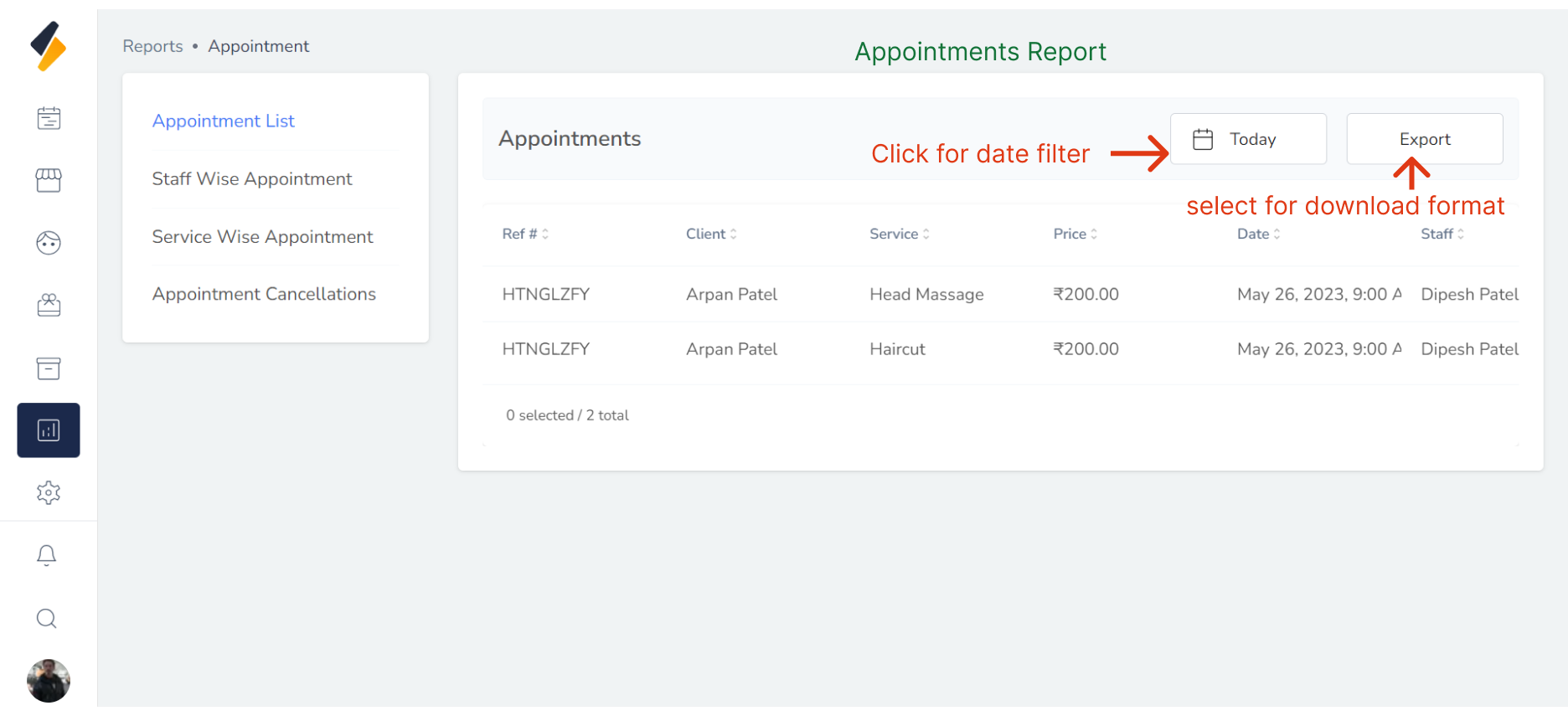
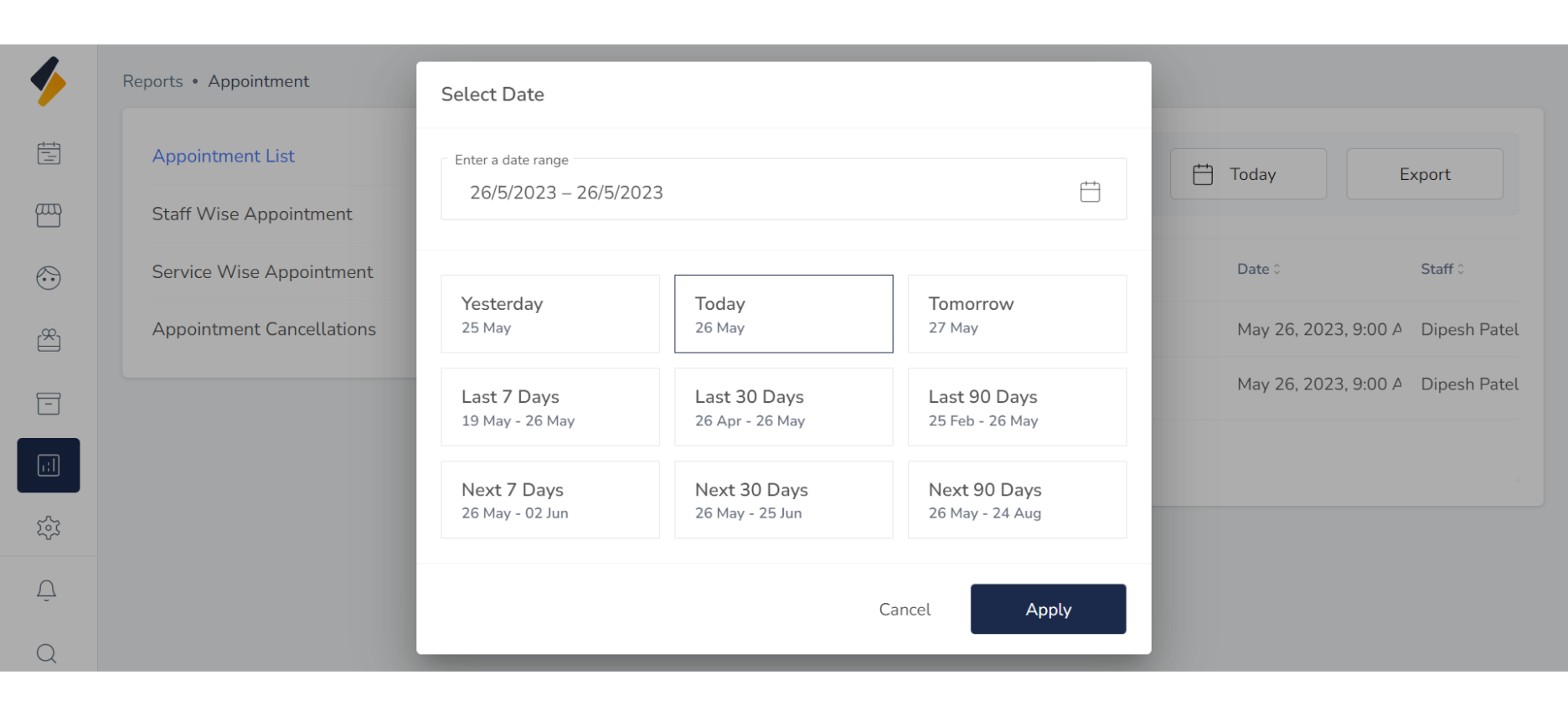
- Easily select specific dates or date ranges by clicking on the desired format. Choose from options such as yesterday, today, tomorrow, or a custom range.
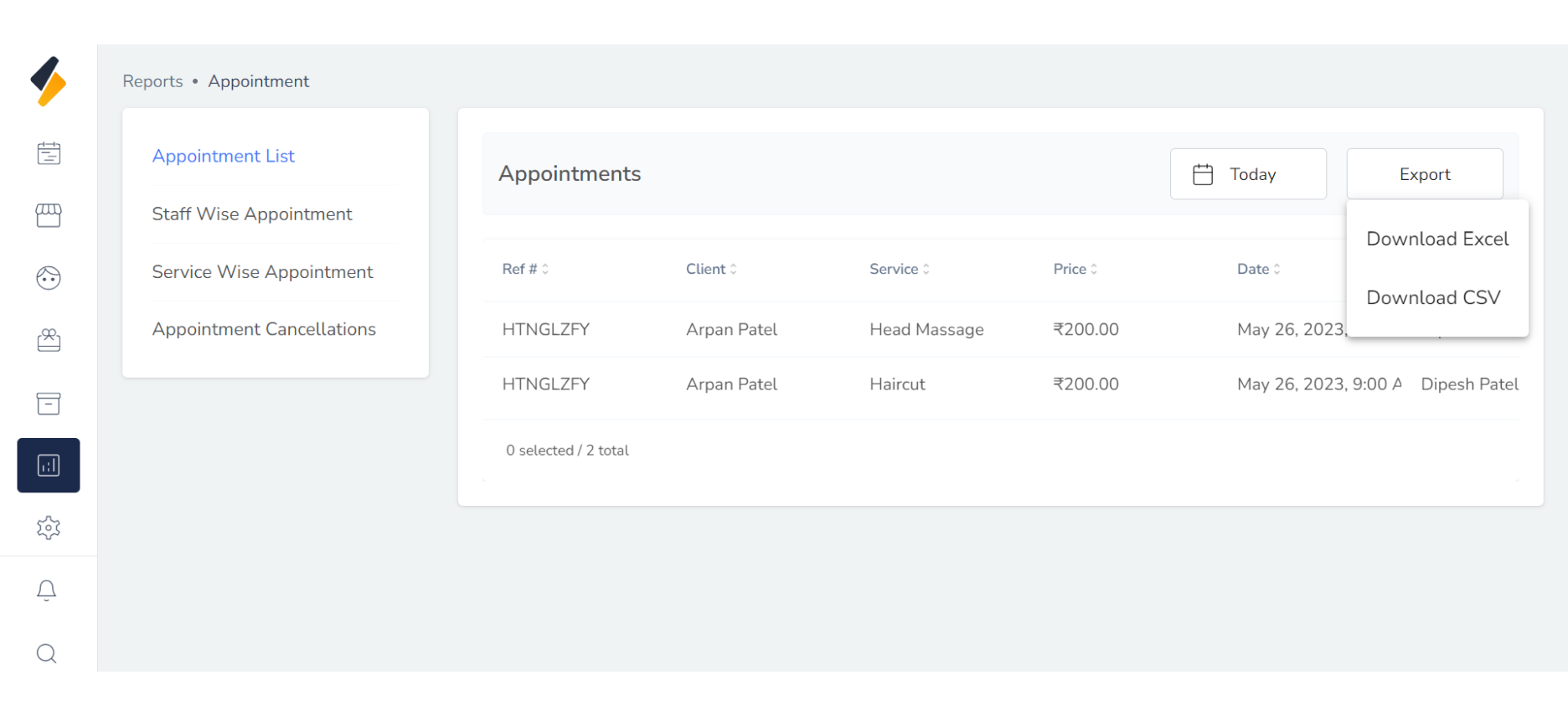
- Download reports in various formats by clicking on the export button and selecting your preferred format.
2. Staff wise appointment:
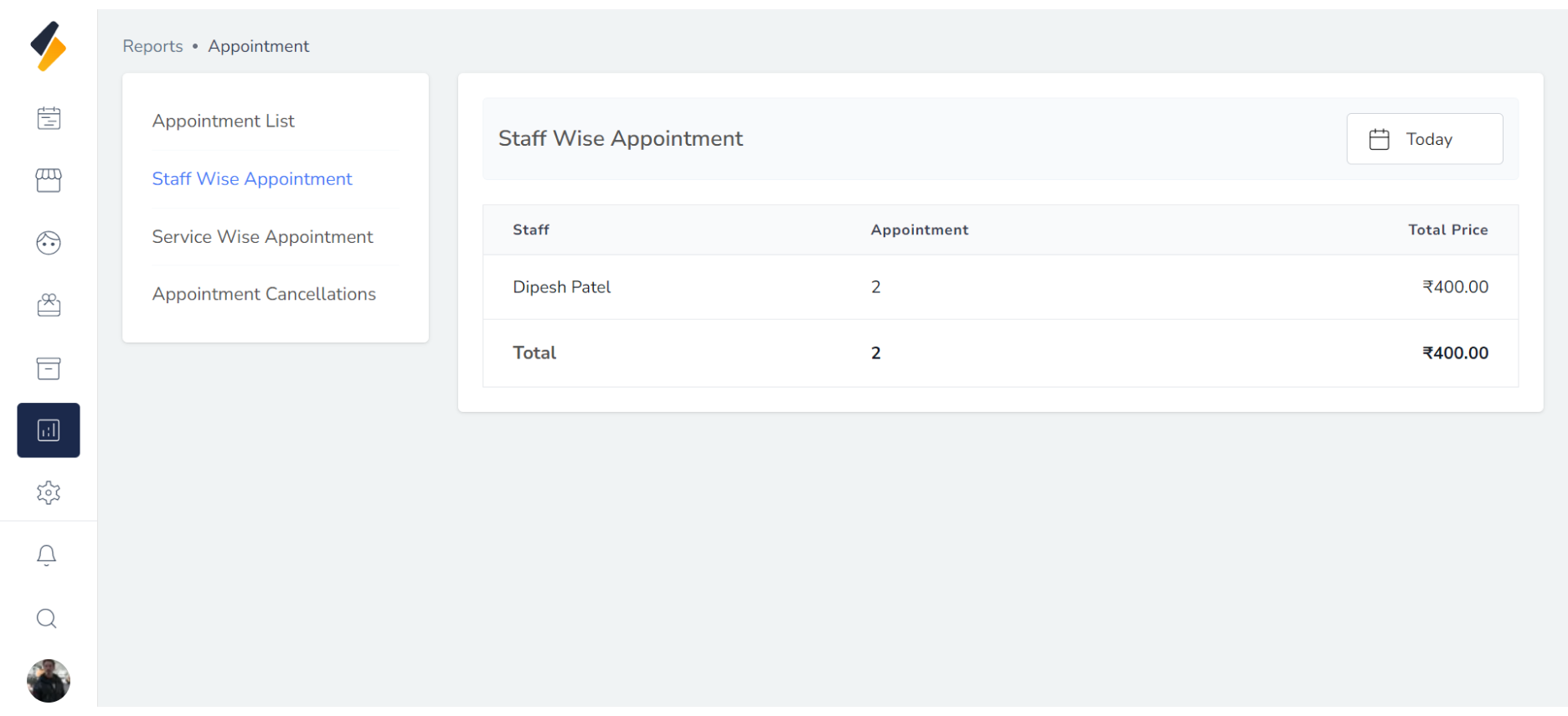
With the Staff-wise Appointment Reports, you can easily track and analyze appointments attributed to specific staff members.
The reports display key information such as the staff member's name, number of appointment, and total price.
This enables you to evaluate the workload and efficiency of your staff, identify top-performing employees,
and address any potential issues or imbalances.
2. Service wise appointment:
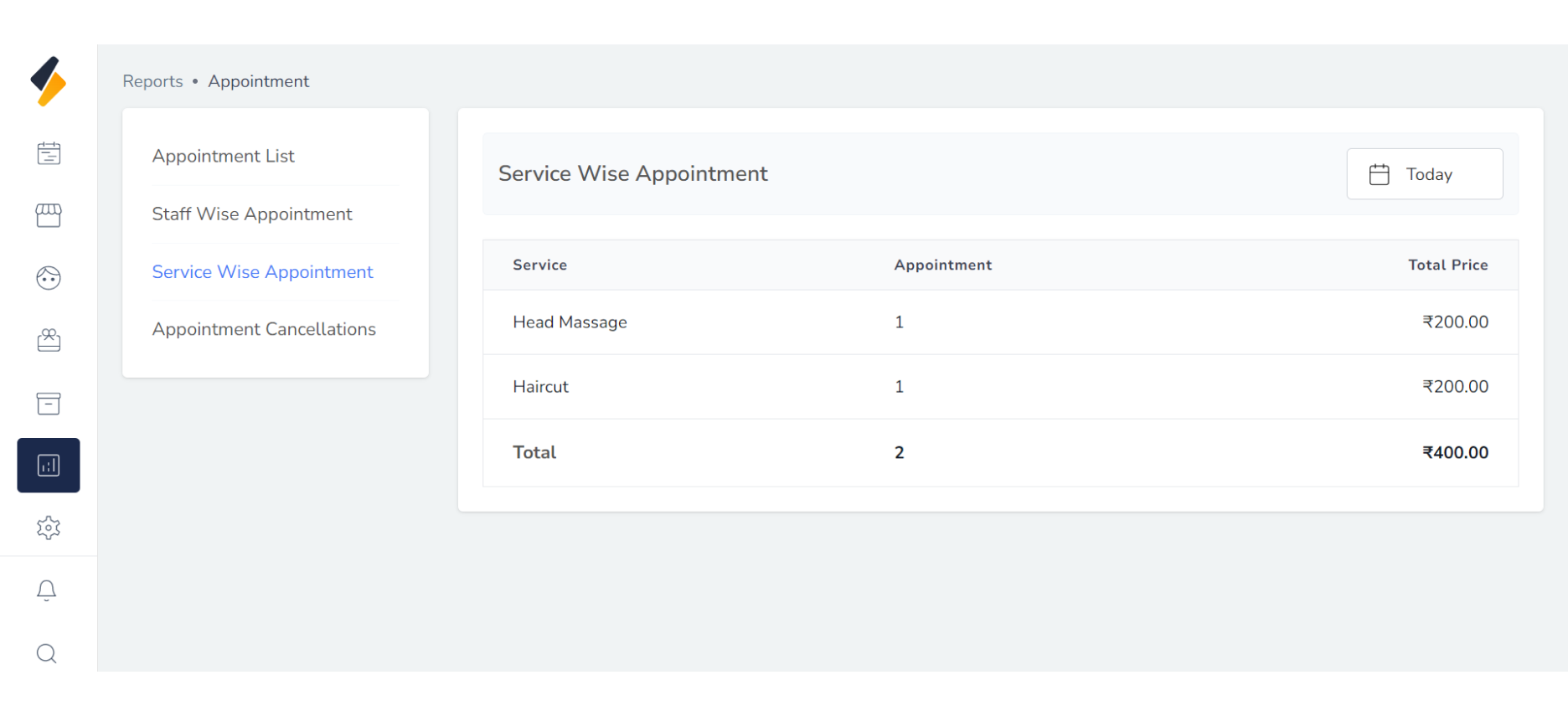
Service-wise Appointment Reports provide a concise overview of appointments categorized
by specific services offered in your salon. These reports offer valuable insights into
the popularity and demand for each service, allowing you to effectively manage your
service offerings and optimize customer satisfaction.
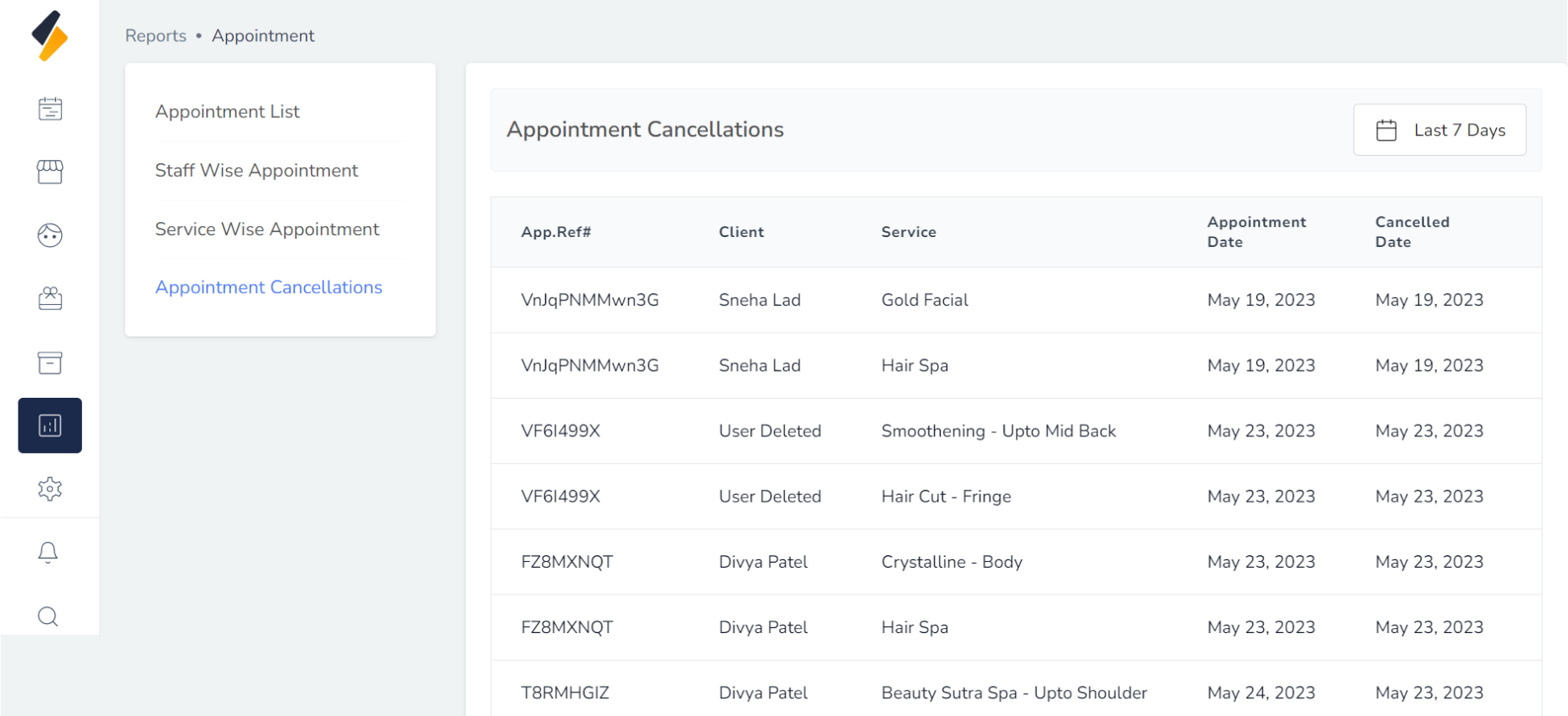
3. Appointment cancellations:
Appointment Cancellation Reports provide valuable insights into the cancellations
of scheduled appointments in your salon. These reports allow you to track
and analyze the reasons behind cancellations, identify patterns, and take
proactive measures to minimize cancellations and optimize your appointment scheduling process.