
How to add a new petty cash?
Here's a step-by-step guide to adding a new petty cash.
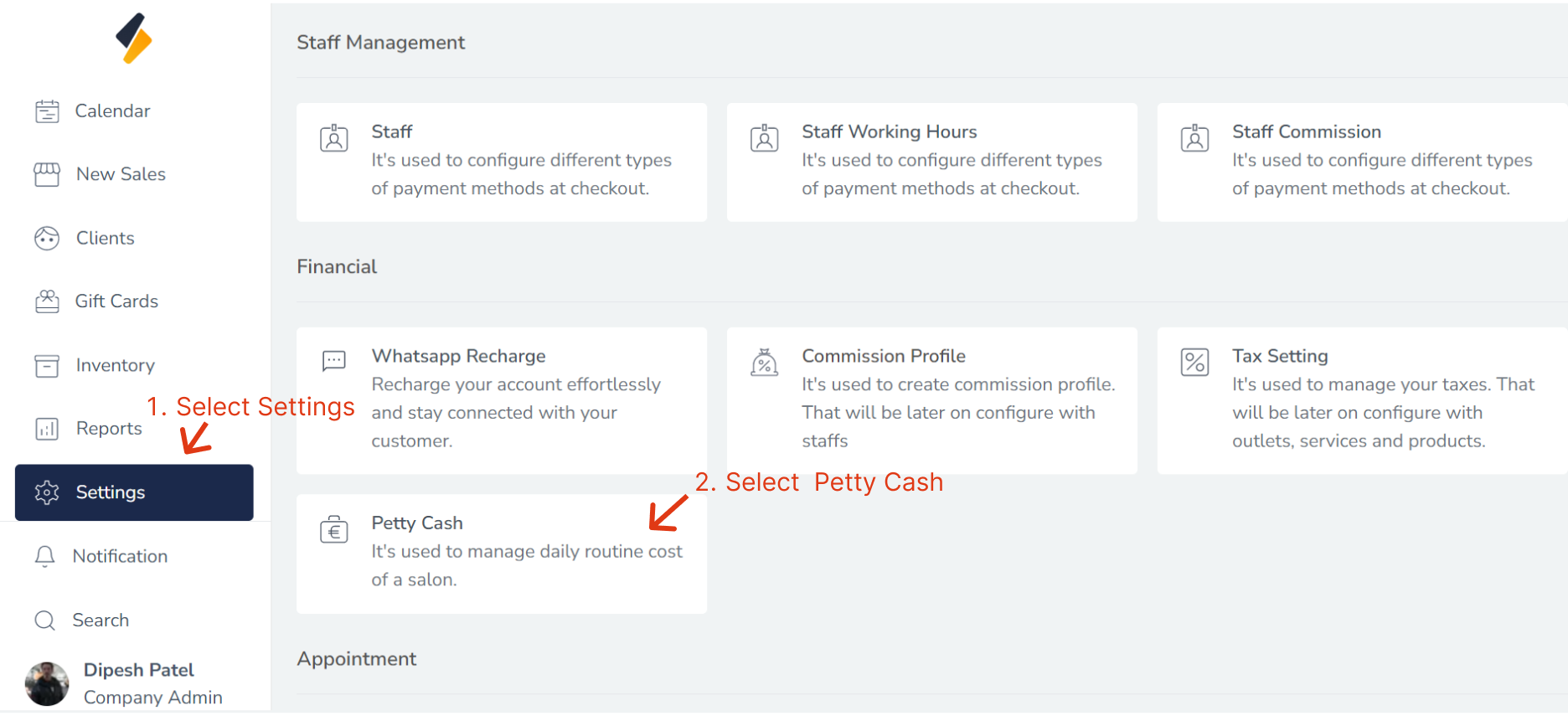
1. Navigate to the Petty Cash Section:
- Once you have logged in, Select the Settings option from the sidebar.
- Click on Petty Cash option from "Financial"
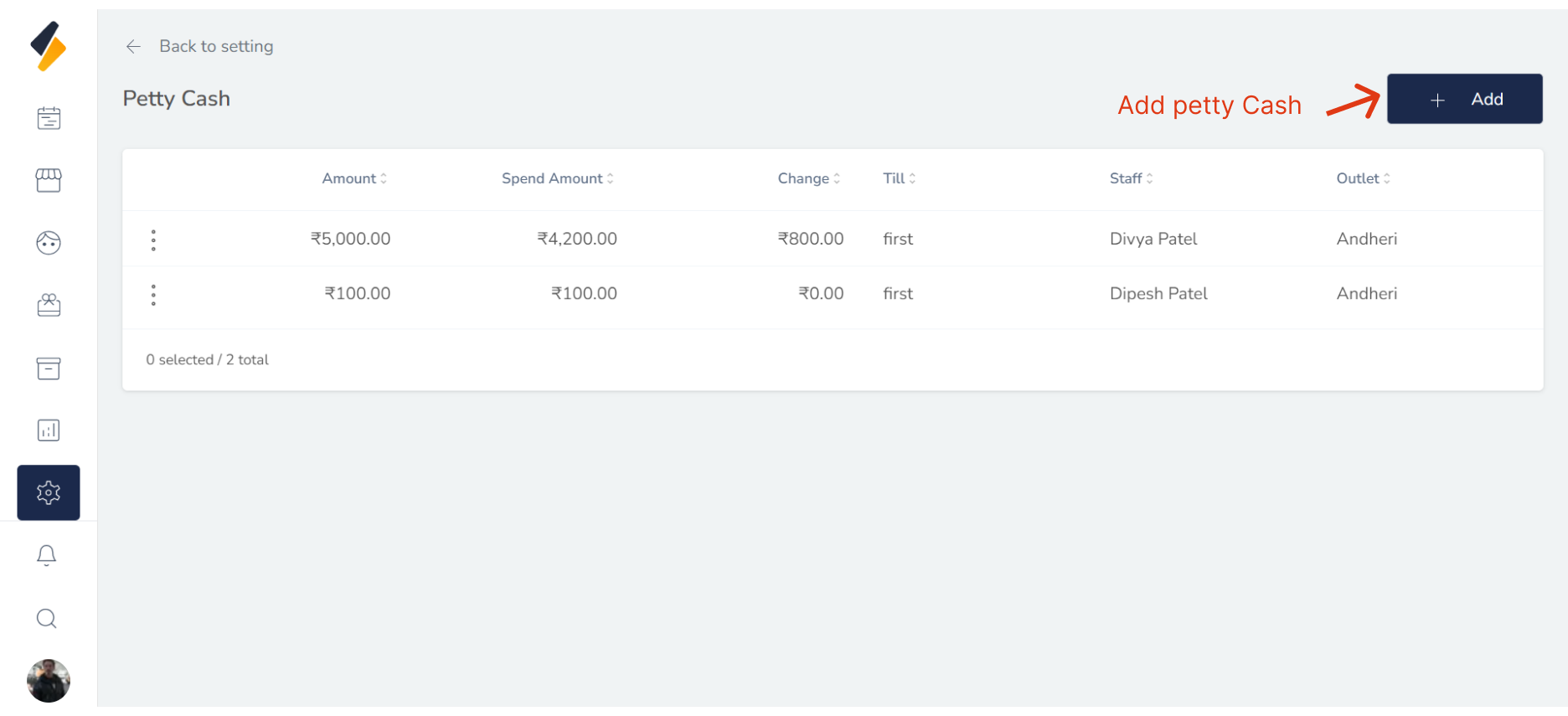
2. Add a New petty cash:
Click the "+ Add" button to begin adding a new Petty Cash to your system.
3. Enter the Petty Cash's Information:
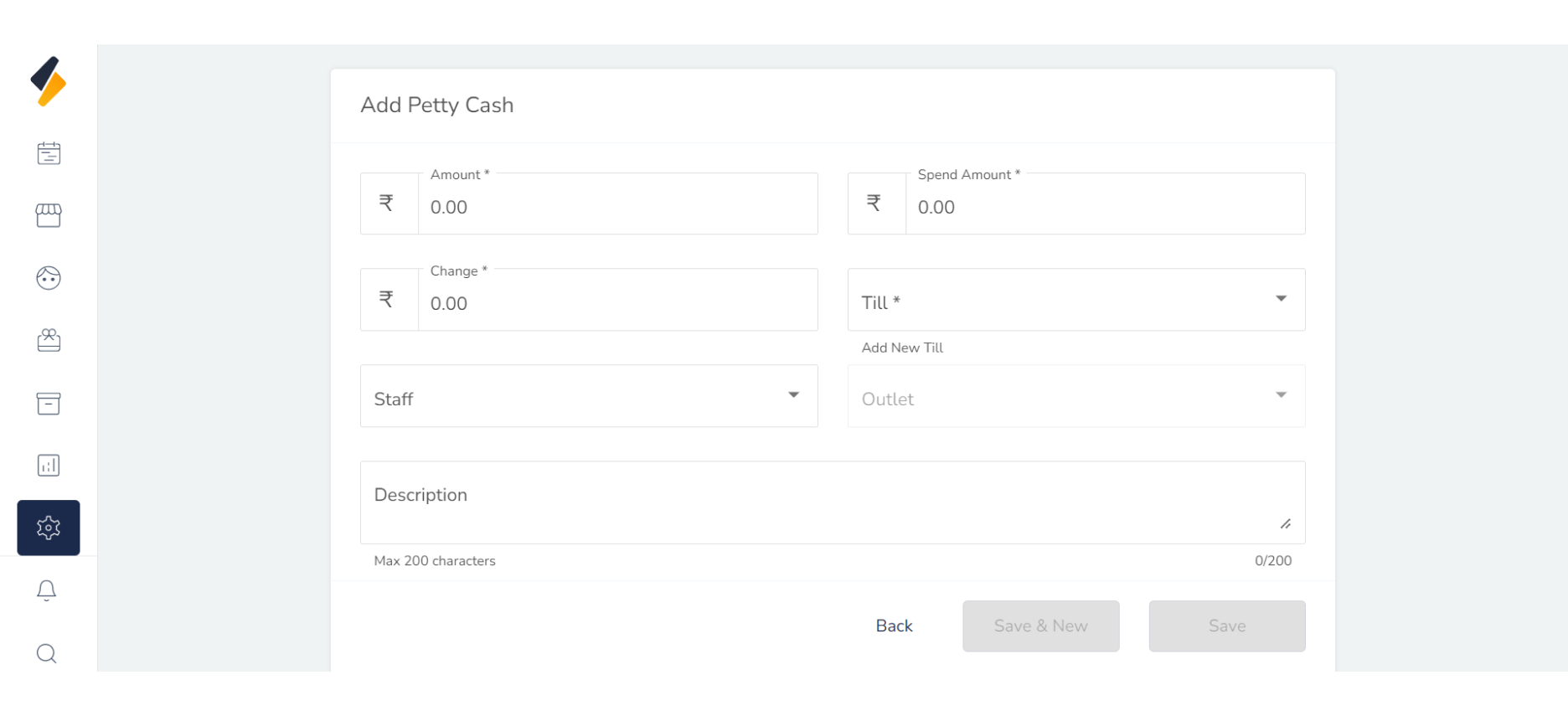
Enter the Petty Cash's information into the appropriate fields, including:
-
- Amount : The total sum of money available in the petty cash fund.
- Spend Amount : The amount of money spent from the petty cash fund for a particular transaction.
- Change : The amount of money spent from the petty cash fund for a particular transaction.
- Till: The amount of money spent from the petty cash fund for a particular transaction.
- Staff: Select Staff who is a responsible for managing and disbursing the petty cash fund.
- Outlet: Select the outlet where the petty cash fund is stored and used.
- Description: A short description of the purpose and guidelines for using the petty cash fund, including the types of expenses that can be paid for and the documentation.
5. Click on the "Save" button
Finally, click on the "Save" button to save the new petty cash along with all its details.
By following these steps, you can easily add a new petty cash to your list and manage it efficiently.