
Setting up Outlet(Branch) Information
To set up your outlet, follow these steps:
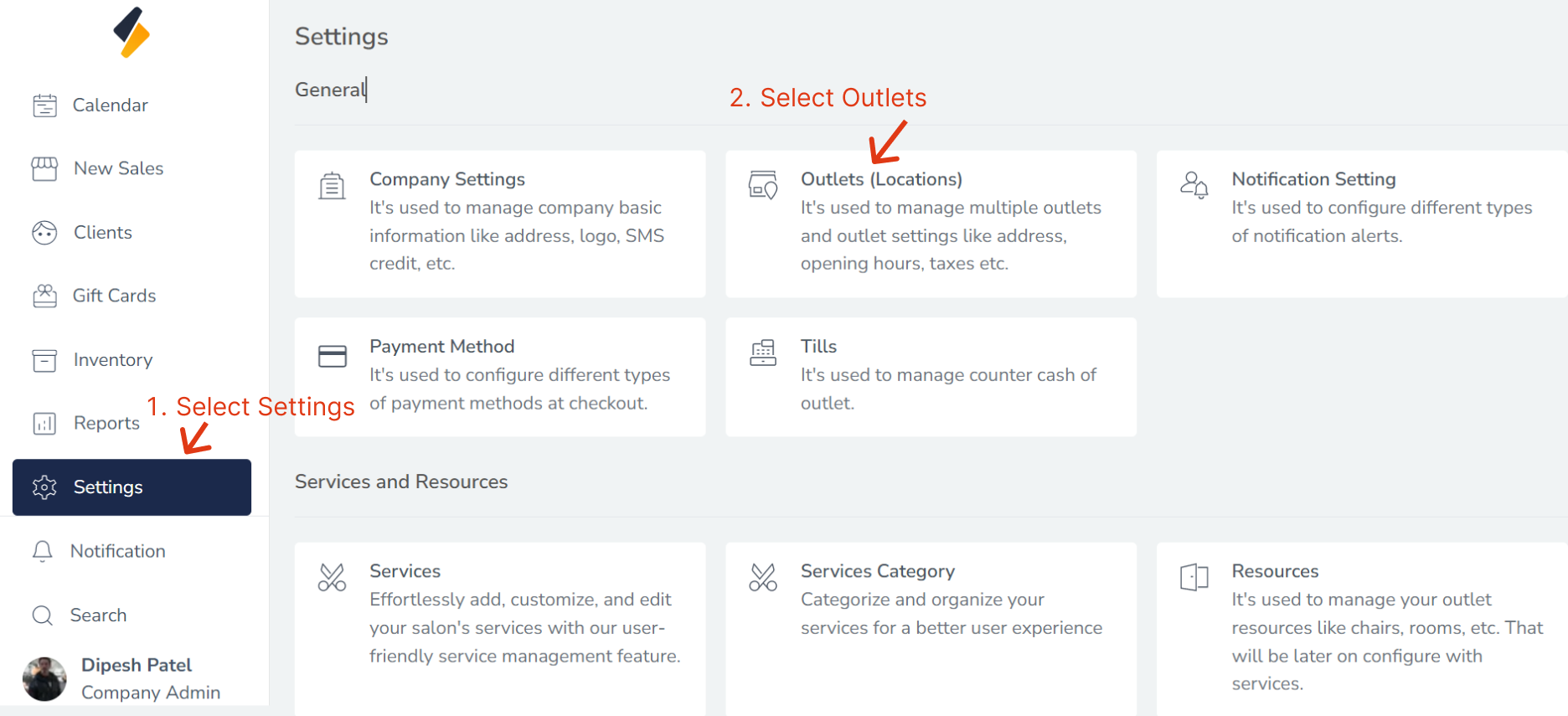
1. Navigate to the outlet Option:
- Once you have logged in, Select the Settings option from the sidebar.
- Click on the Outlets(Locations) from General.
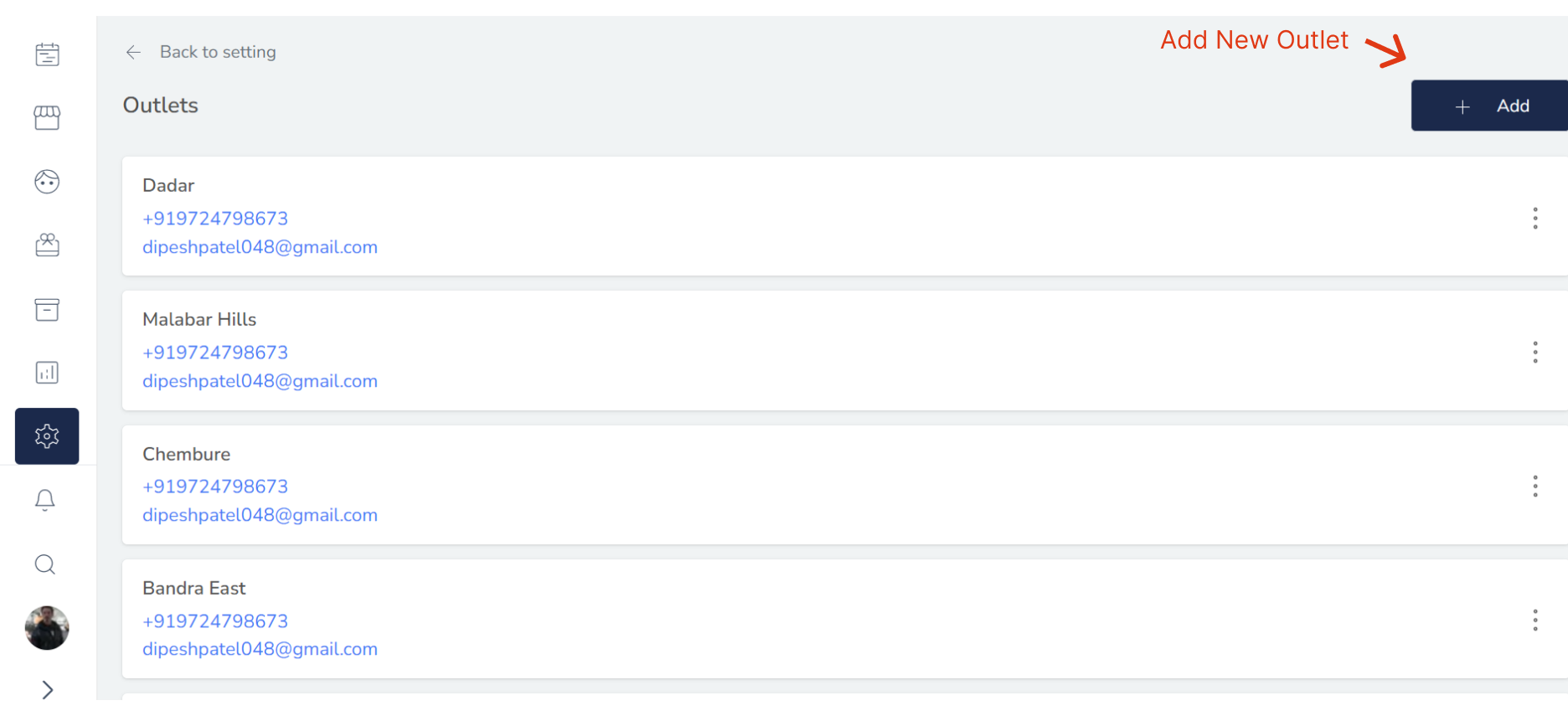
2. Add a New outlet:
Click on the "+Add" button to add a new outlet to the list.
3. Enter the Outlet's Information:
Here Multiple Tab Option for Add outlet detail.
-
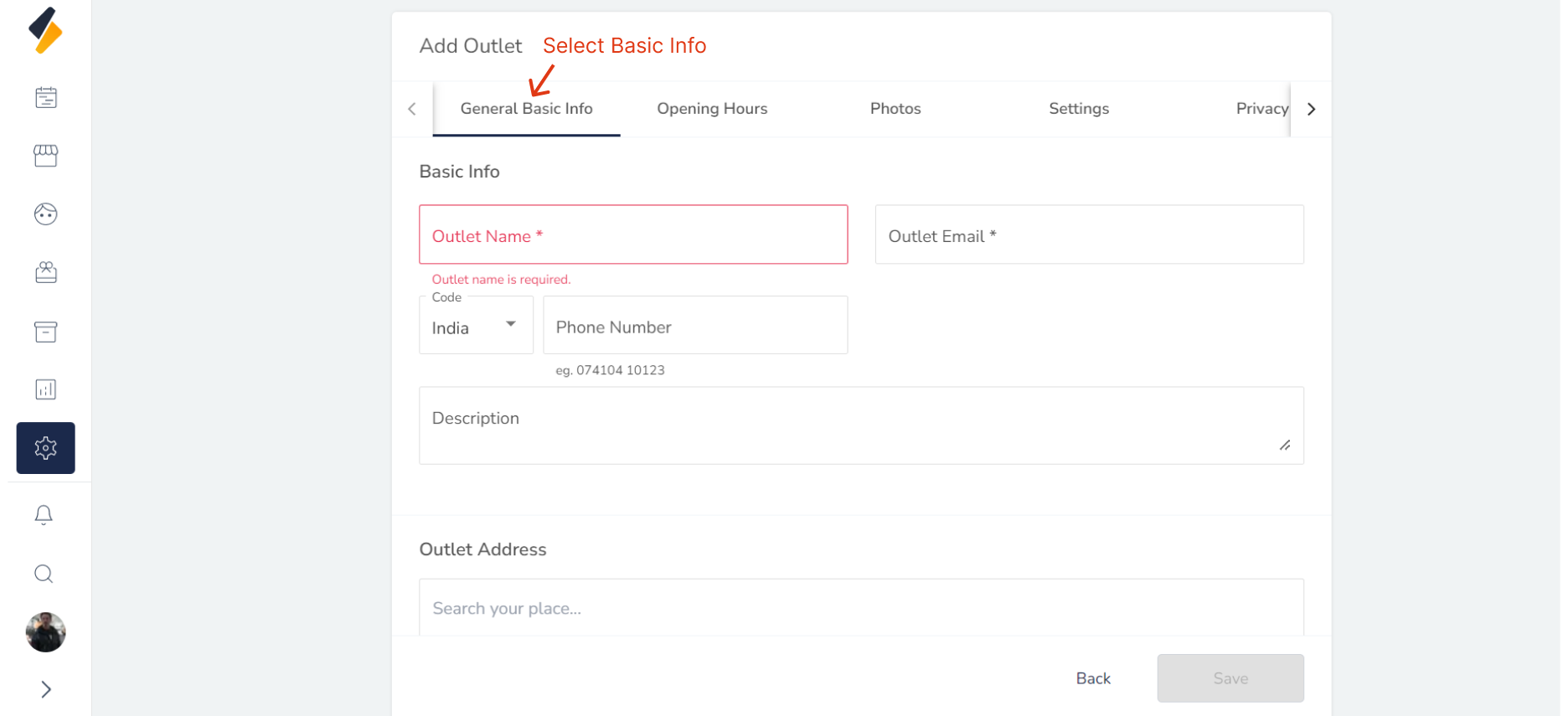
1. Setup General Basic Information of outlet:
-
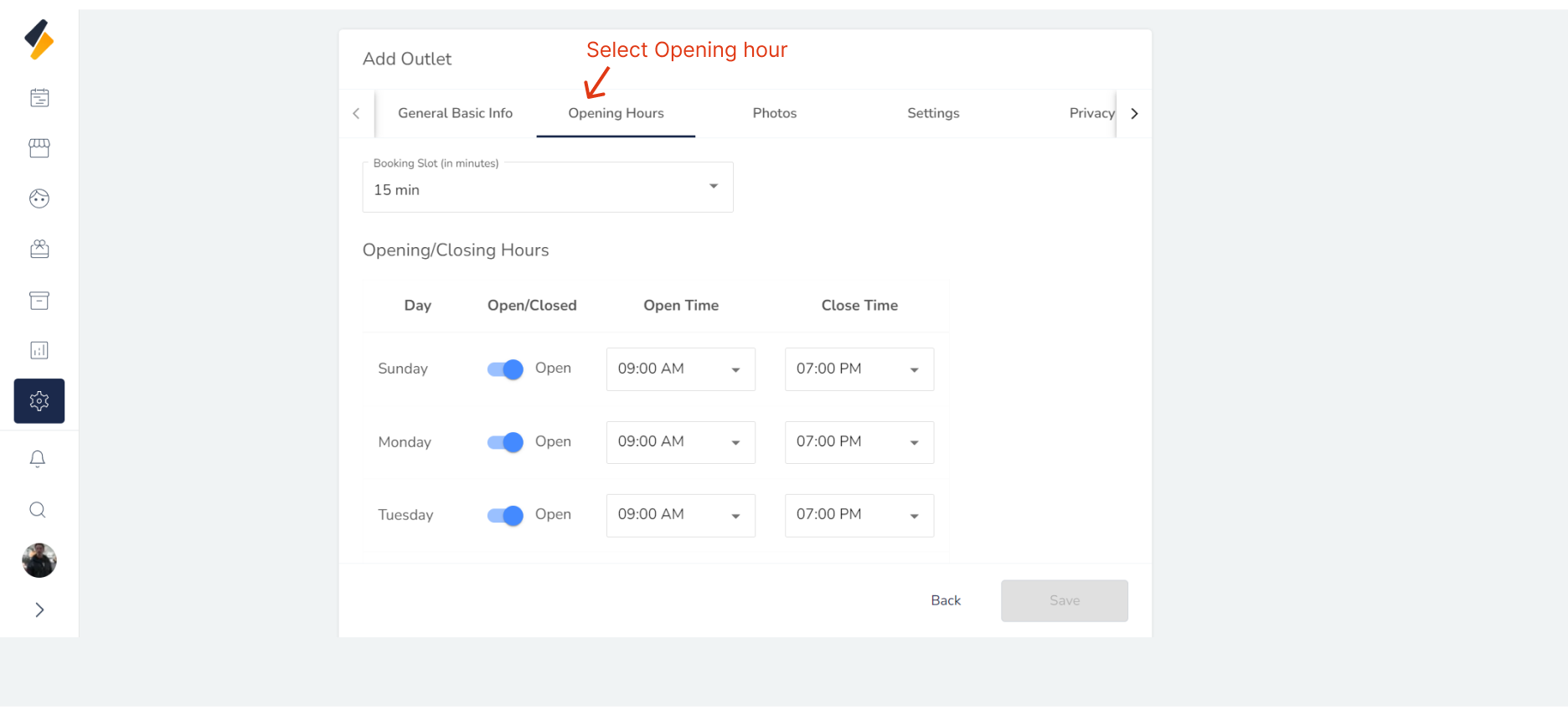
2. Setup Opening hours of outlet:
-
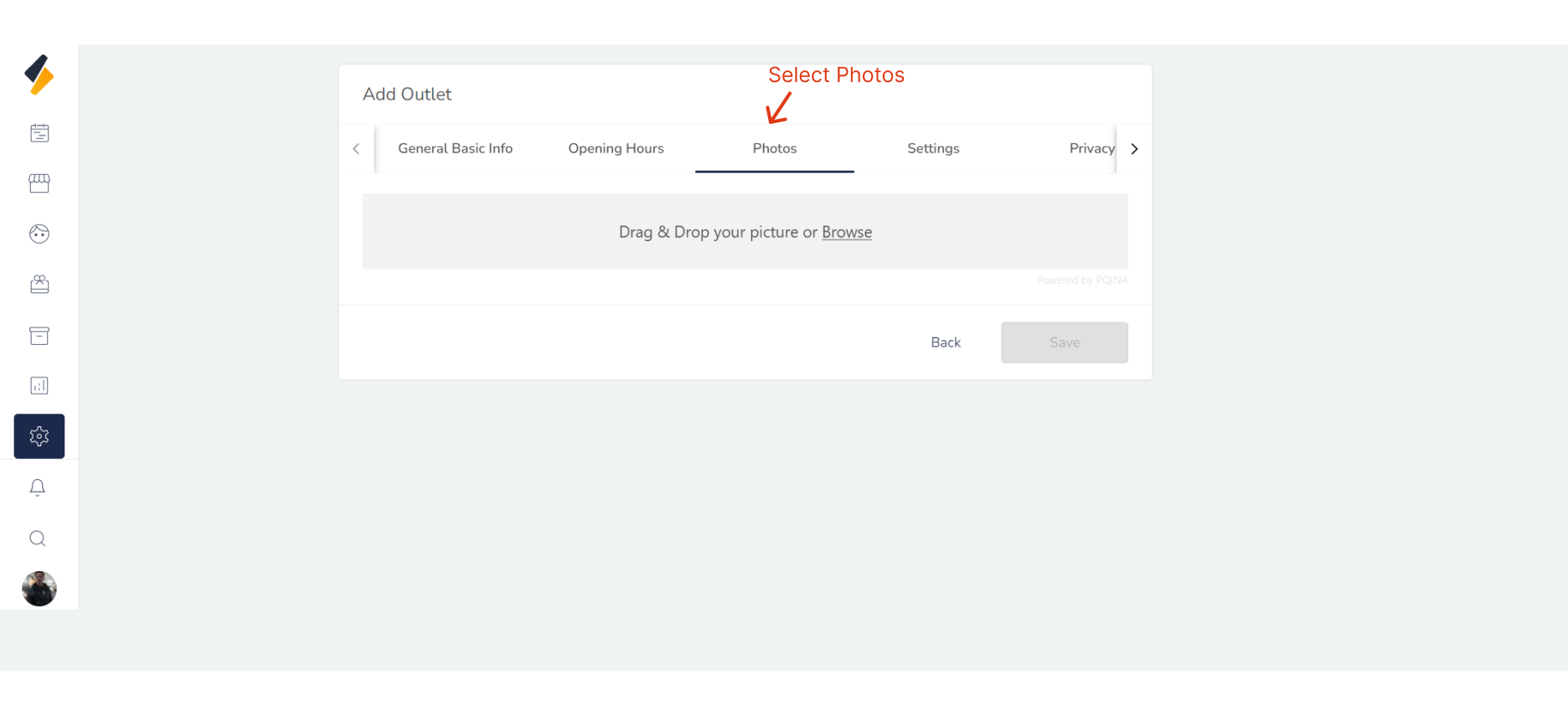
3. Upload outlet multiple photos:
-
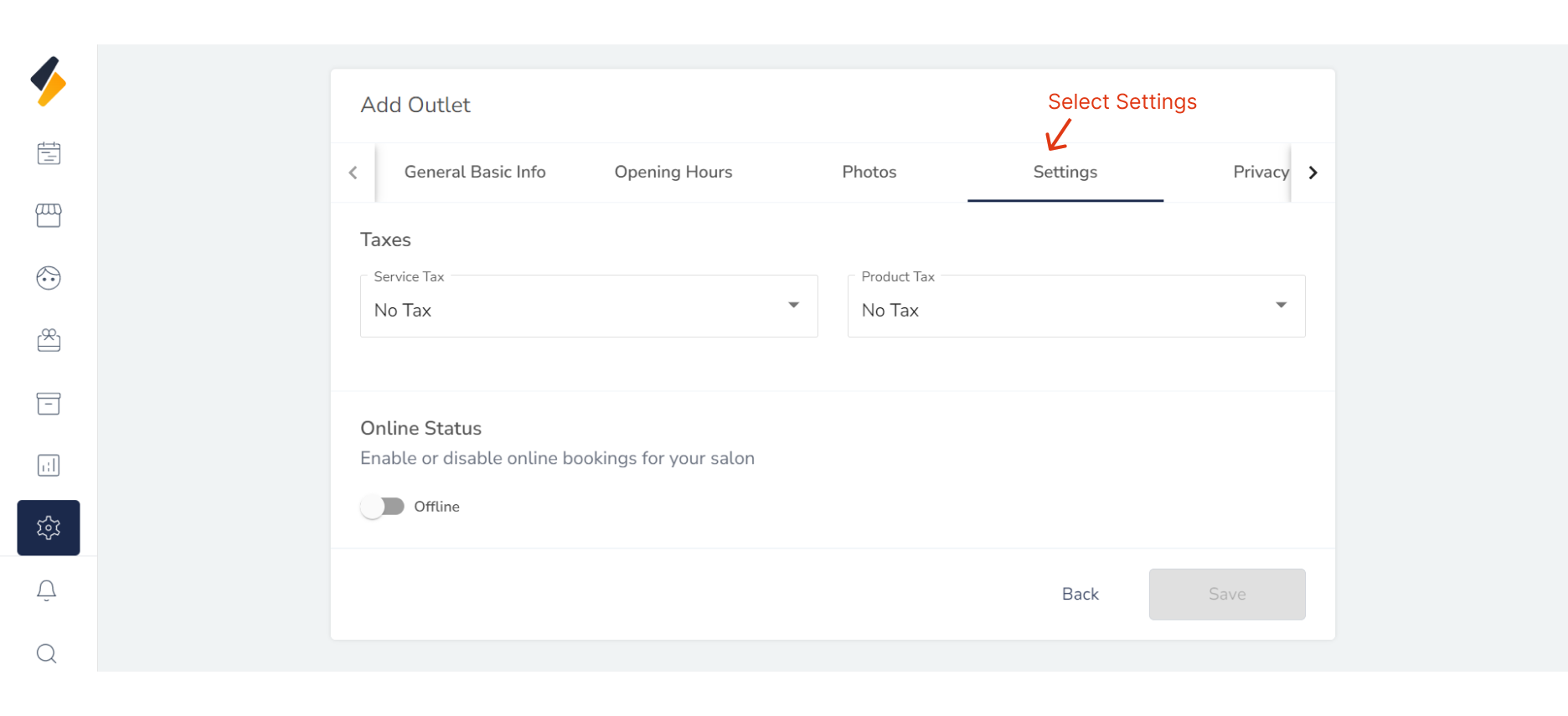
4. Customize outlet Settings:
-
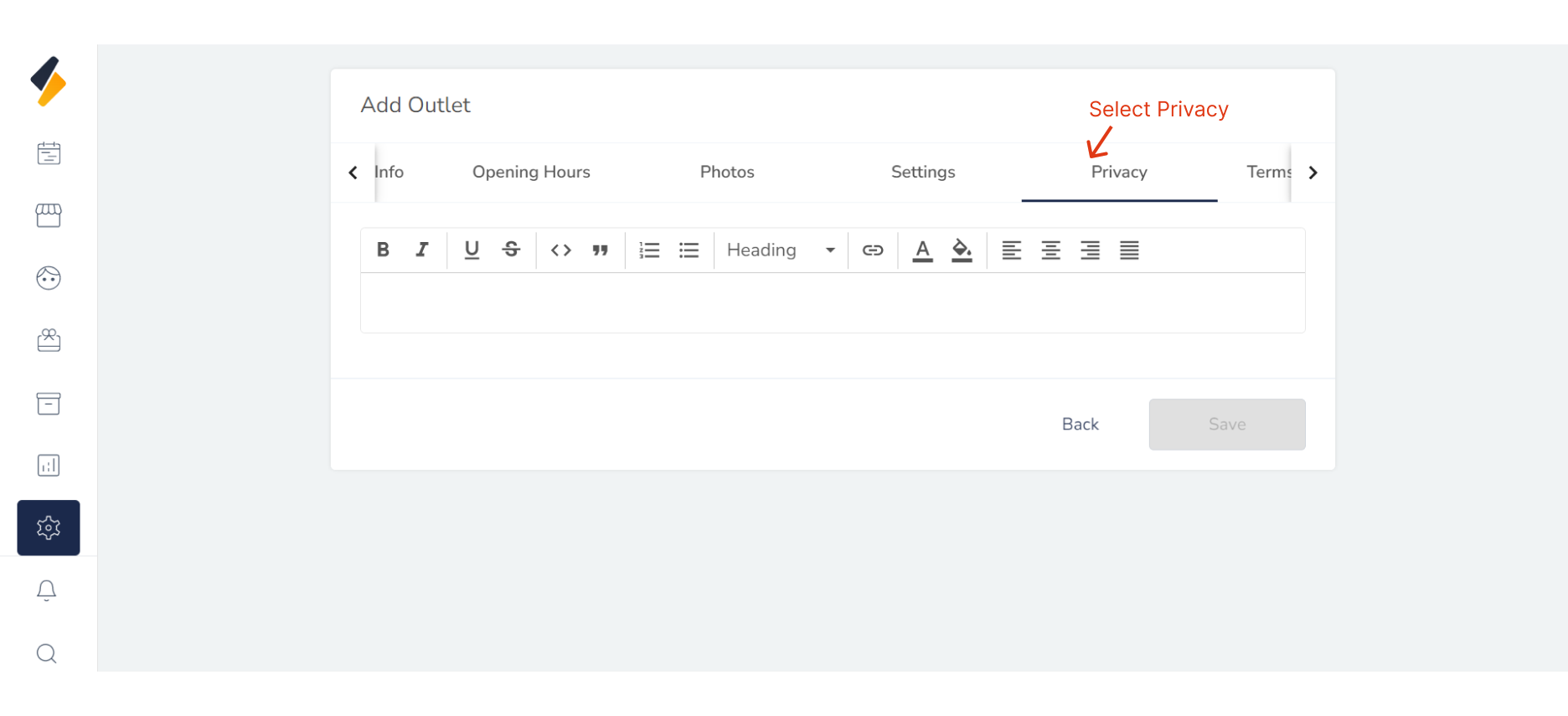
5. Enter privacy polices of outlet:
-
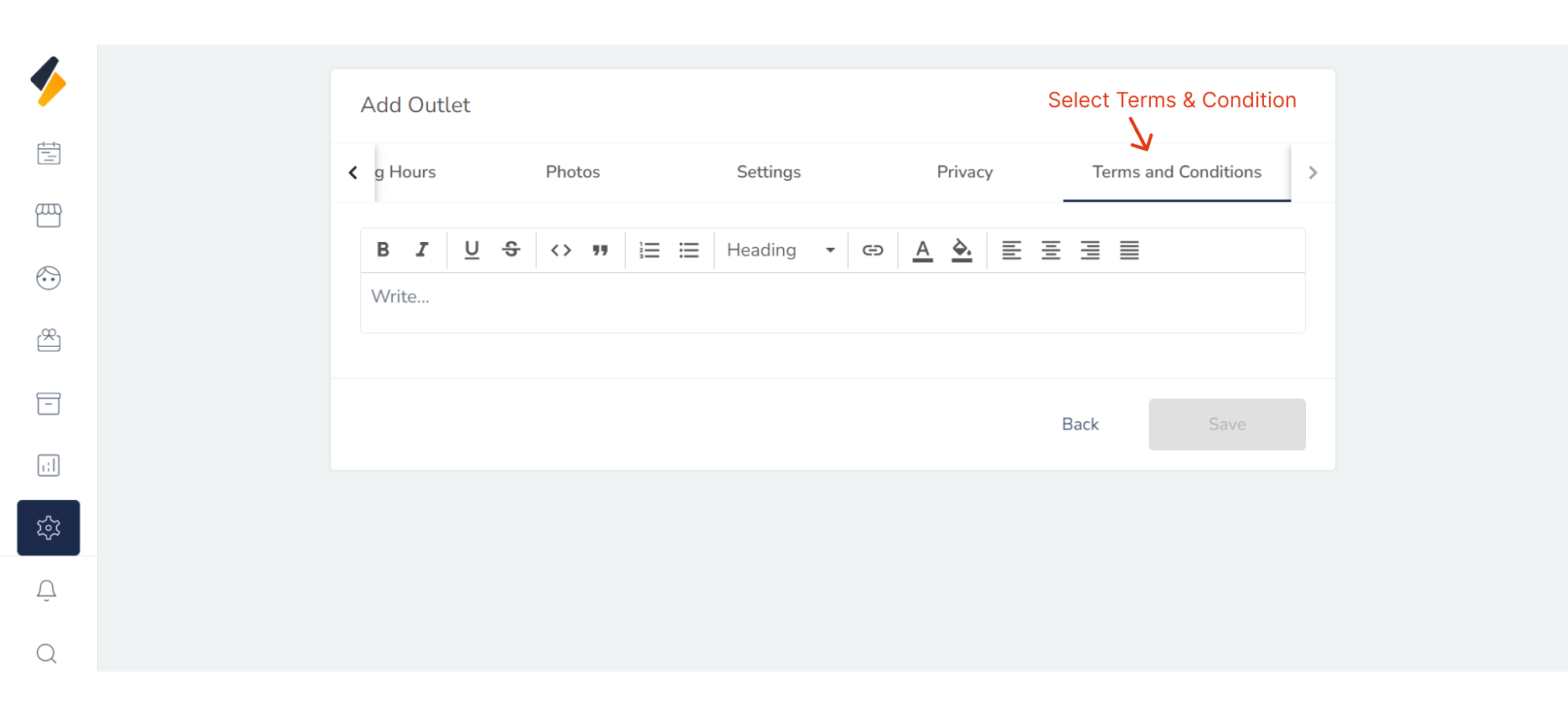
6. Enter Terms and Conditions of outlet:
You can easily add a new outlet to your list and manage it efficiently.