
Notification Lists for Salon
This document describes various notification lists that can be activated or deactivated for a salon. These lists can be used to inform customers, staff members, and other stakeholders about important updates, events, and promotions related to the salon.
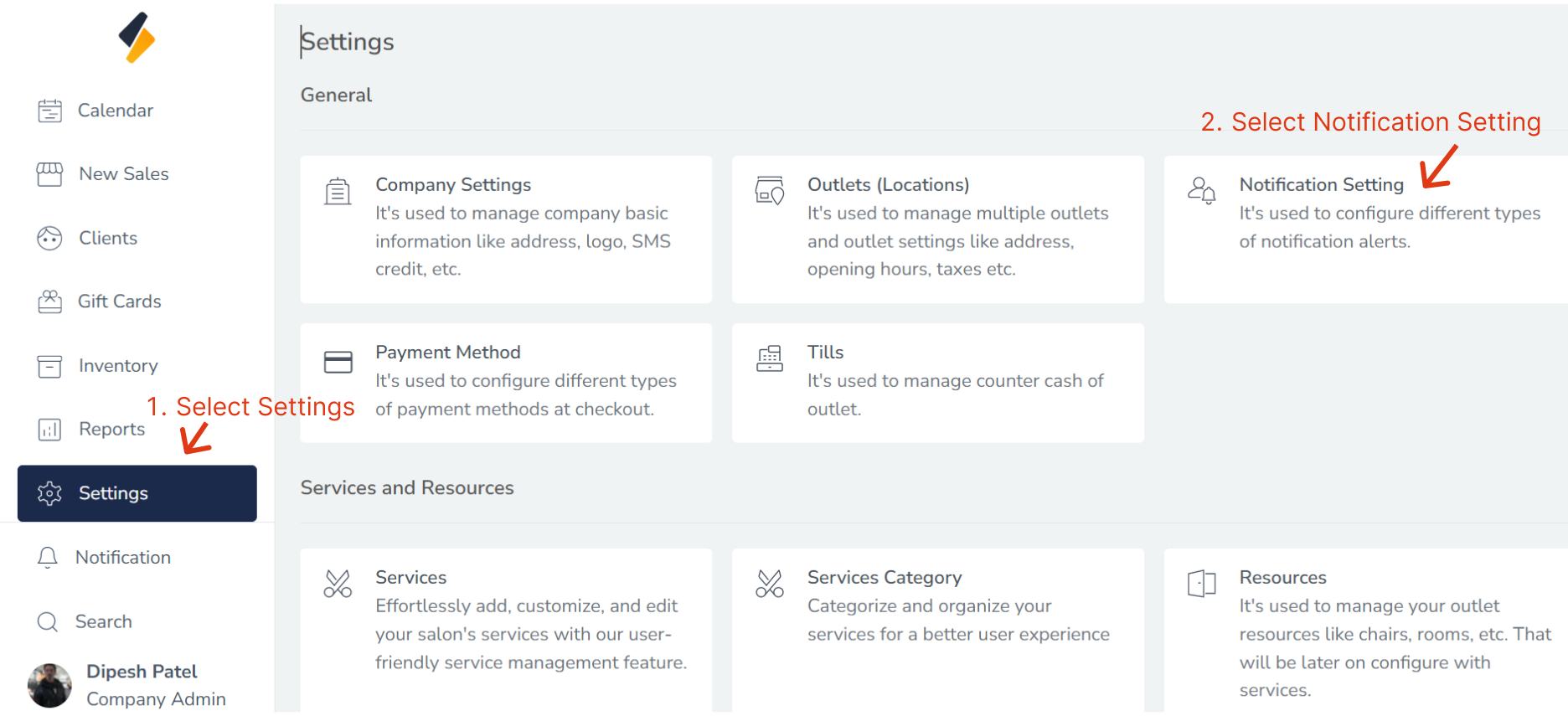
1. Navigate to the Notification Settings Section:
- Once you have logged in, Select the Settings option from the sidebar.
- Click on "Notification Settings" option from General.
2. List of Notification Lists
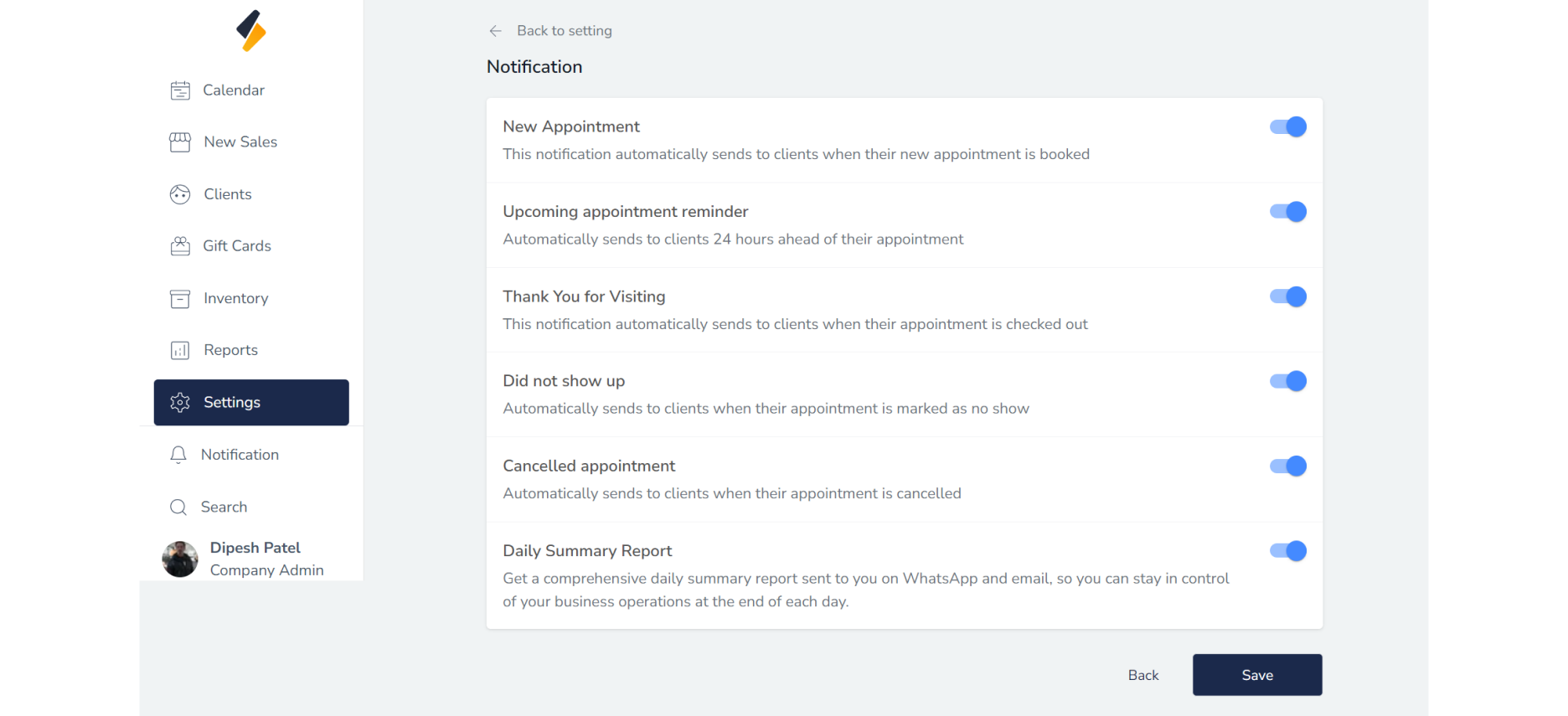
- New Appointment Reminders : This notification automatically sends to clients when their new appointment is booked.
- Upcoming appointment reminder : Automatically sends to clients 24 hours ahead of their appointment.
- Thank You for Visiting : This notification automatically sends to clients when their appointment is checked out.
- Did not show up: Automatically sends to clients when their appointment is marked as no show.
- Cancelled appointment: Automatically sends to clients when their appointment is cancelled.
- Daily Summary Report: Daily summary report sent to company admin on whatsapp and email.
By using these notification lists, the salon can keep its customers informed, engaged, and satisfied, leading to a more successful and profitable business.