
How track giftCard purchases?
Follow these instructions to view a giftCard purchased:
1. Navigate to the GiftCard Section:
Once you have logged in, navigate to the giftCard section of the software.This may be located under a "Gift Cards" Menu.
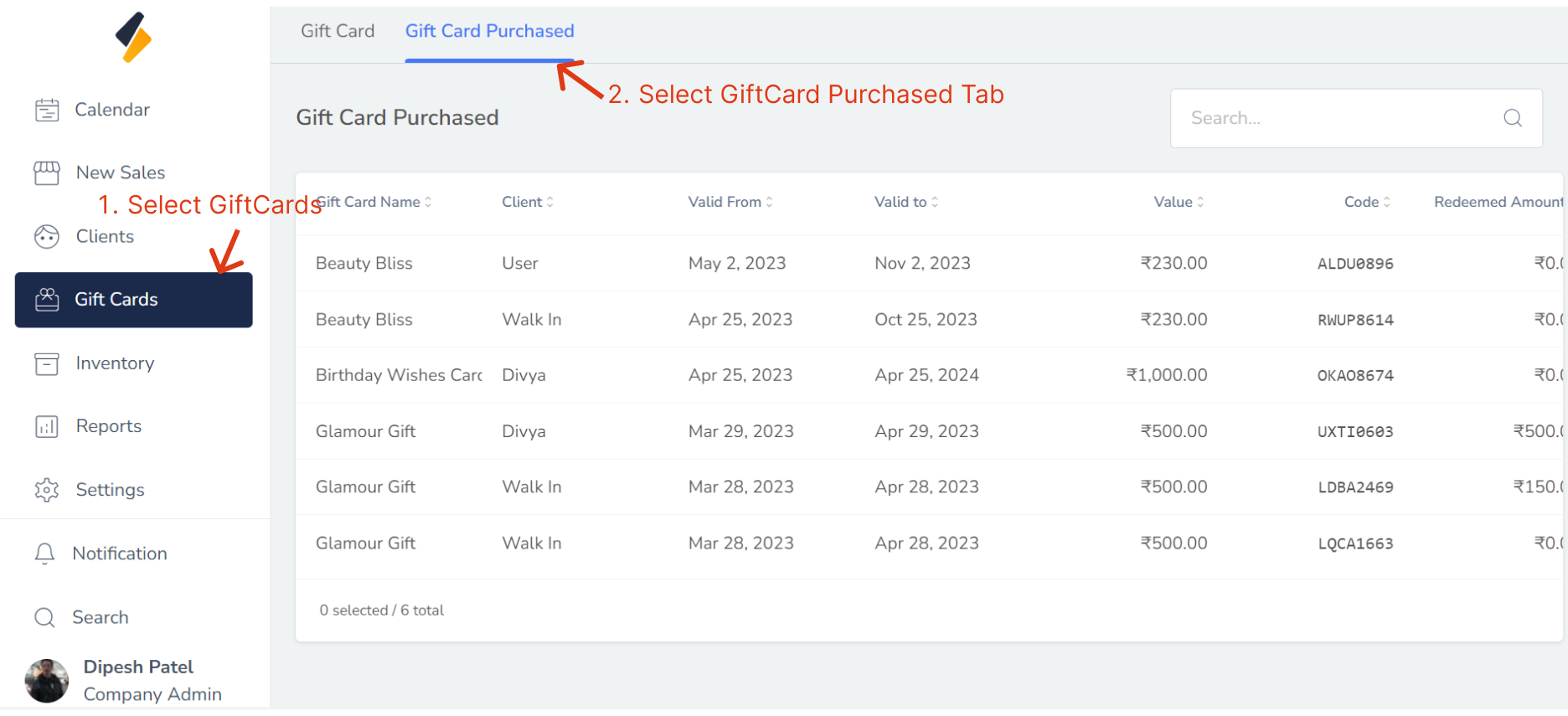
2. Click on "Gift Card Purchased" Tab.
All GiftCard purchased list are show in tabular form.
If you Want to purchased giftCard then go to New Sales Section.