
How to add a new giftCard
Here's a step-by-step guide to adding a new giftCard.
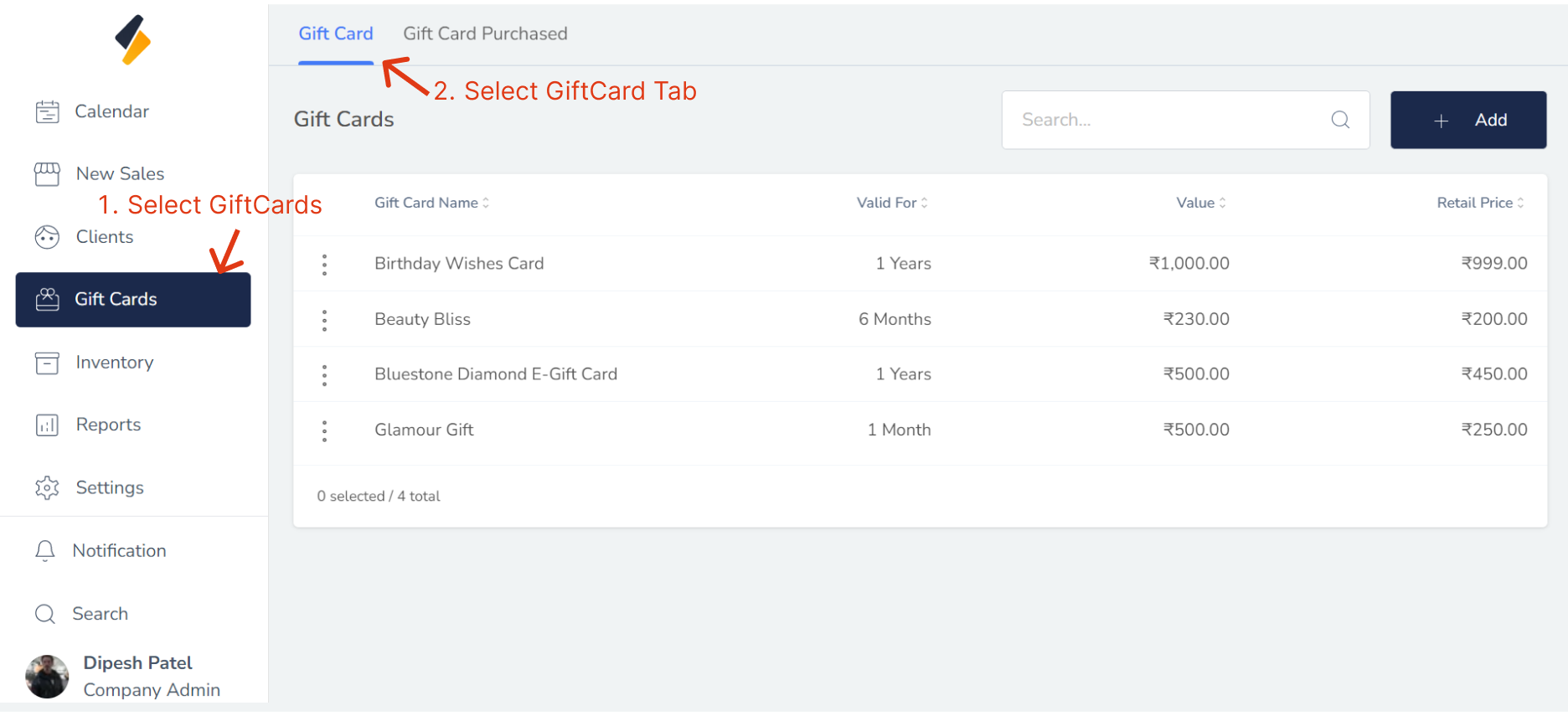
1. Navigate to the GiftCard Section:
Once you have logged in, navigate to the GiftCard section of the software. This may be located under a "GiftCard" Menu. Menu.Click on "Gift Card" Tab.
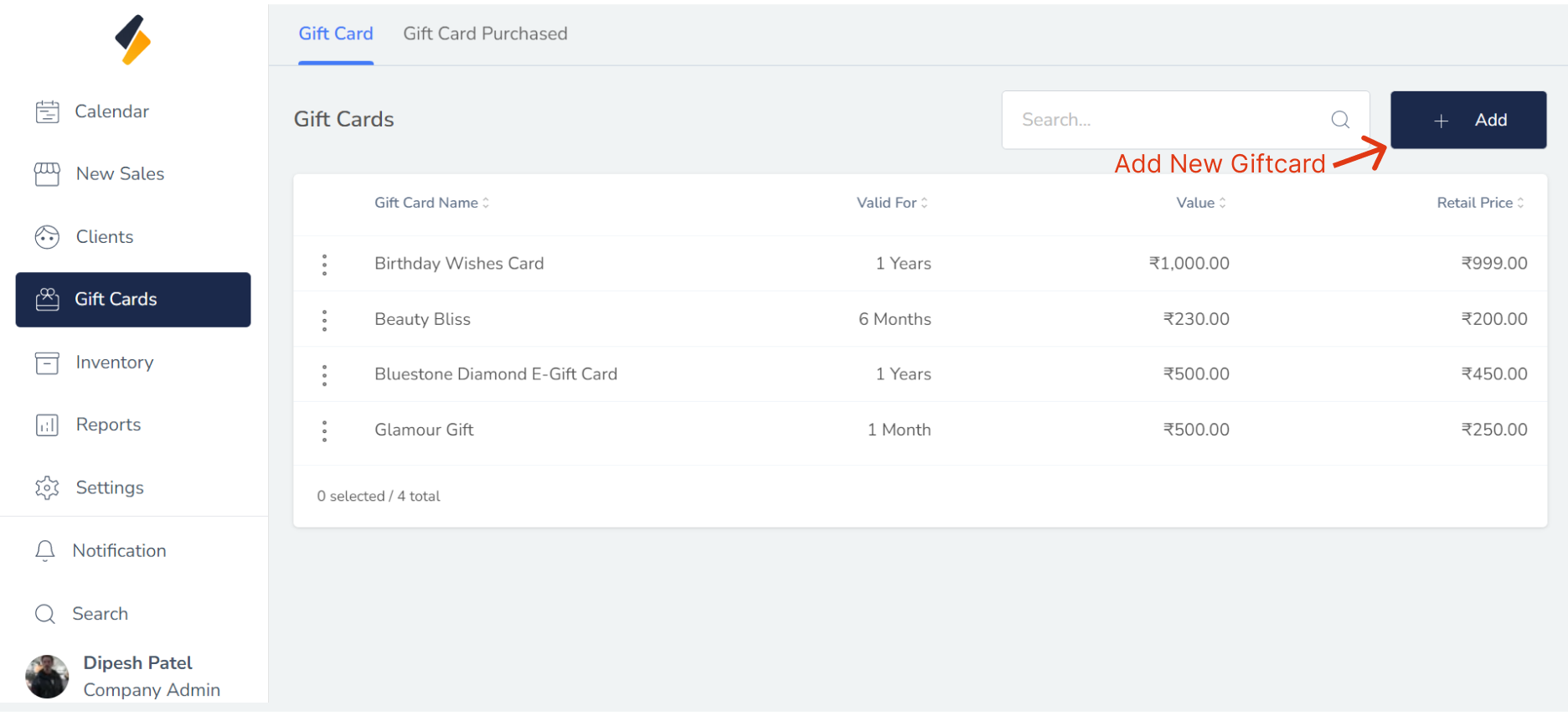
2. Add a New GiftCard:
Click the "+ Add" button to begin adding a new GiftCard to your system.
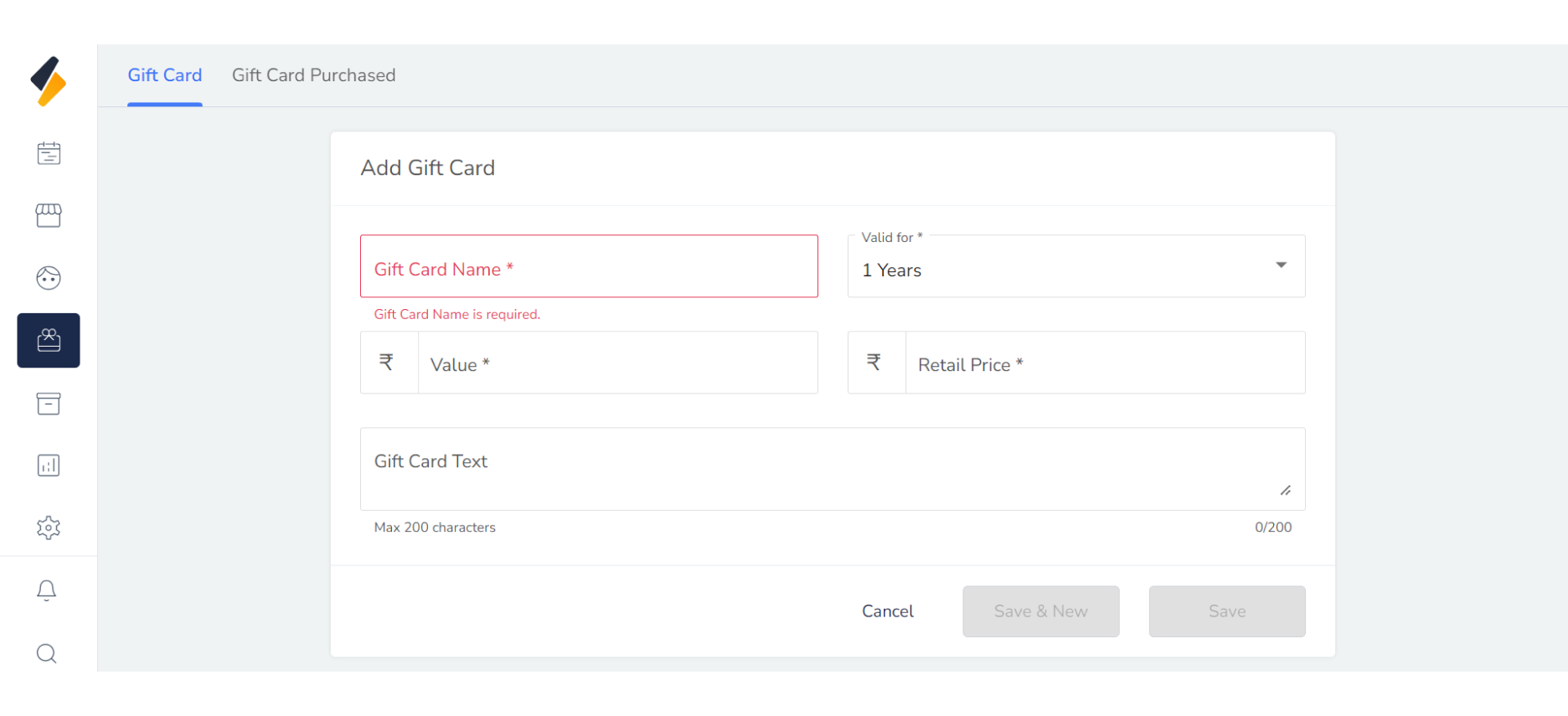
3. Enter the GiftCard Information:
Enter the GiftCard information into the appropriate fields, including:
- Name
- Validity
- Retail Price
- Value
- Description
4.Save the GiftCard Information :
Once you've entered all the GiftCard information, click the "Save" button to save GiftCard to your system. If you want to add more giftCard then click on "Save New" Button.
5. Confirm the GiftCard Addition:
After adding the new GiftCard, review their information and update any fields as necessary.