
how to view all clients?
Follow these instructions to view a client:
1. Navigate to the Client Section:
Once you have logged in, navigate to the client section of the software.
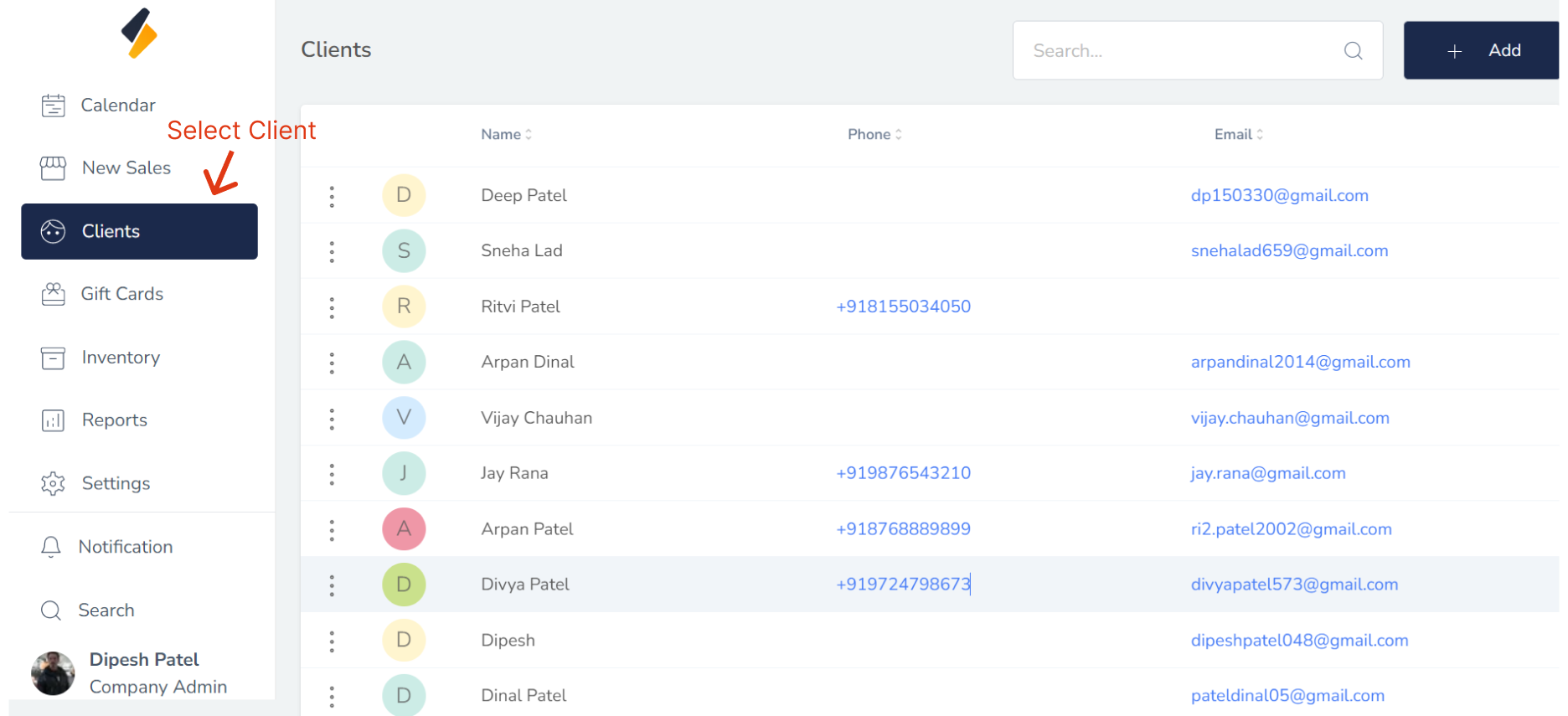
2. All Client list are show in tabular form.
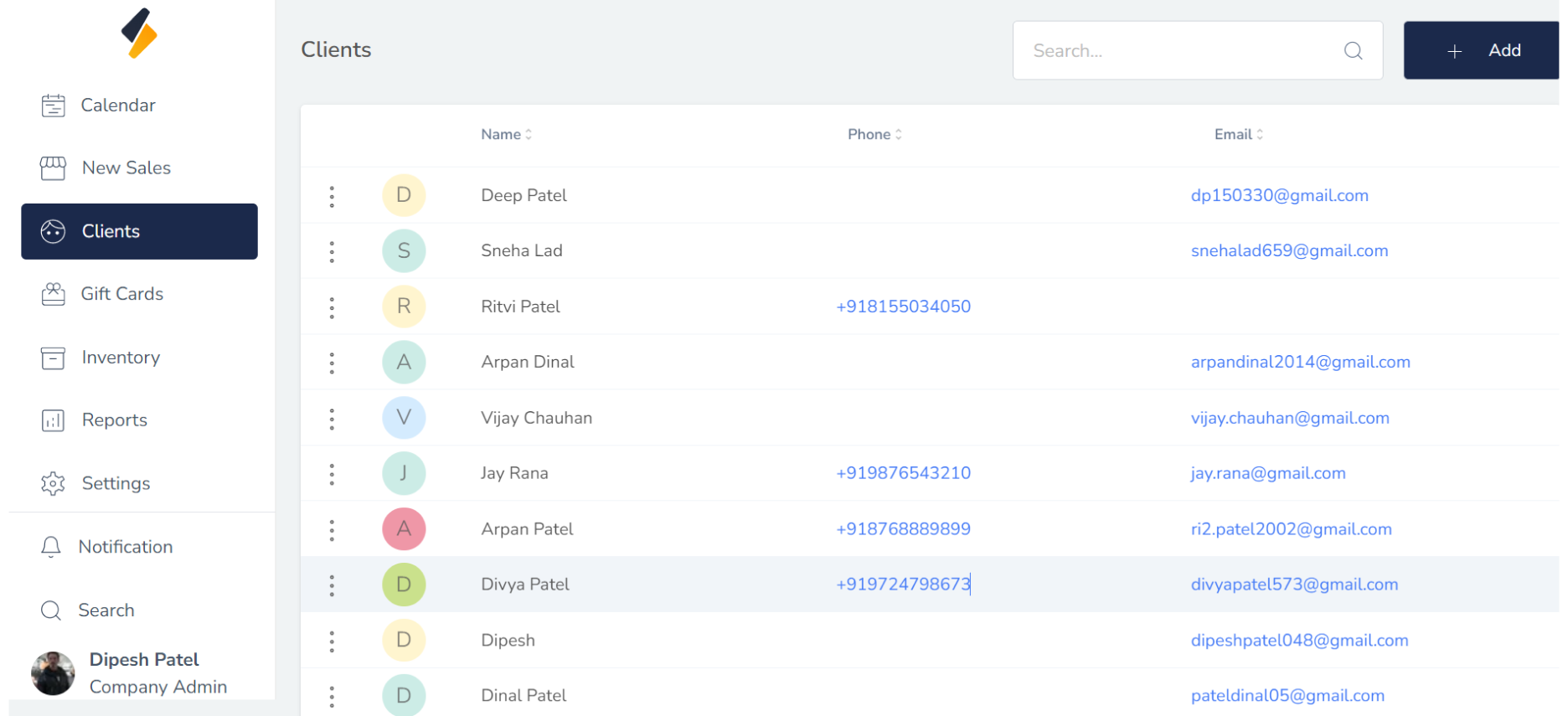
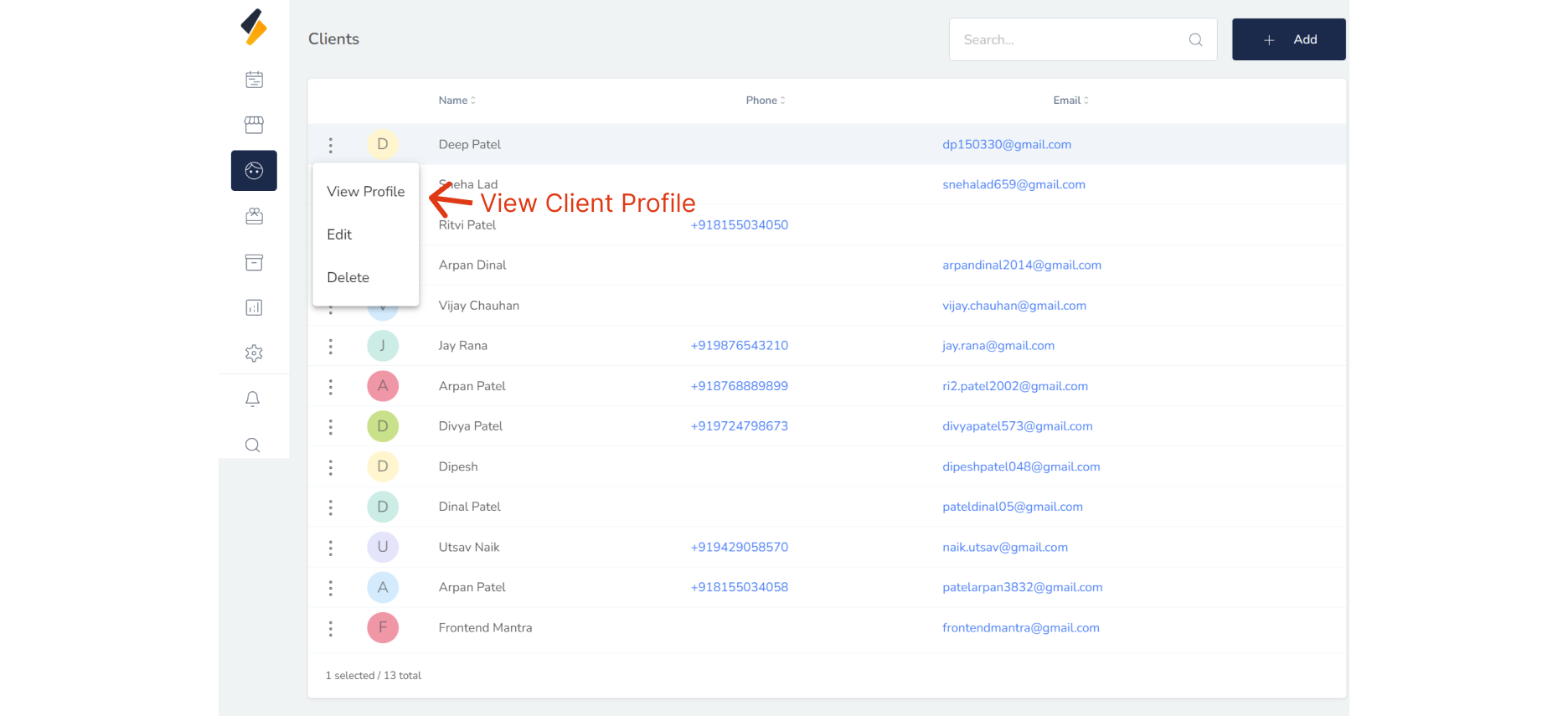
3. Select the client whose profile you wish to view.
To display the profile of a client from the client list, select their name and click on "View Profile"
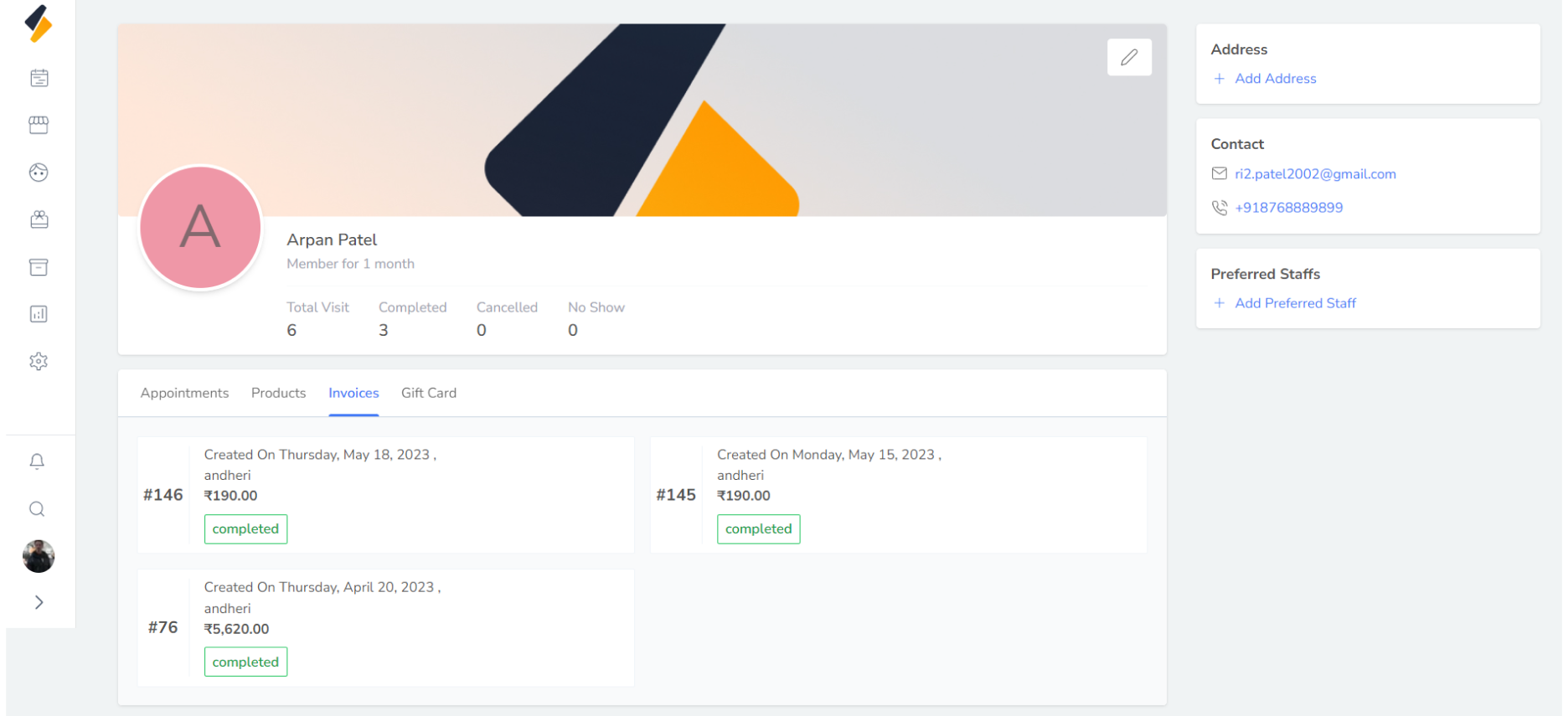
 Within the client profile, you can view the client's appointment list, product list, invoice list, and gift card information. Additionally, you can see the total number of appointments, as well as the number of completed, cancelled, and no-show appointments
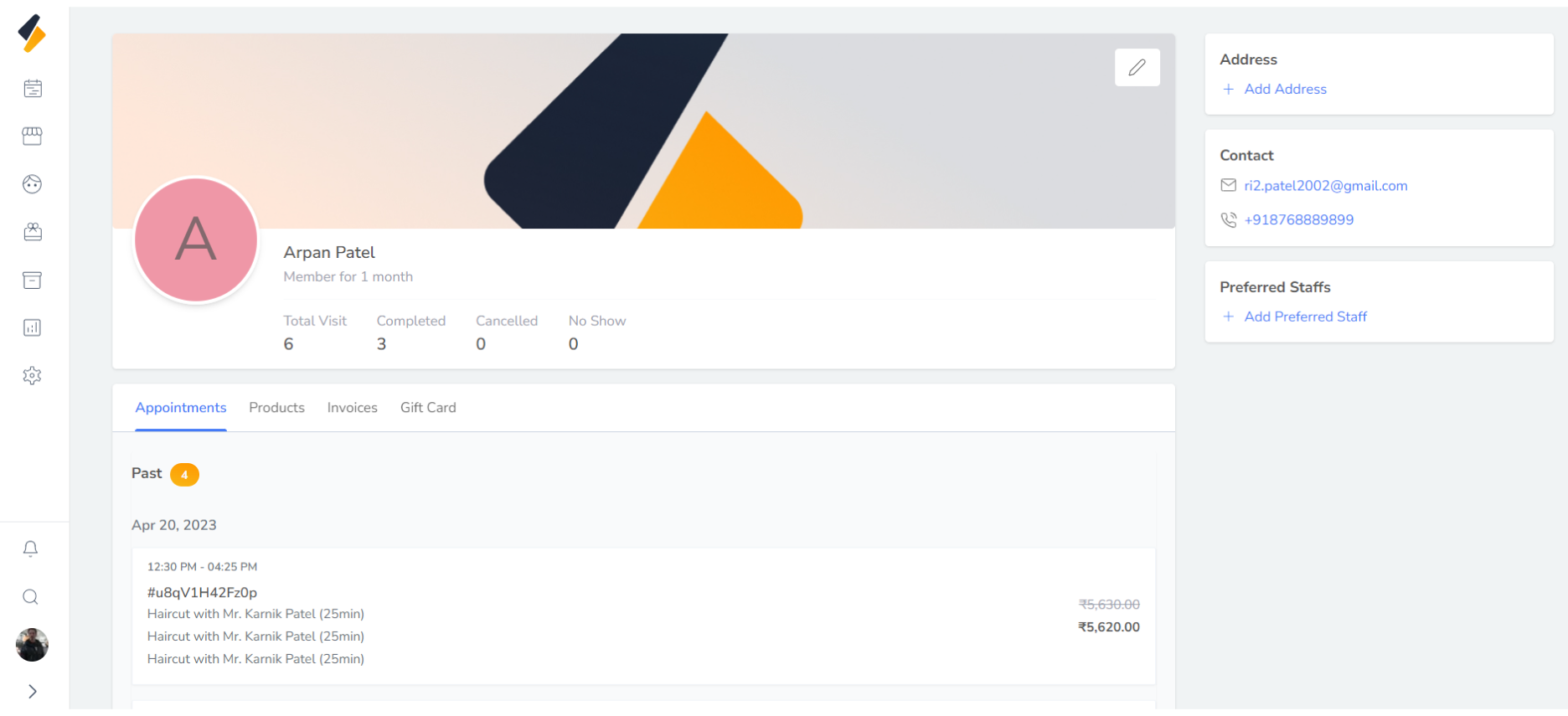
4. Change Client's Information
You can update all the details of a client's profile, including their address and phone number, directly from their profile page To update a client's details, click on the button described in the following image.