Marking No-Show Appointments.
If a client misses their appointment without any prior notice, you can mark it as a no-show appointment. Follow these steps to do so:
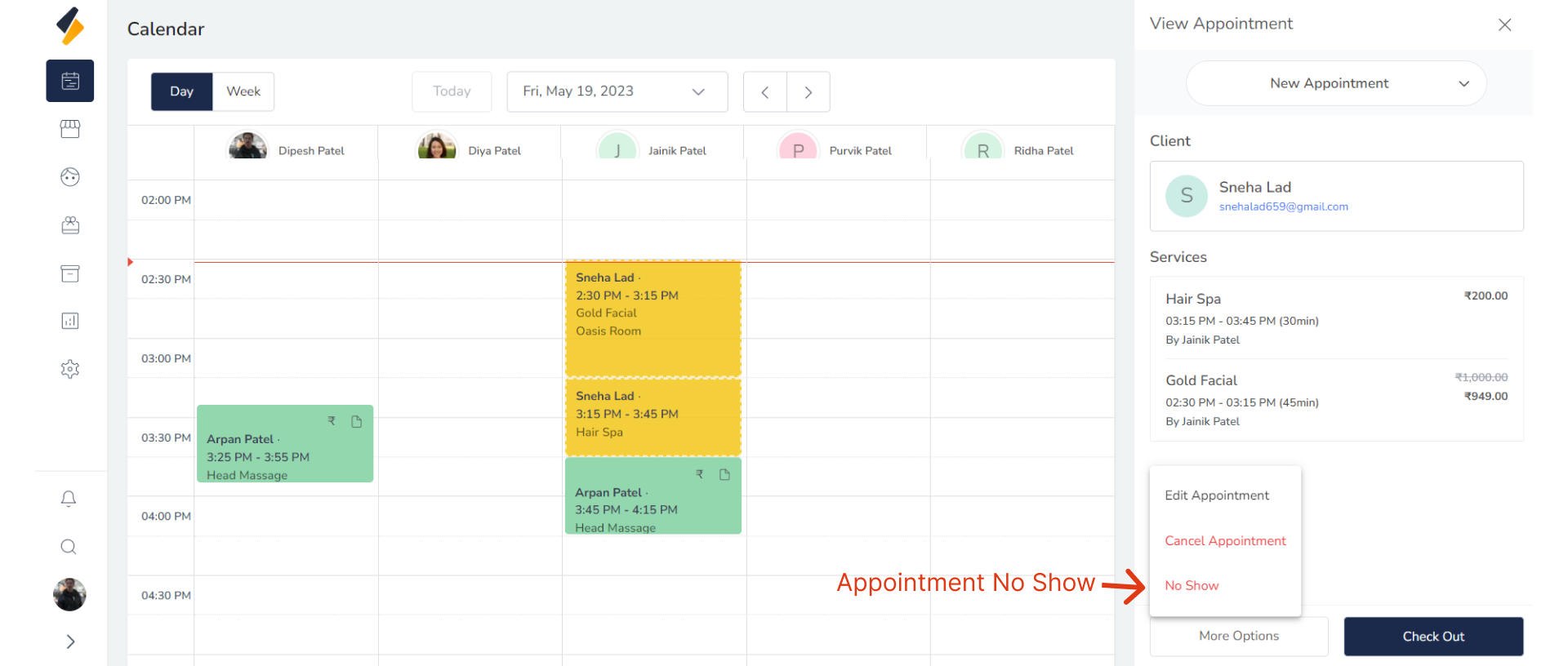
1.Select Appointment:
Navigate to your appointment schedule and locate the appointment that was missed .
2. Select Status:
Mark the appointment as a no-show in the system.Select "no-show" option from "More Option" Button.
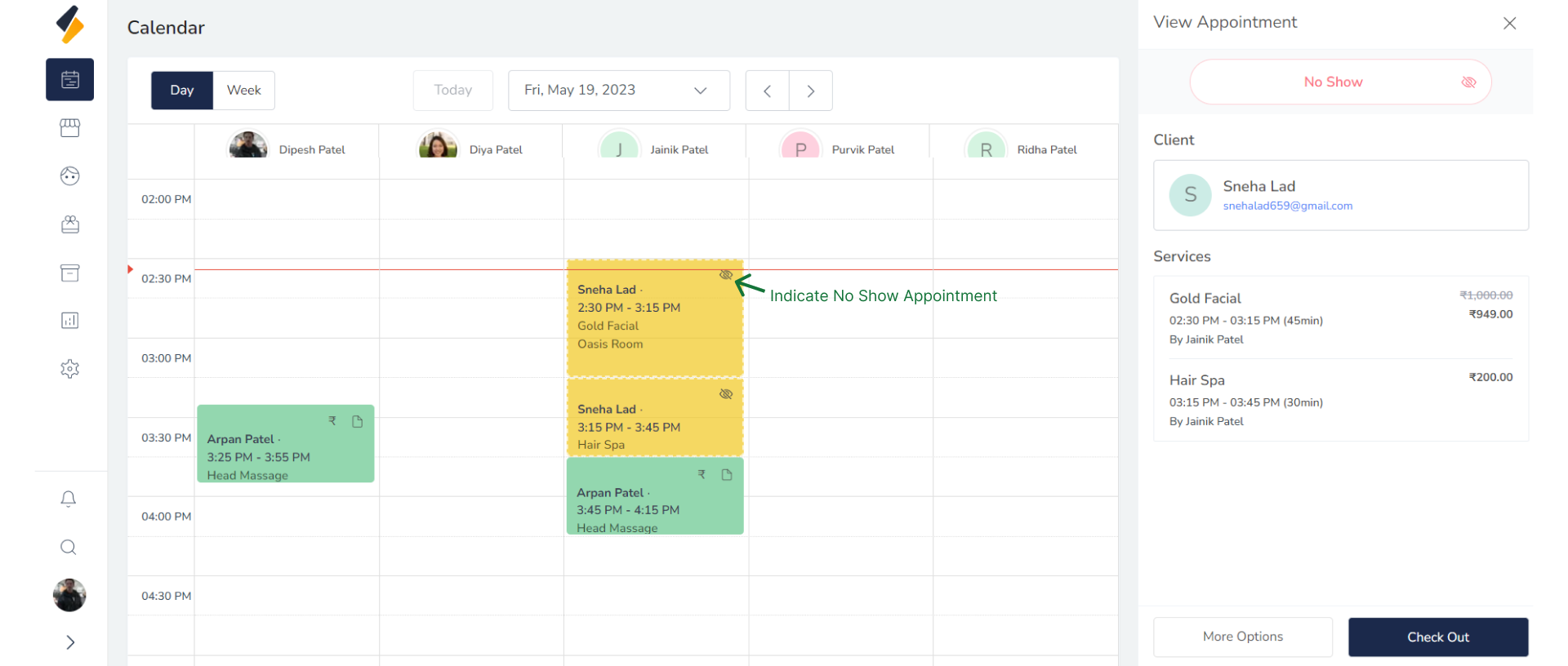
 Your appointment status has been updated to 'no-show'.
Here, this symbol represent a No show appointment.
Your appointment status has been updated to 'no-show'.
Here, this symbol represent a No show appointment.
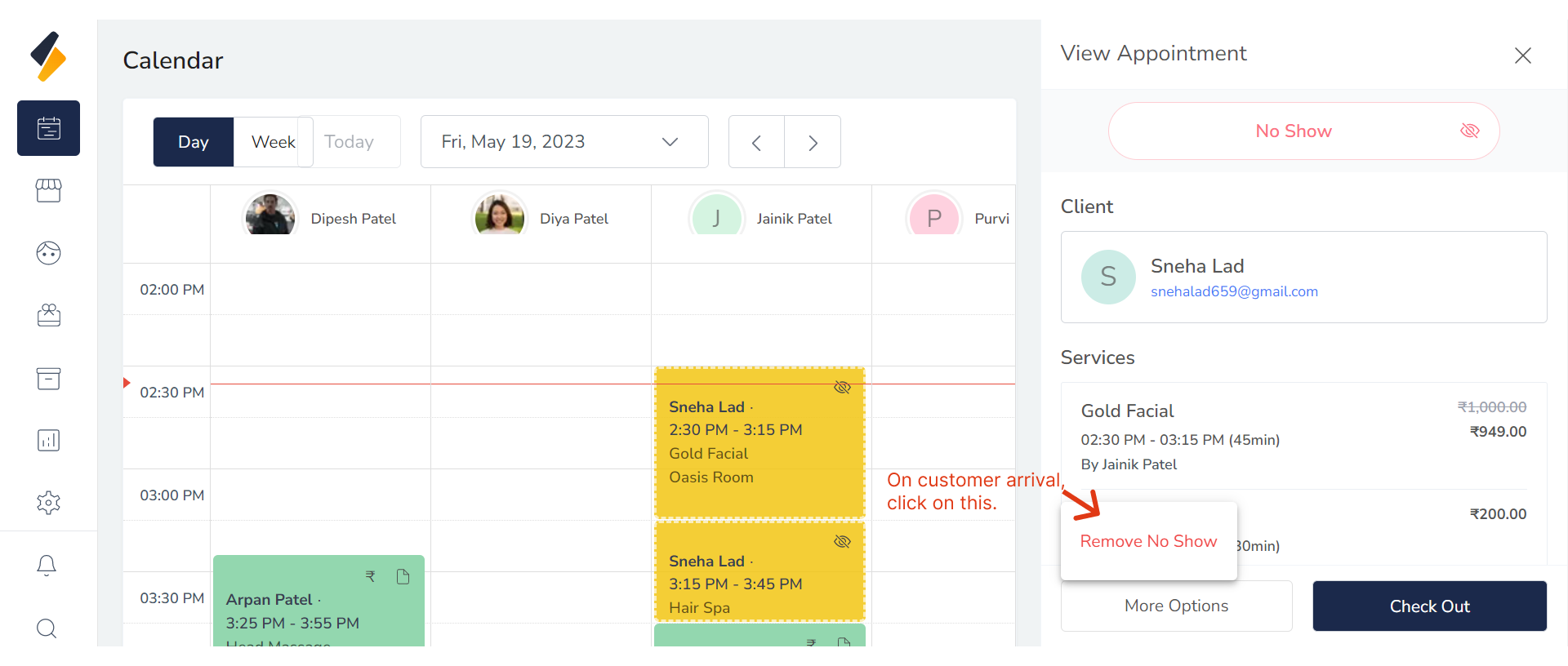
3. Revert your Appointment Status.
Now, you also have the option to revert it.