Editing an Appointment
If you need to change the details of appointment, you can follow these steps to edit it
1.Select Appointment:
Go to the appointment in the Calendar View which appointment information changed.
2. Select Status:
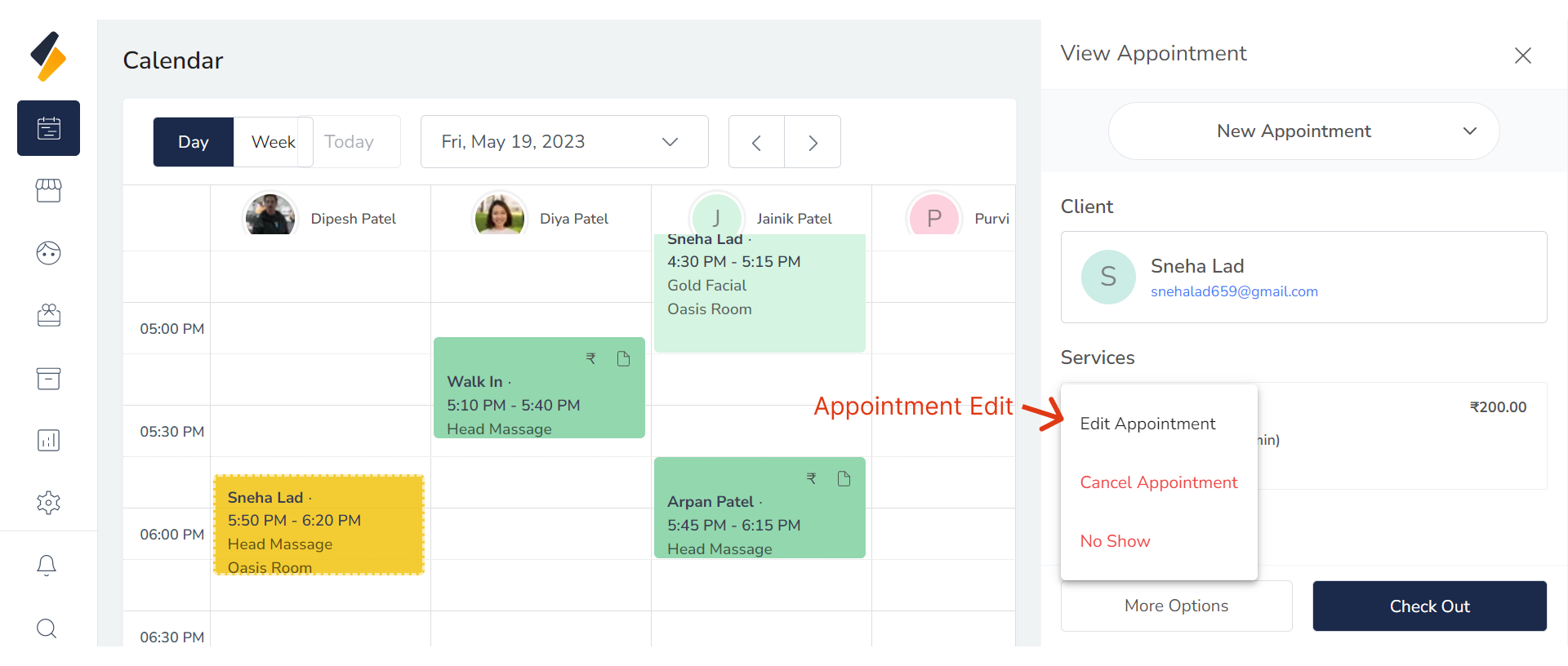
Select "Edit Appointment" option from "More Option" Button.
3. Change Appointment Details:
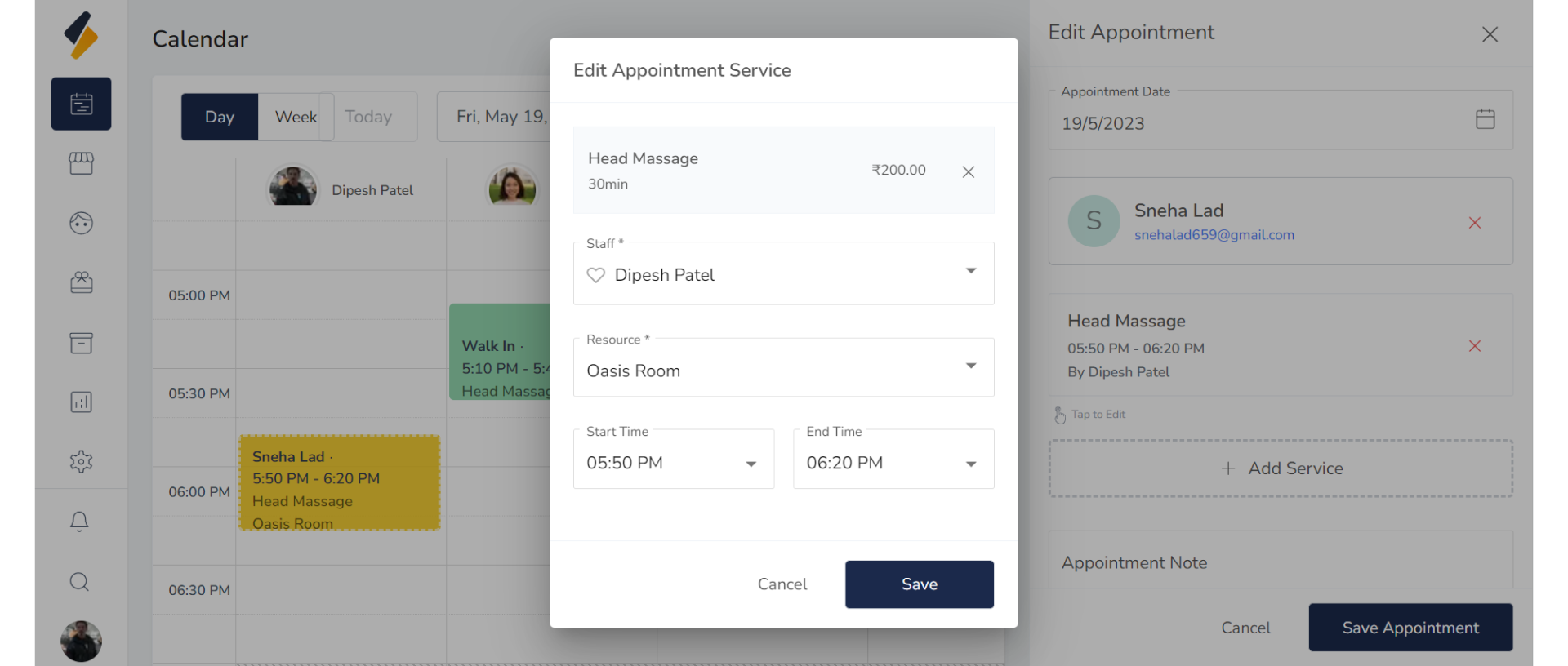
Click on the service for which you want to change the details.
 Update the appointment details, such as the time, staff member, or resource.
4. Update Appointments:
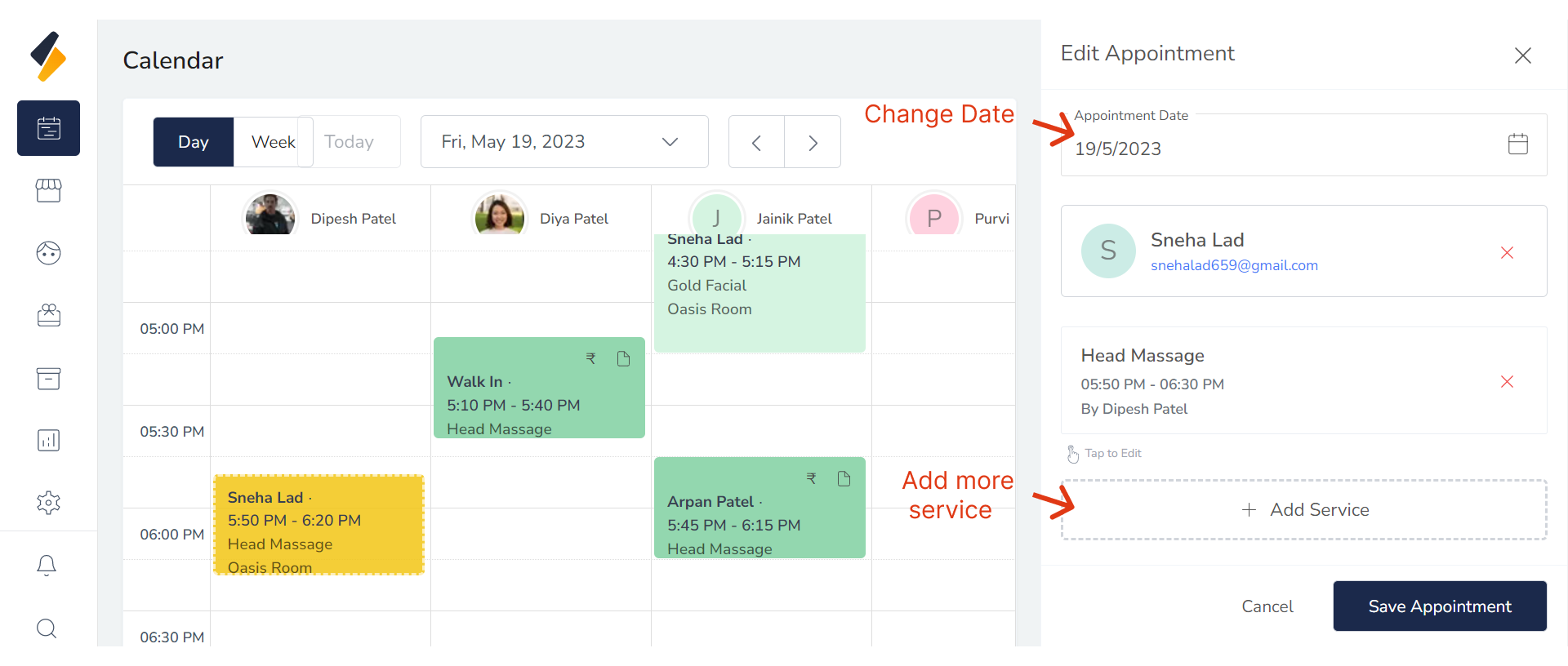
- You can also change the appointment date and add more services from here.
- Click the "Save Appointment" button to confirm the changes.