
Cancelling an Appointment
If you need to cancel an appointment, you can follow these steps:
1.Select Appointment:
Go to the appointment in the Calendar View which Appointment cancelled.
2. Select Status:
Select "Cancel Appointment" option from "More Option" Button.
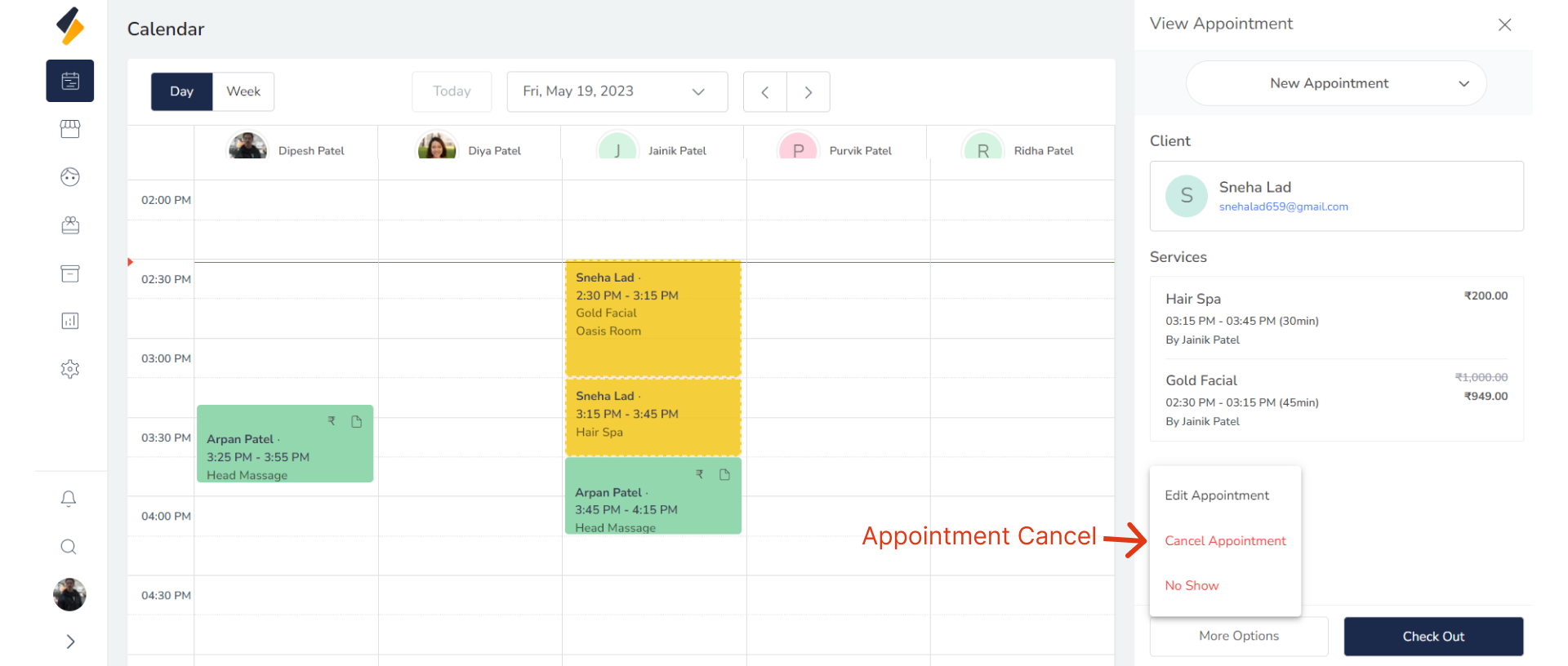
3. Give Reason For Cancel Appointment:
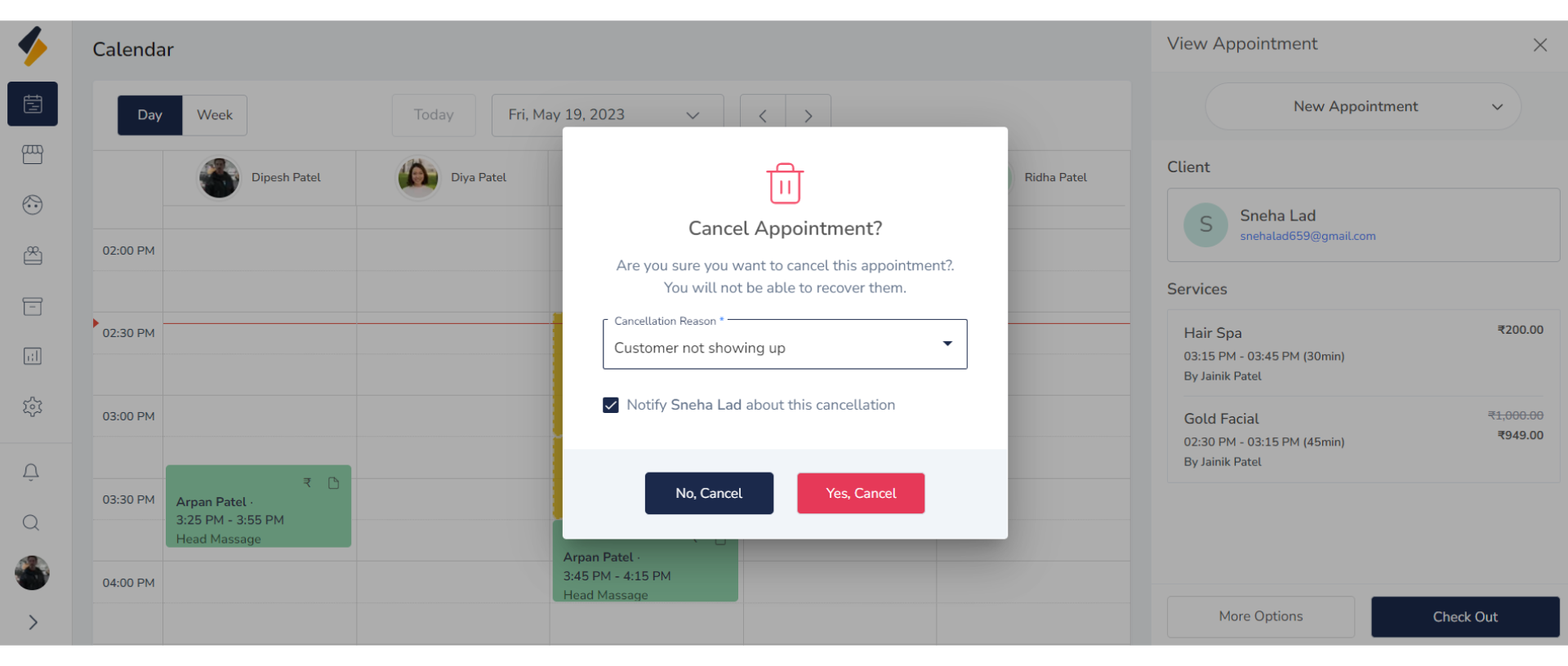
- A modal will appear asking for the cancellation reason. Select the appropriate reason from the dropdown menu.
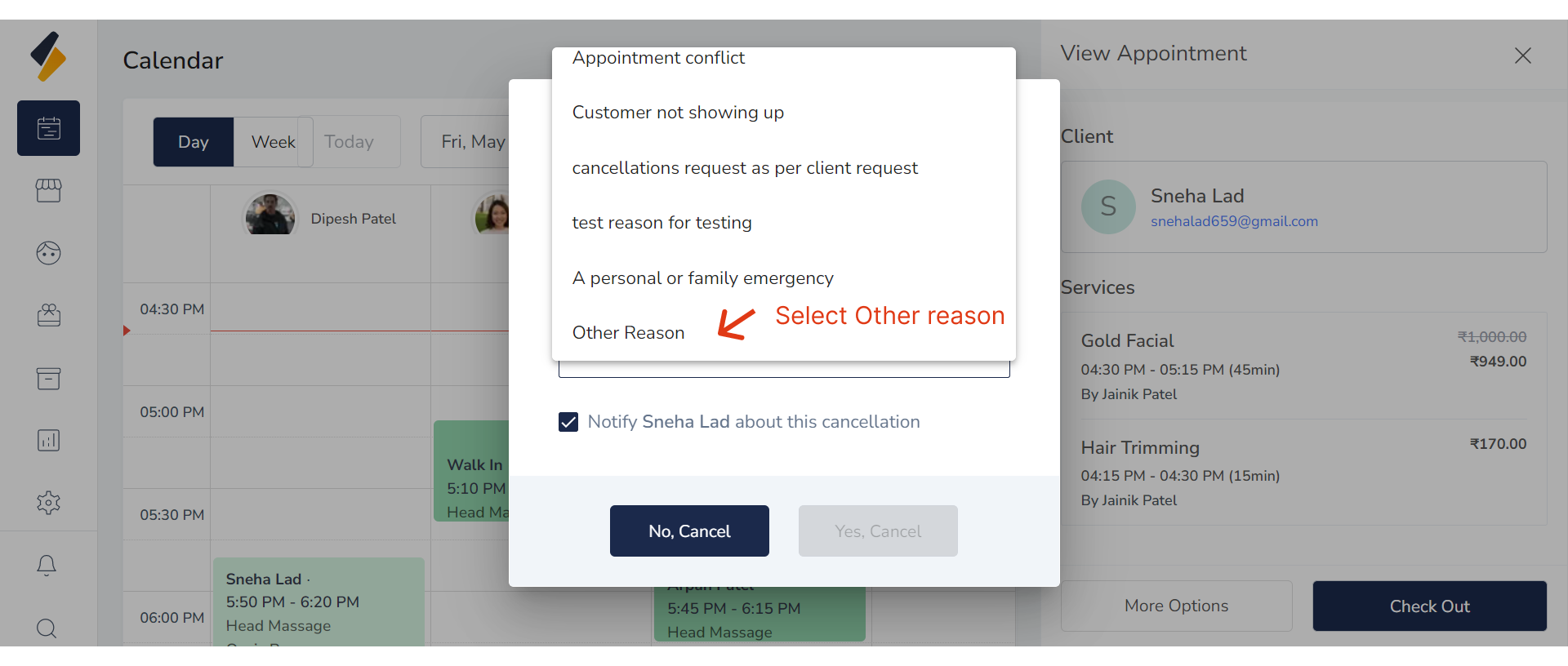
- If you want to add a new reason if necessary then select "Other reason" from dropdown menu.
- provide an appropriate reason for the appointment cancellation.
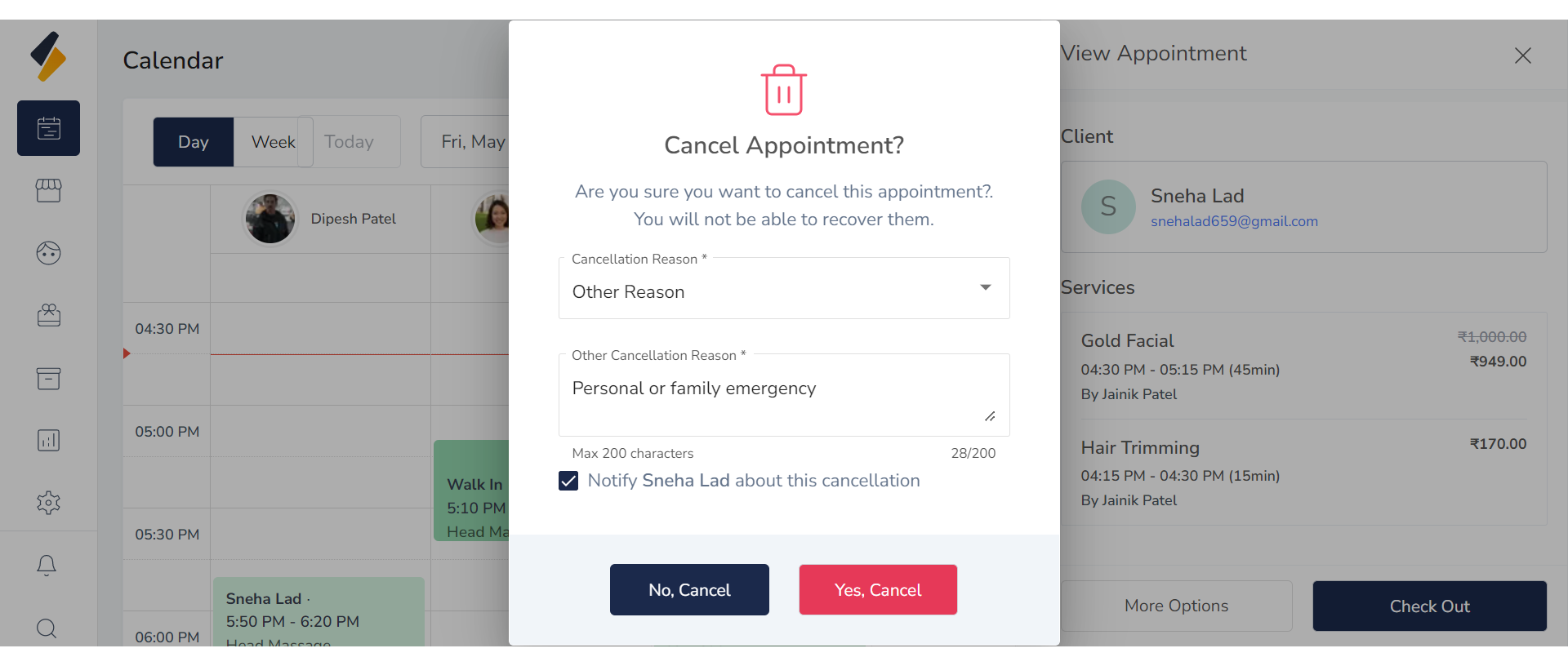
- Select Checkbox To Notify a client about this cancellation.
4. Cancel Appointment:
Click the "Yes, cancel" button to confirm the cancellation.