
How to Book An Appointment?
To book an appointment in a salon, follow these steps:
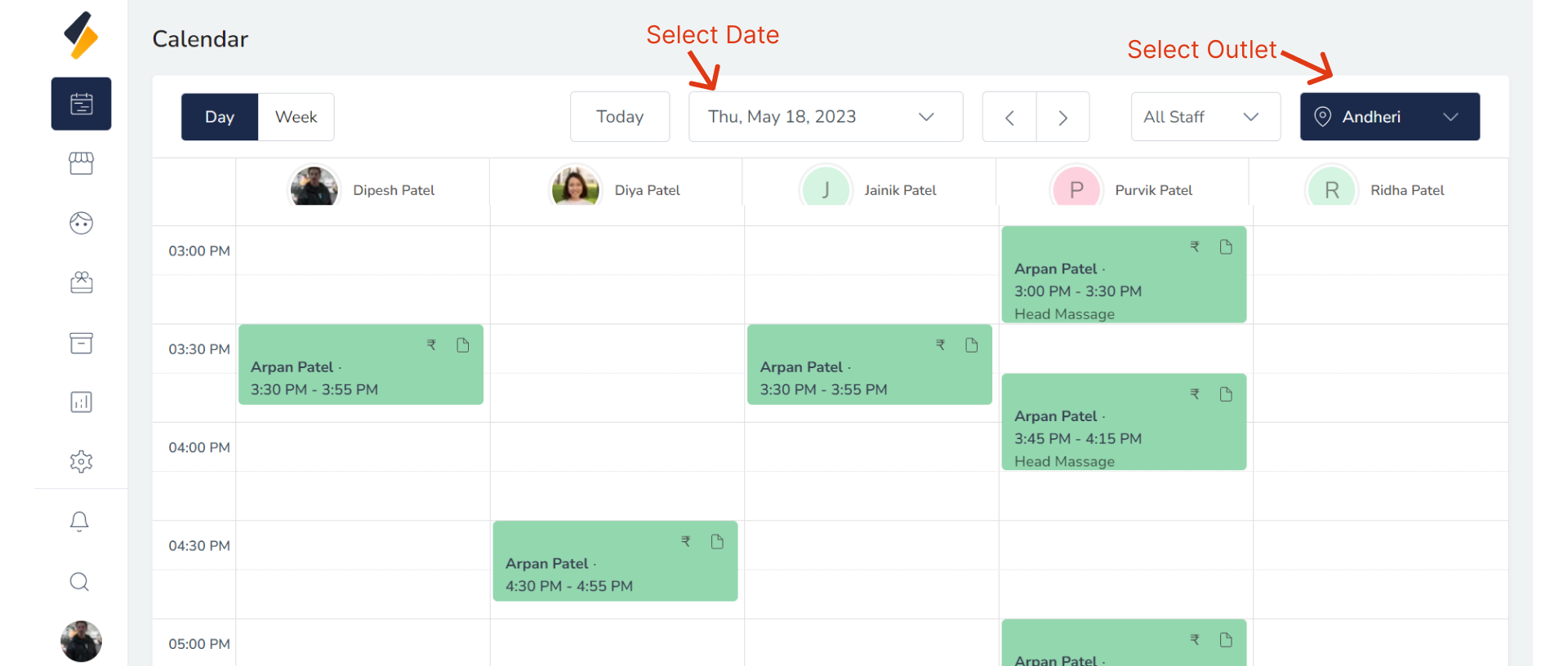
1. Select Appointment Details:
Please select the desired date and outlet(location) for your appointment booking.
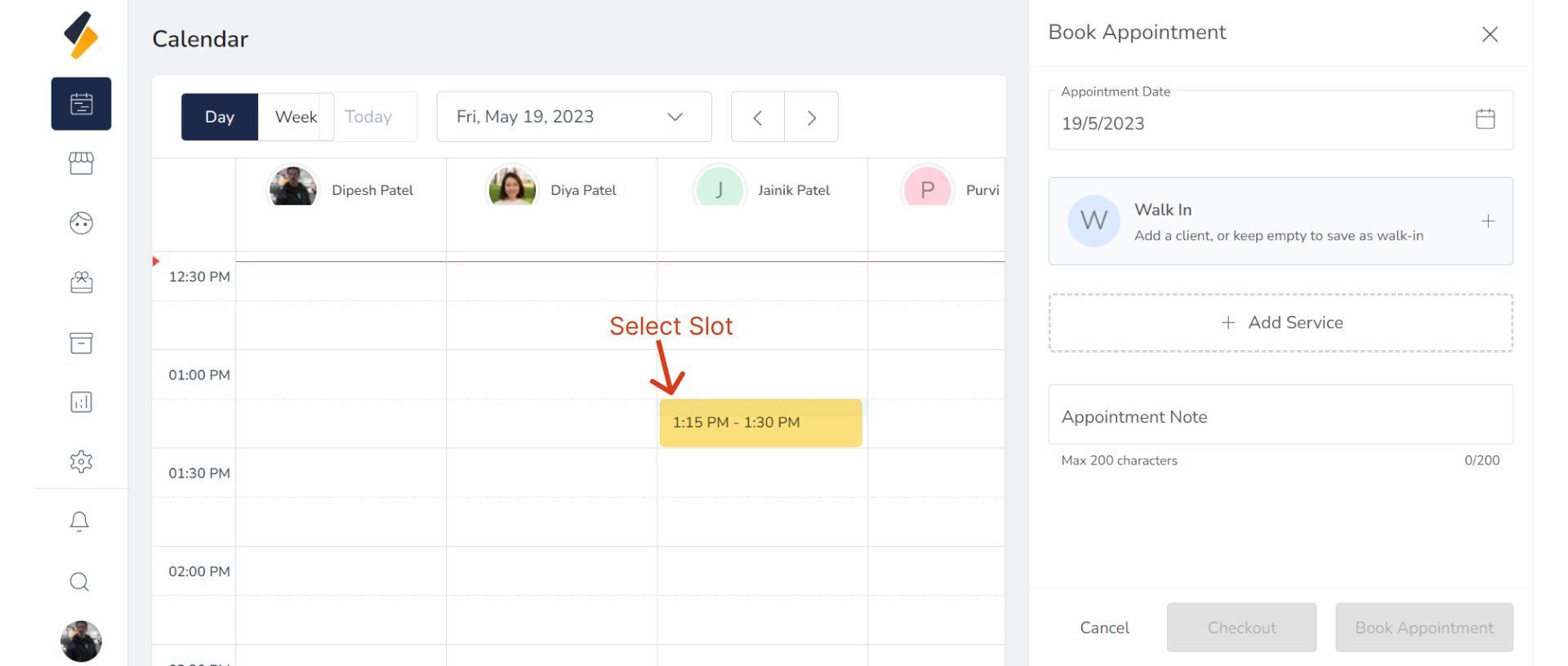
2. Select Appropriate Slot:
Choose the desired appointment slot based on availability.
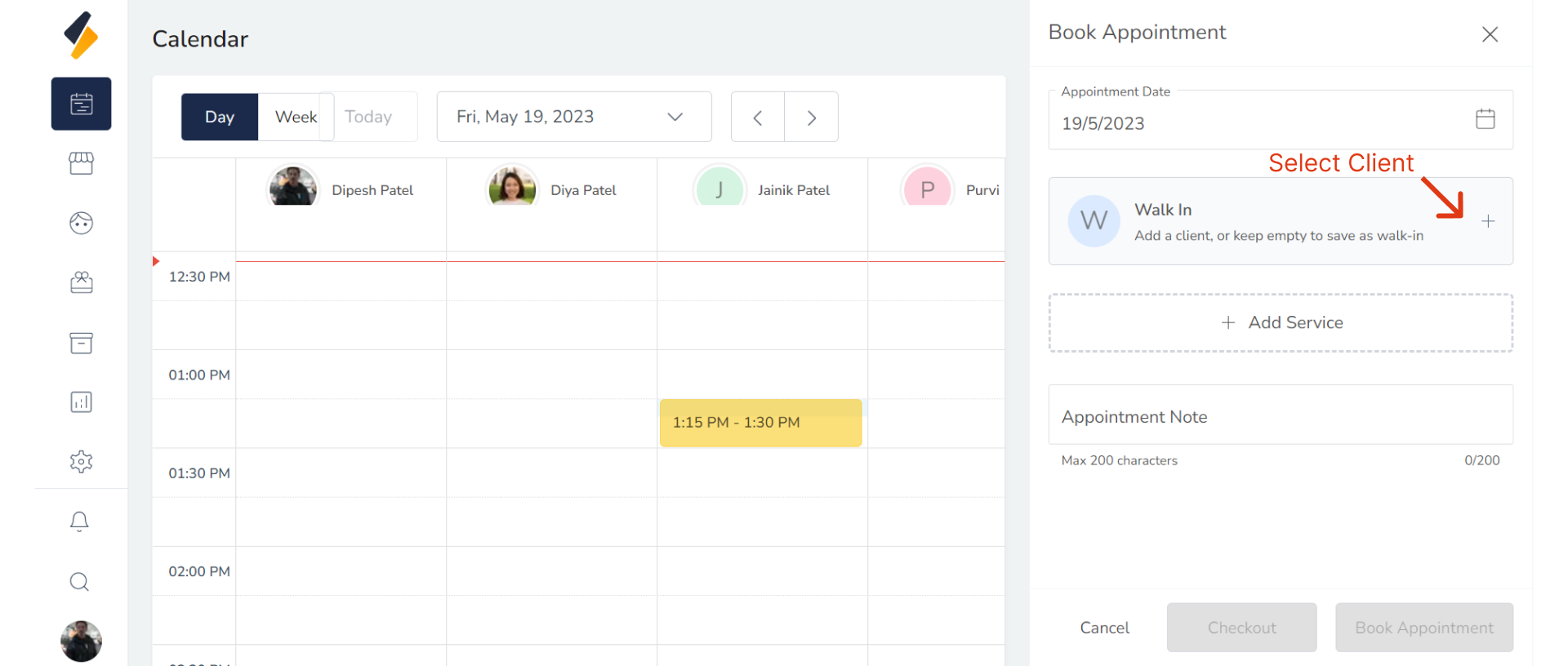
3. Select Client:
To select a client in the salon software, click on the "Walk In" button to access the client list.
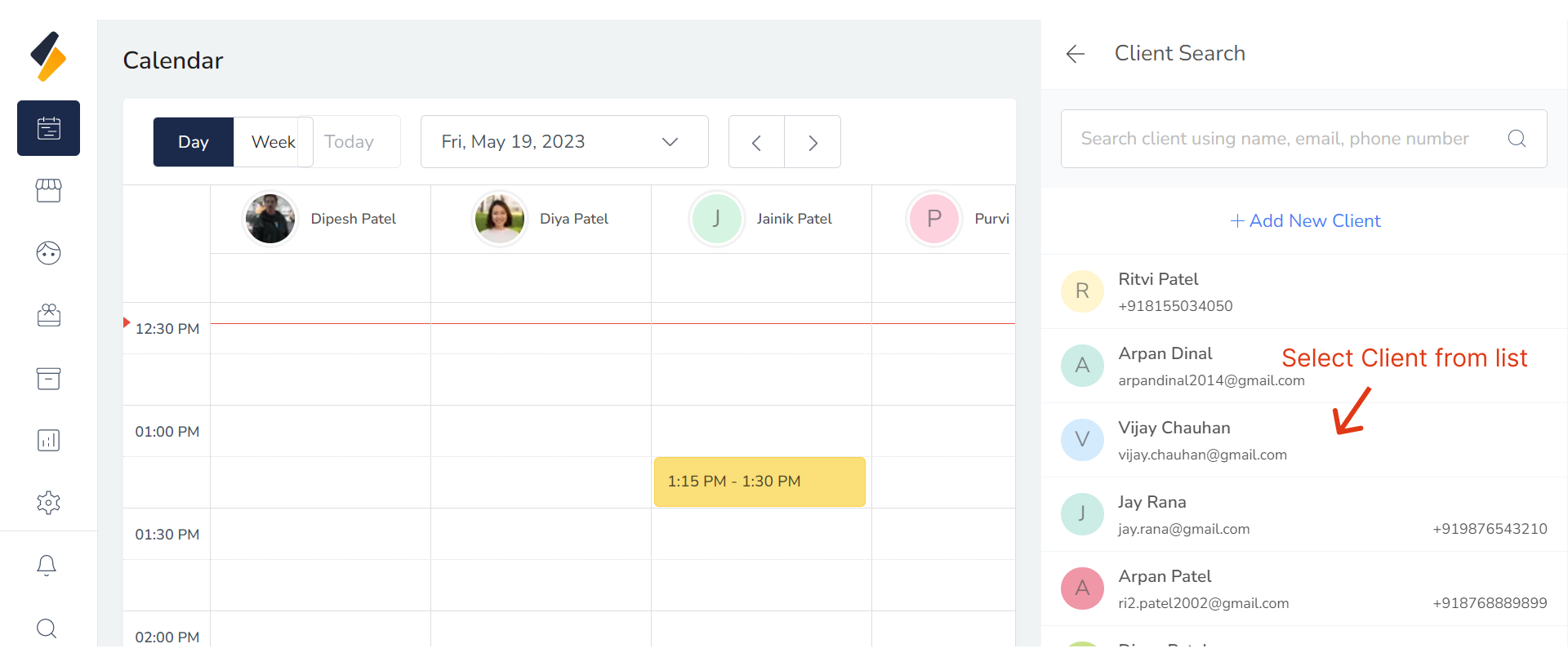
The client list will be displayed, and you can then select the appropriate client from the list.
4. Add Client:
If the client does not exist, click on the "Add New Client" button.
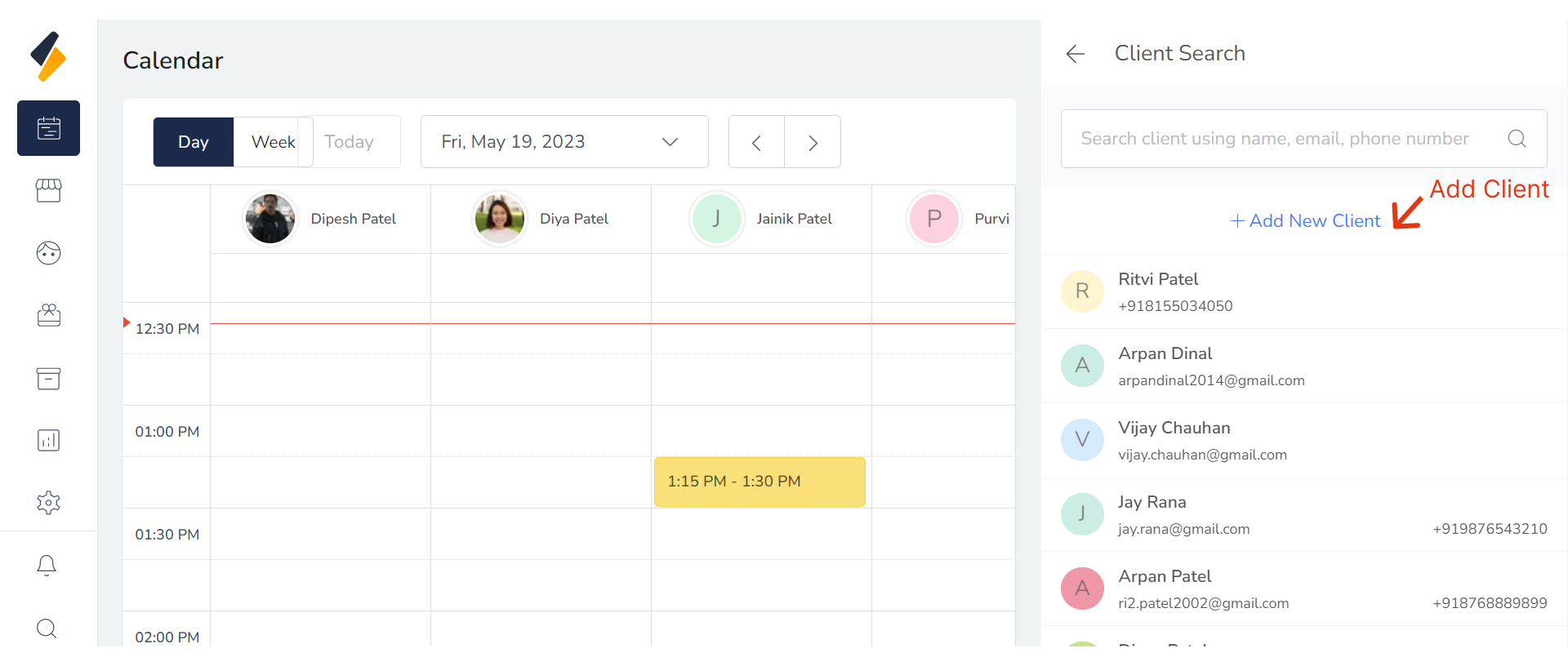
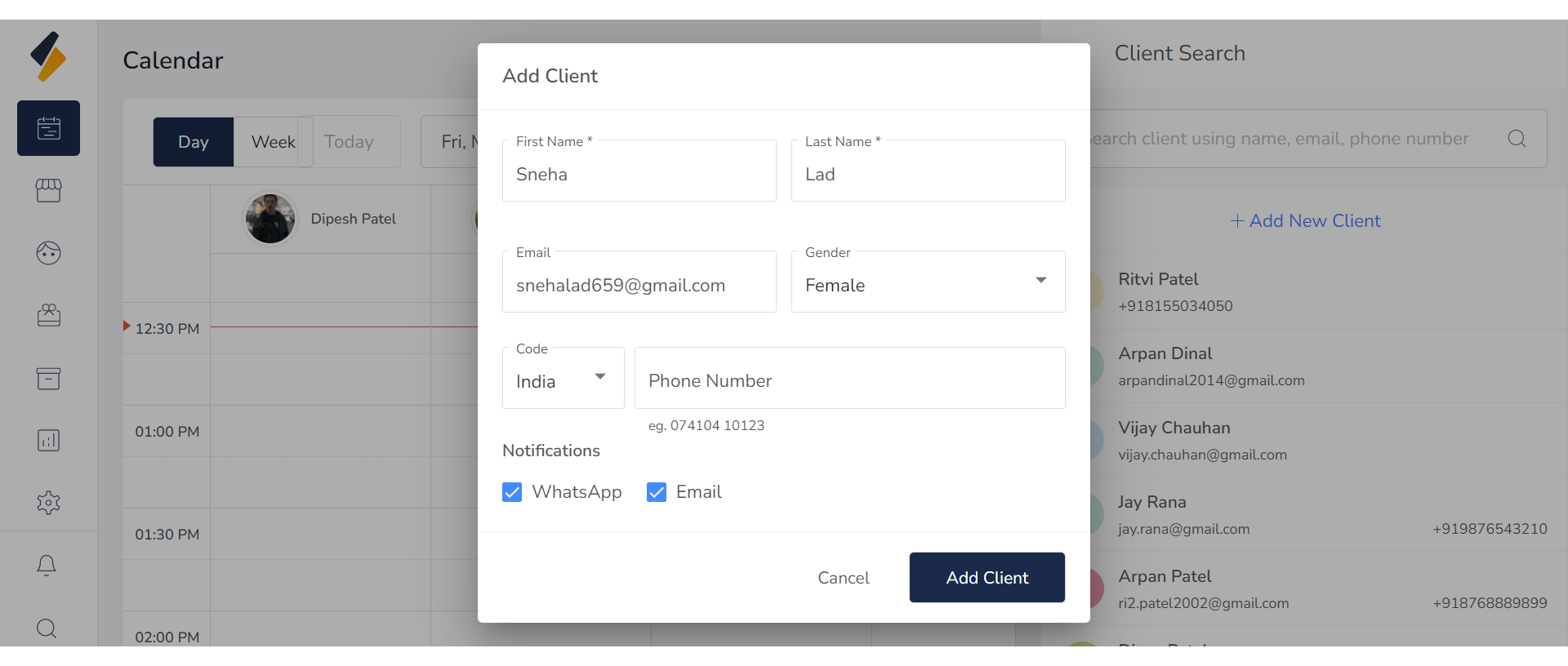
This will open a modal where you can enter the client's details. This way, you can add the client's information.
5. Add Services:
To select services, click on the "Add Service" button.
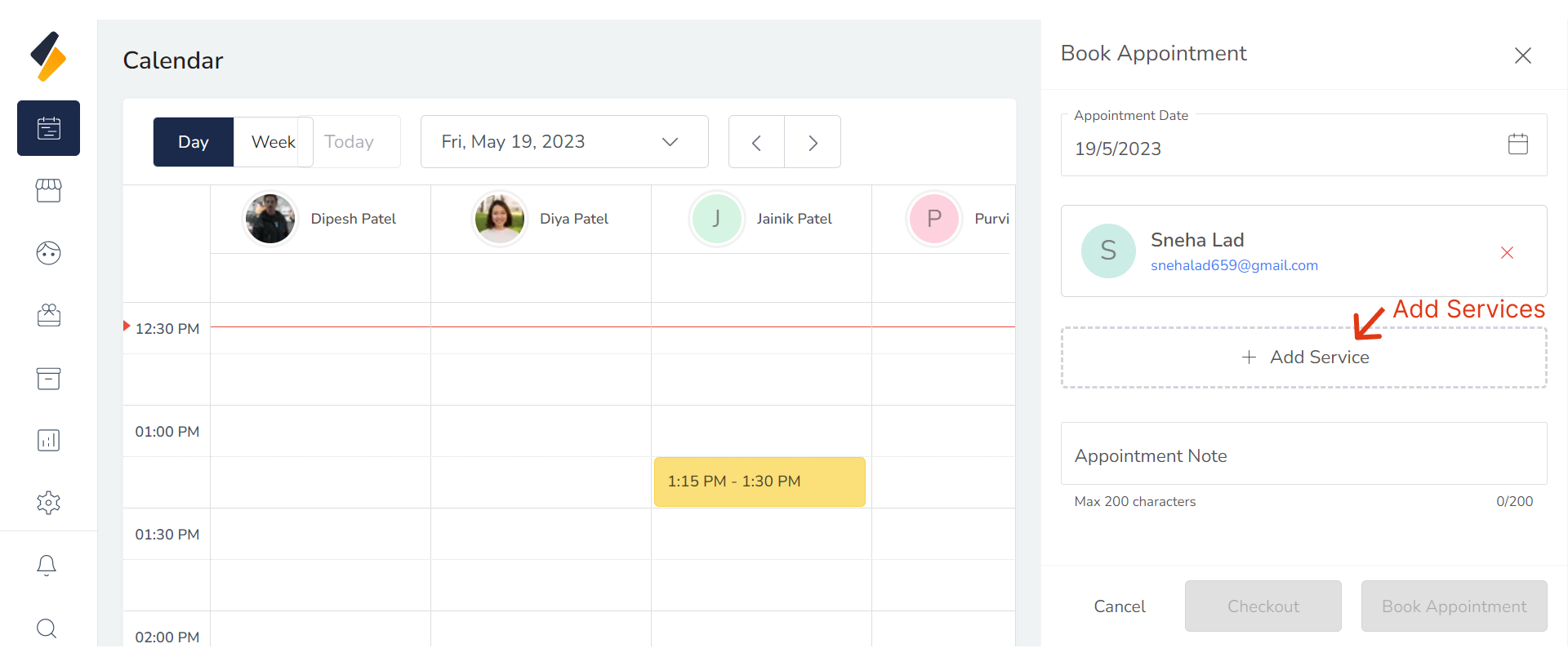
Add any services you would like to add in appointment.
- To find additional services, you can search for services by name or category using the search or filter by category or service for.
- If you want to remove then click on "Remove item" Button.
- You can also change staff by service.
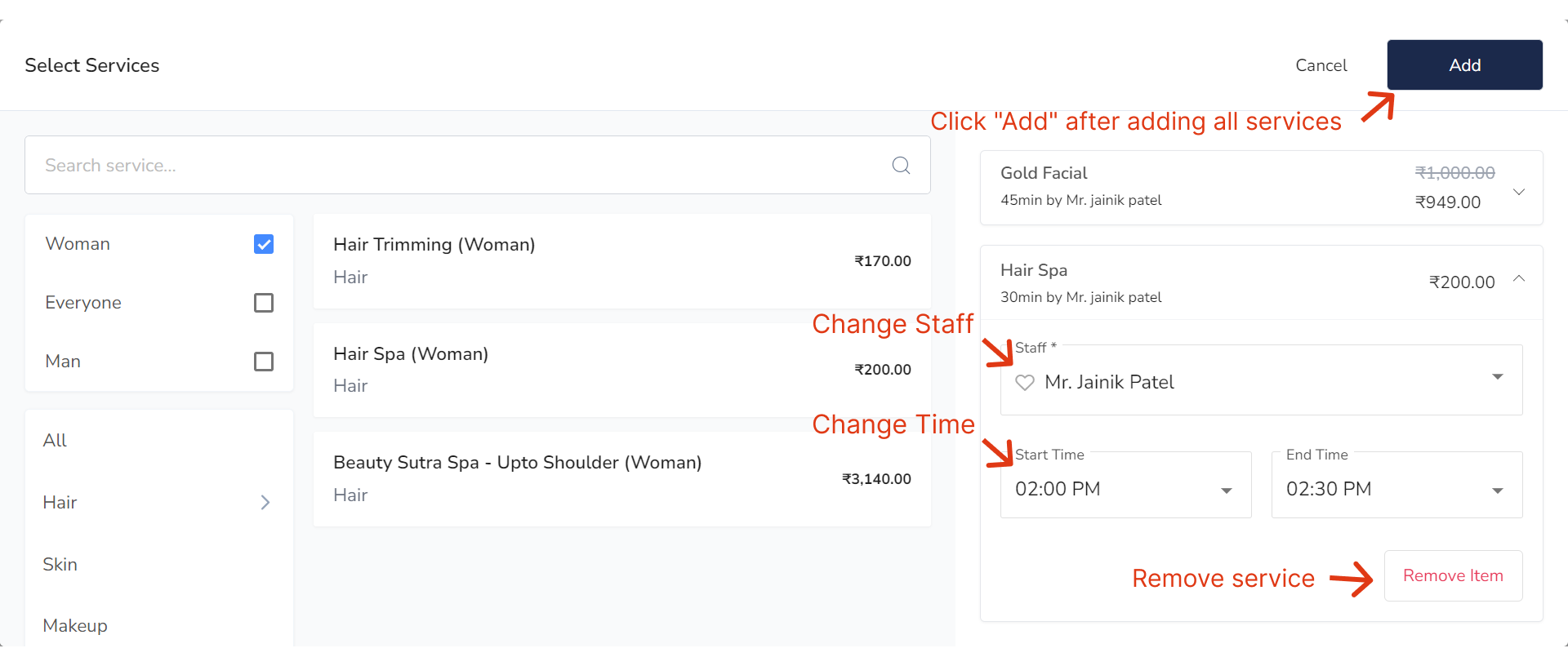 After service selected click on Add Button.
6. Book Appointment
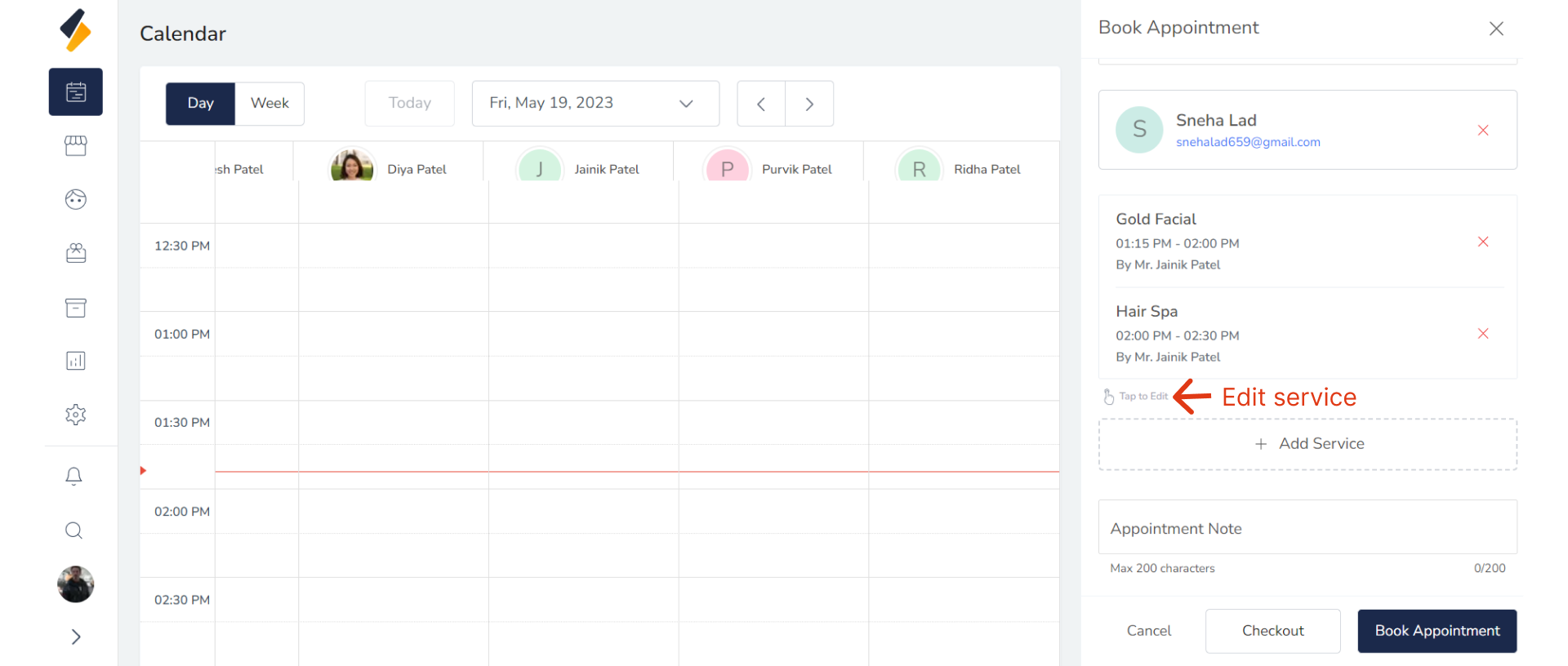
- You can also Edit more service from this. Click on "Tap to Edit" Button For Edit service.
- After service added Click On "Book Appointment" Button.
That's it! You should receive a confirmation email from the salon. Enjoy your salon experience!
After booking an appointment, you may need to manage it in some way. Here are some common actions you can take:
1] Cancel Appointment 2] Edit Appointment 3] No Show Appointment 4] Checkout Appointment